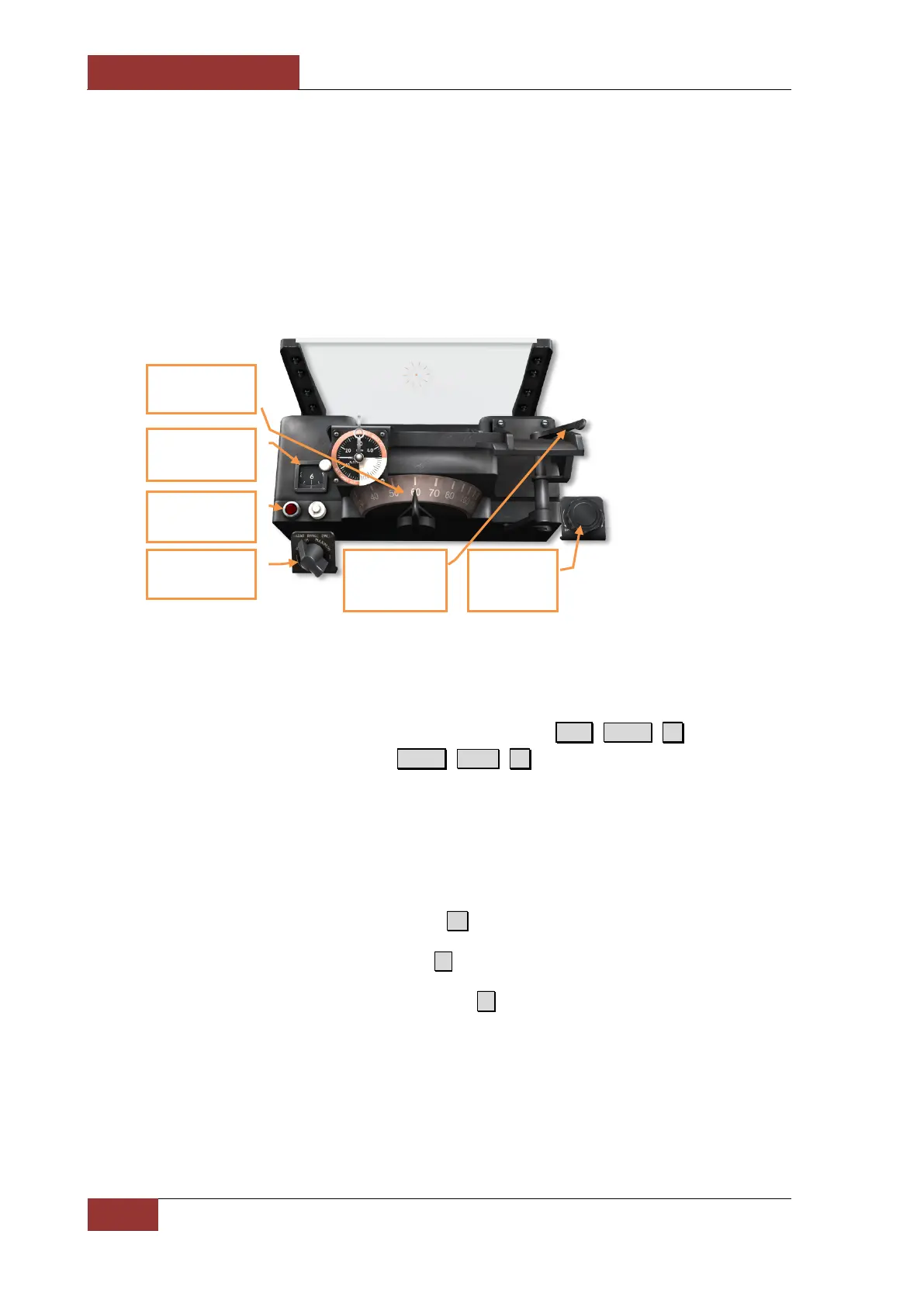
A-4 Gun-Bomb-Rocket Sight
Weapons aiming is accomplished using the A-4 gun-bomb-rocket sight. For air-to-air combat, accurate
target range is automatically fed to the sight by the AN/APG-30 range-finding radar mounted in the
nose. In case the radar malfunctions or provides poor results, aiming can be accomplished by
manually entering target range and wingspan data. The A-4 sight also provides computed aiming
against ground targets when employing bombs and rockets.
The A-4 sight uses a complex system of gyroscopes to calculate aim. These are sensitive to aircraft
maneuvering, which can damage the equipment or cause errors in calculations. To prevent this, the
sight is “caged” at all times other than an active target attack. Press R.Alt +R.Shift+ H to decrease
the sight brightness in darker conditions and R.Shift + R.Ctrl+ H to increase when needed.
A-4 Sight modes of indication
Прицел A-4 имеет три режима работы:
• NAVIGATION mode – selected by pressing 1 . This mode is default upon the simulation start.
• AIR-TO-AIR mode – selected by pressing 6 and used in air combat engagements.
• AIR-TO-GROUND mode – selected by pressing 7 and used for aiming targets on the
ground.
caging lever
Sight dimmer
control knob
Target wingspan
adjustment knob
Radar target
(“lock”) indicator
Sight range dial
(x100 feet)
knob



 To Next Page