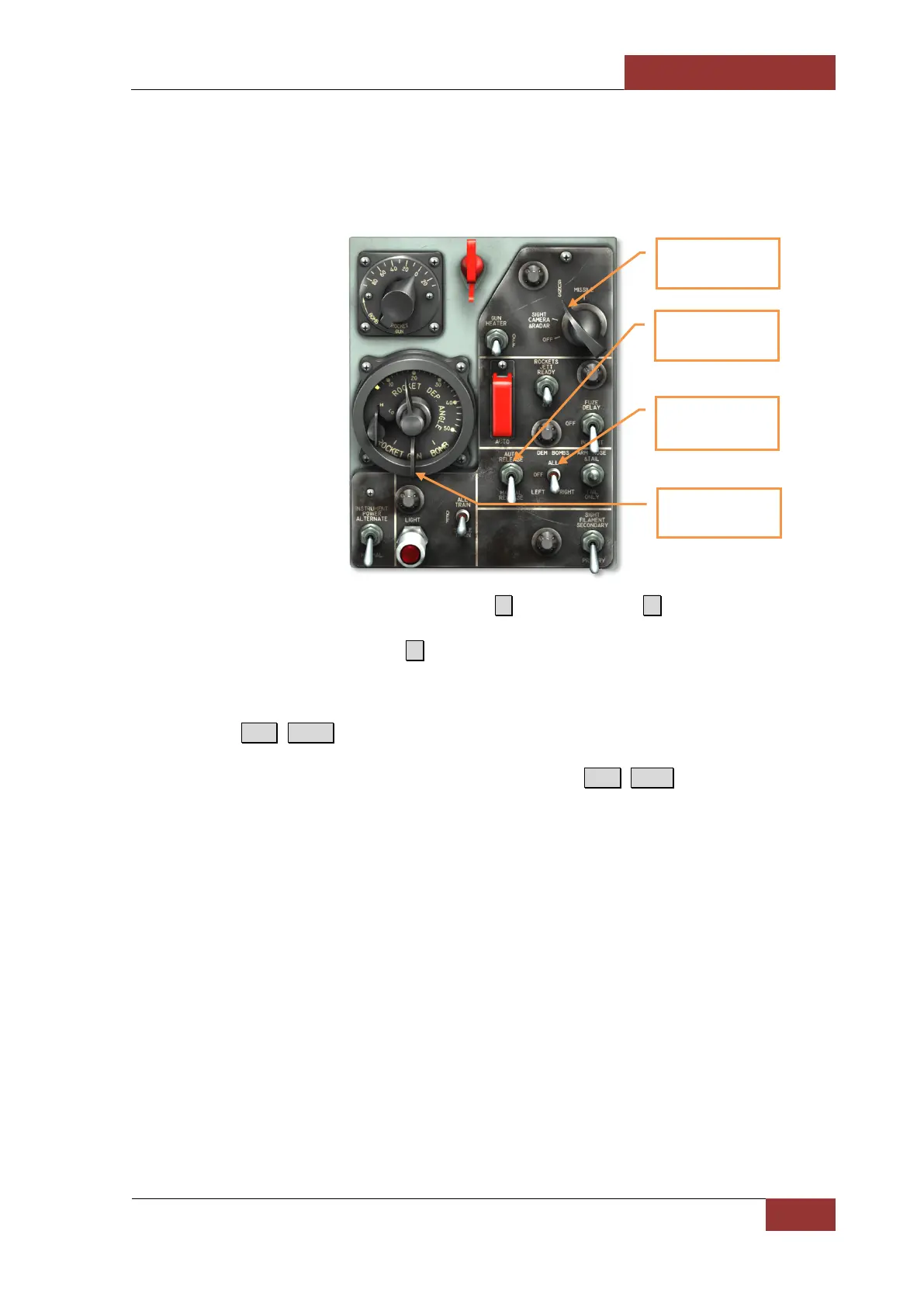
Weapons Control Panel
The weapons control panel is located on the center console below the instrument panel. This panel
includes a number of important controls for configuring weapons for fire.
• Gun-missile safety switch. In the Air-to-air 6 and Air-to-ground 7 modes must be set to
GUNS for any weapons to fire but missile. Set switch to MISSILE in order to deploy AIM-9B
against aerial targets. Pressing 1 (navigation) sets the switch into the OFF position.
• Bomb release selector switch. Sets bombs for AUTO or MANUAL RELEASE mode. In
manual release mode, bombs are released when the pilot presses the bomb-rocket release
button R.Alt+Space. on the control stick. In automatic release mode, the A-4 sight
automatically provides a release signal when the calculated release point is reached after the
bomb-rocket release button is pressed and HELD down R.Alt +Space.
• Bomb sequence selector switch. Sets the release sequence of bombs between: LEFT,
RIGHT, or ALL.
• Function selector lever. Sets the gunsight mode based on the selected weapon type.
Gun-missile safety
switch
switch
Function selector
lever
Bomb sequence
selector switch



 To Next Page