E. TIMER BUTTON
Program a me from (1-hour to 24-hours) for the air condoner to turn O or On. When a Time Delay is programmed,
the Timer indicator light will illuminate.
While the air condoner is operang:
1. Press the Timer buon.
2. Press the Up/Down arrow buons to select the number of hours you want the air condoner to connue to operate
before turning O.
While the air condoner is o:
1. Press the Timer buon.
2. Press the Up/Down arrow buons to select the numbe
r of hours you want the air condoner to remain o before
turning On.
NOTE: Wait approximately 5 seconds for the Turn-On me to be saved.
To cancel the mer:
Press the Timer buon once, the hours remaining will be cancelled.
Press and hold the er buon for 3 seconds to enter the Wi-Fi distribuon state or release the Wi-Fi binding
state.
F. CONTROL PANEL DISPLAY
Displays the Set Temperature in degrees Fahrenheit or degrees Celsius, or the hours remaining in a Time Dela
y.
G. SLEEP MODE
The Timer and Down Arrow buons, when pressed at the same me, allow you to select Sleep mode.
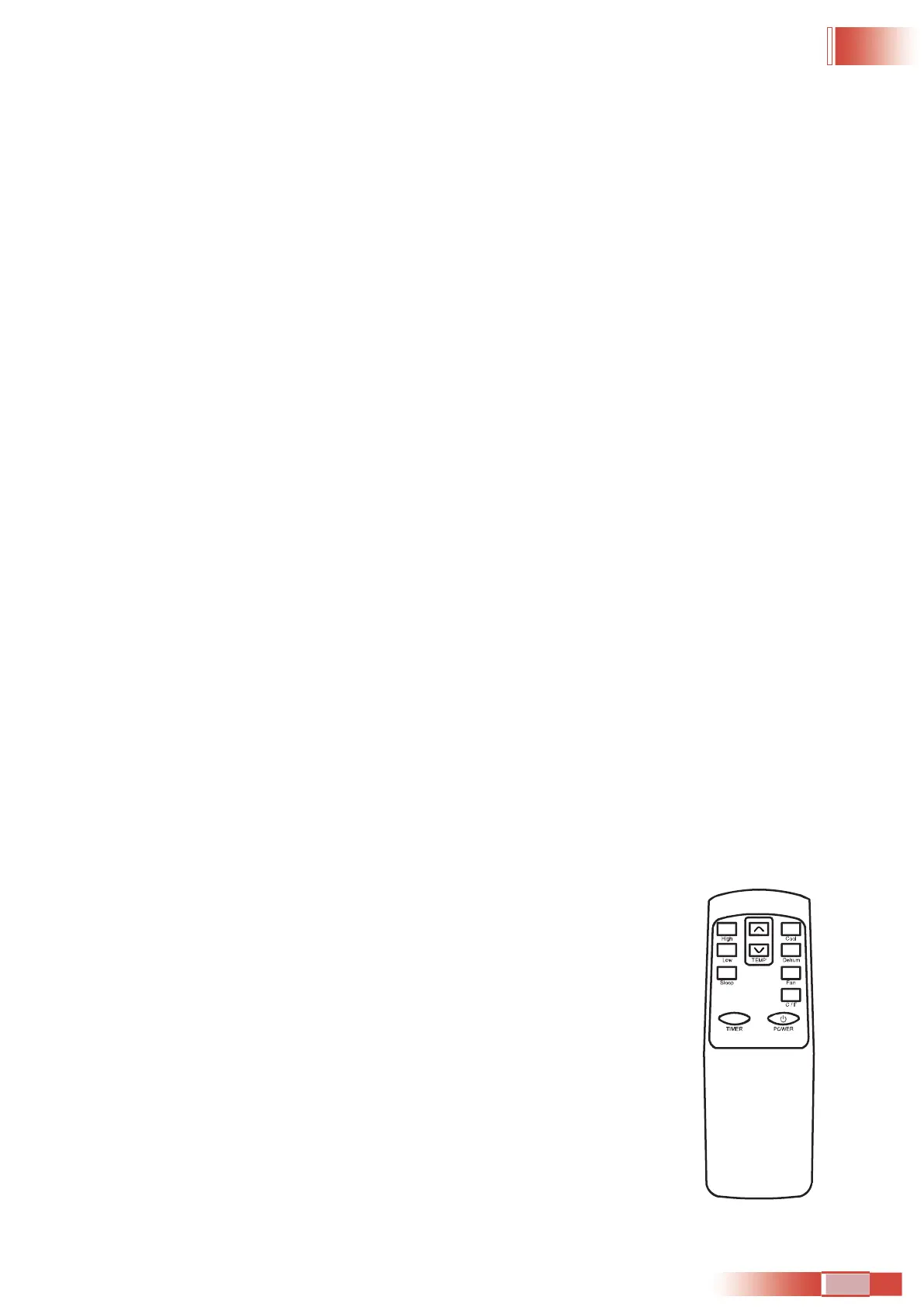
REMOTE CONTROL
1) Power On and O - When the unit is plugged in, press the POWER buon to turn on the unit. Press the POWER
buon once more to turn the unit o.
2) Mode Seleon - Press the Cool, Dry, Fan mode.
3) Fan Speed - Press the High or Low buon to adjust the fan speed. When the unit is in
Dehumidier mode, the fan speed ca
nnot be changed.
4) Temperature Seng - When the unit is in Air Condoner mode or Heat mode, you can
select your desired temperature. Press the ▲ or ▼ to select your desired temperature
seng.
5) SLEEP MODE - When in air condoning mode, press the SLEEP Buon on the remote
control. When in SLEEP mode, the fan will run on low to keep fan noise at a minimum.
01 02 03 04 05 06 07 08 09 10 11 12 13 14 15 16 17 18 19 20 21 22
23 24 25 26 27 28 29 30 31 32
33 34 35 36 37 38 39 40 41 42 43
44 45 46 47 48 49 50 51 52 53 54 55 56 57 58 59 60 61 62 63 64 65


 To Next Page