Dedicated Micros ©2009
78
EcoSense
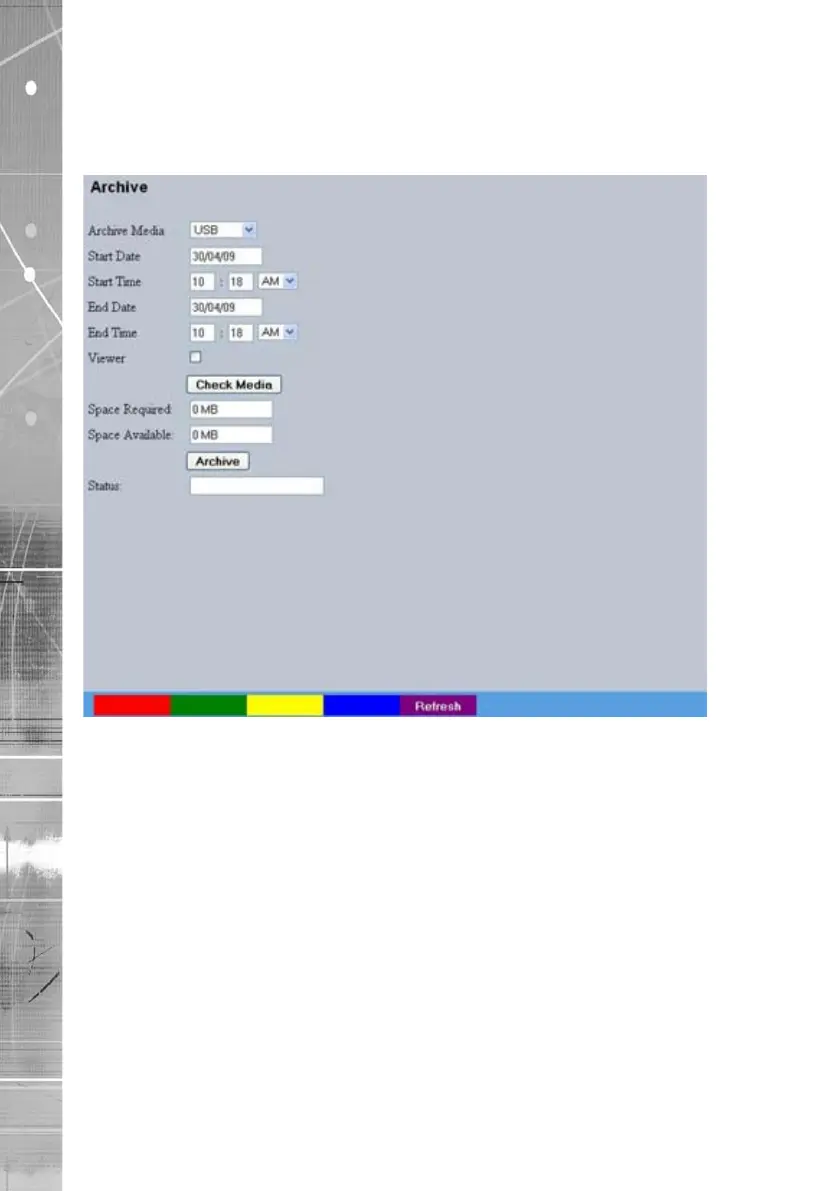
Archive
This menu allows Event database information to be downloaded to an inserted DVD/CD or
connected USB media device.
Archive Media Select to archive to either a DVD/CD or USB media device.
Start Date Enter a start date for the event download.
Start Time Enter a start time for the event download.
End Date Enter an end date for the event download.
End Time Enter an end time for the event download.
Viewer When selected, the unit will add a Viewer program to the archive.
It is recommended that this option be selected as it will ensure the
downloaded video images can always be successfully viewed.
Check Media button Selecting this option will display the space required (in
megabytes) for the chosen event period to be fully downloaded.
The space currently available on the CD/DVD or USB device is
also shown.
Archive Space Required Space required for archive download.
Archive Space Available Space currently available on CD/DVD or USB device.
Archive button Select this button to begin the Archive process.
Status During Archiving, status messages will be displayed detailing the
archive process.



 To Next Page