Installation Dedrone
12 v0.4 IM-Inst-RF360en
6.4 Install the Sensor
` Desired mounting place fulfills the requirements (see chapter 5 Select the Mounting Place,
page 7).
` Diameter of the pole: between 1.2 in to 3.1 in (40 mm to 80 mm)
Procedure:
1
Open the carton, remove the upper foam.
2
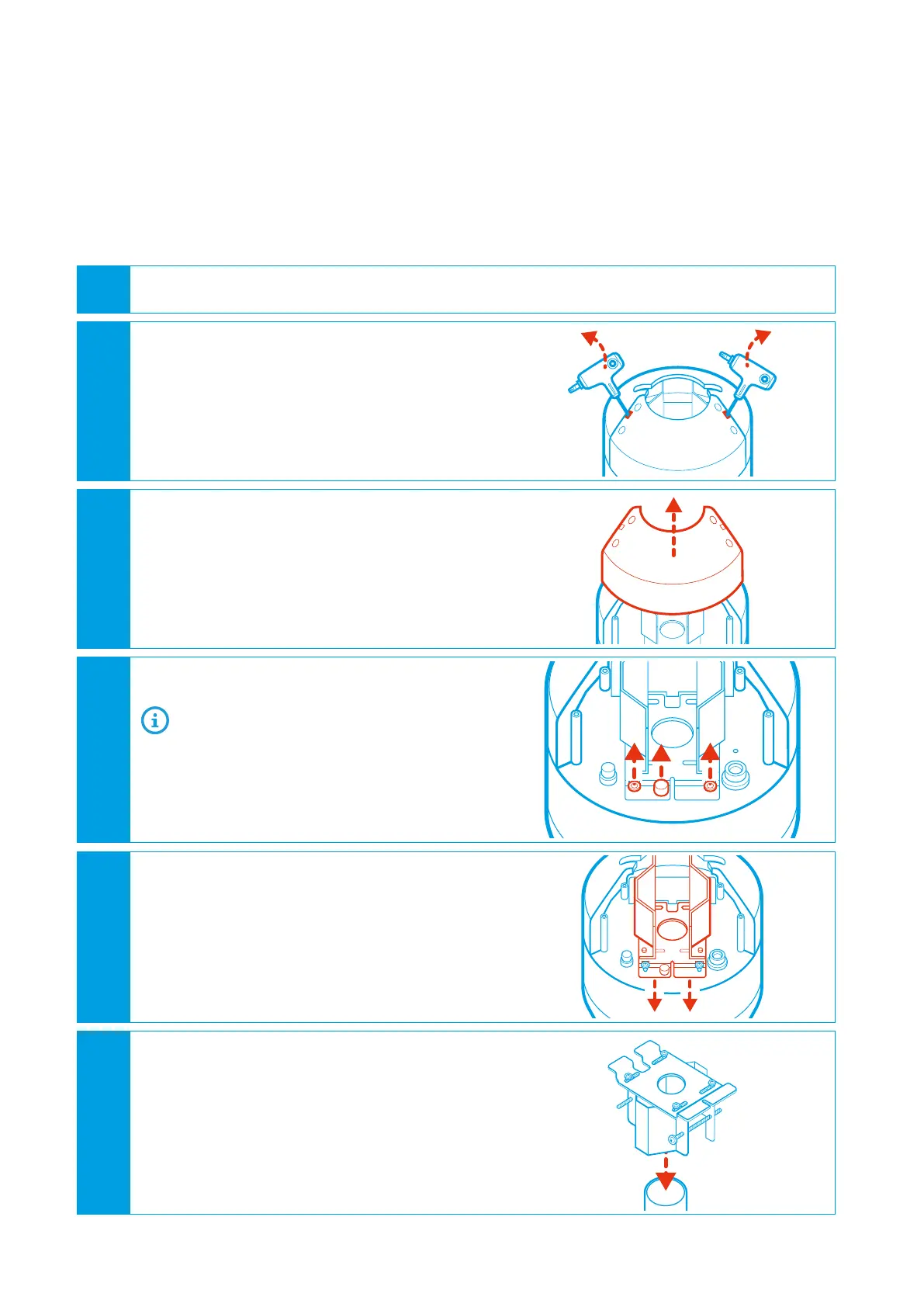
Open the cover:
• Stuck the supplied tool in the slot bet-
ween the cover screws.
• Gently pry the cover on both sides.
The cover comes up a little bit.
3
Remove the cover and put it aside.
4
Loosen both fixing screws and the security
screw.
You do not need to unscrew the screws
completely.
5
Take out the pole mount.
6
Put the pole mount on the pole.
• To open up the pole mount unscrew the
pole fixing screws.


 To Next Page