IM-Inst-RF360en v0.4
Dedrone
13
Installation
7
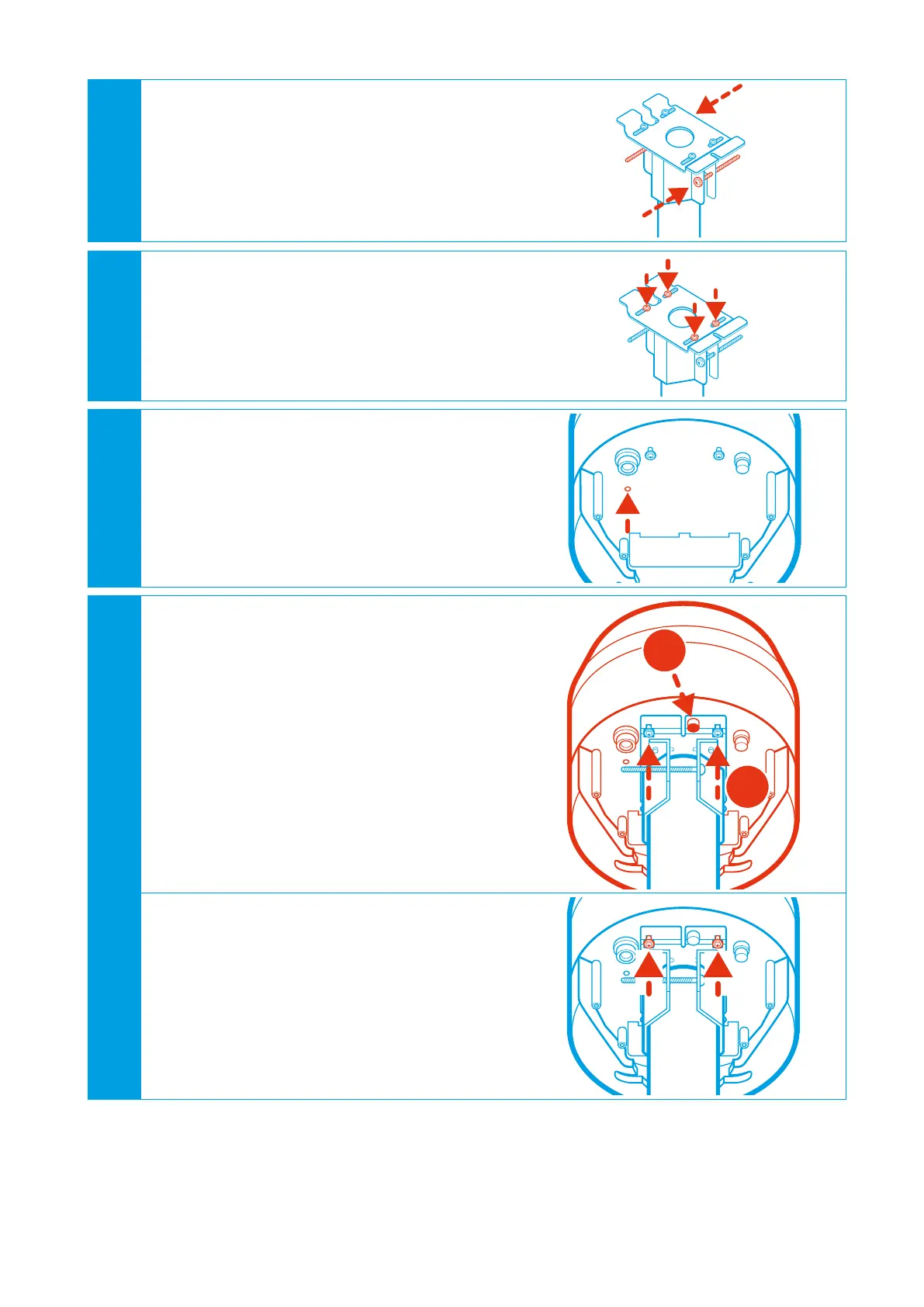
Adjust the pole mount in the desired directi-
on and tighten the pole fixing screws approp-
riately. Only use the supplied screws.
8
Center the pole mount plate over the pole
and tighten the aligning screws appropria-
tely. Only use the supplied screws.
9
If fall protection according to the installati-
on regulations is required screw down the
supplied fall protection ring and connect your
suitable fall protection to the ring.
The fall protection must be dimensioned
according to installation height in terms of
thickness and length.
10
Place the RF-360 on the pole mount
• Slide the fixing screws in the screw guides
of the mounting plate (1). Thereby make
sure that the two flaps of the pole mount
slides in the slot of the RF-360.
• Tighten the security screw by hand (2).
Thereby the sensor is secured from falling
down.
1
2
• Tighten the fixing screws appropriately.
Only use the supplied screws.


 To Next Page