3. Operating and Programming
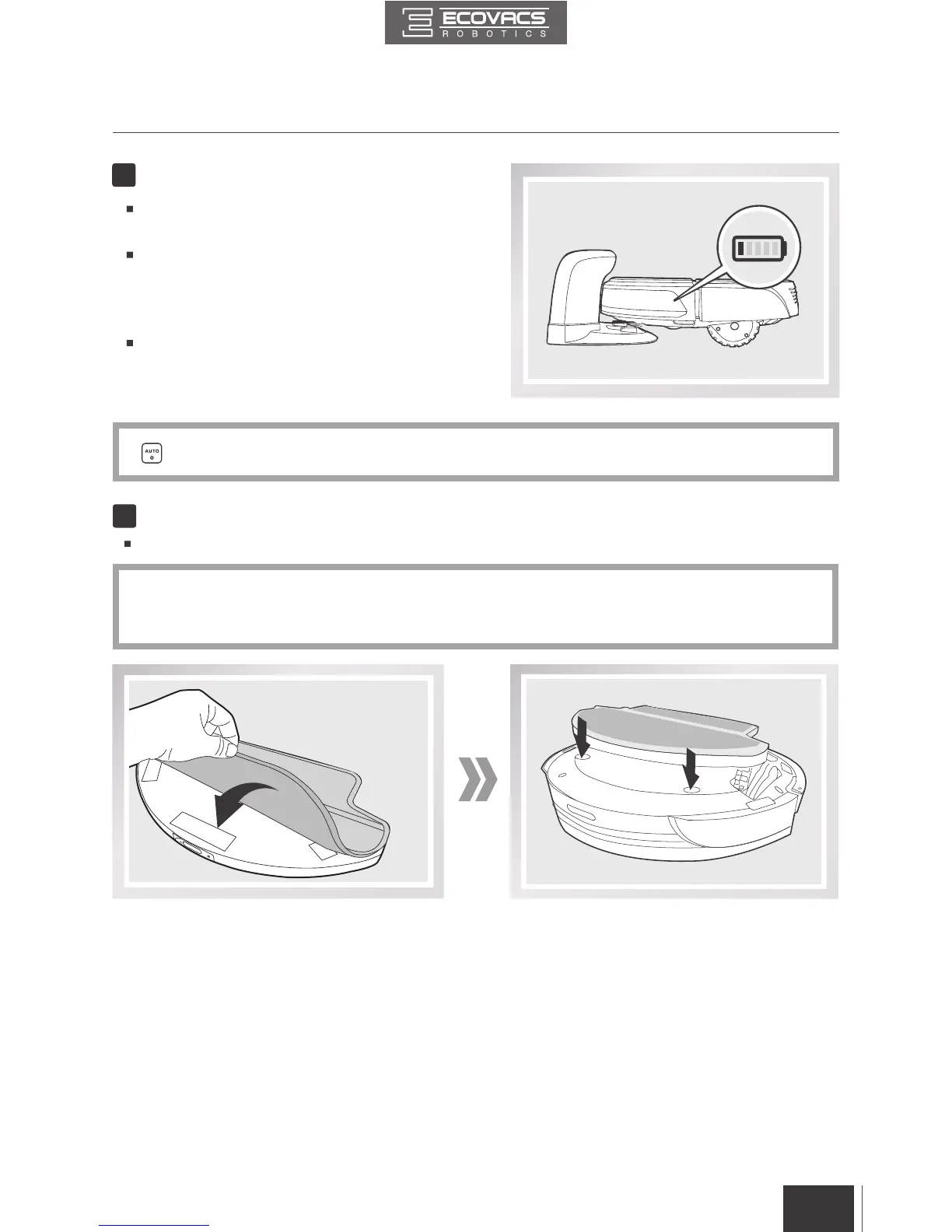
Remove the Advanced Wet/Dry Reservoir
before charging DEEBOT.
Place DEEBOT on the Charging Dock
making sure the Charging Contacts on
DEEBOT and the Charging Dock Pins make
a connection.
Charge DEEBOT for at least 4 hours before
the rst use.
5
Charge DEEBOT
button blinks when DEEBOT is charging and stops glowing when DEEBOT is fully charged.
*
6
Attach a Cleaning Cloth, if Desired
To use DEEBOT’s Optional Advanced Mopping System, attach the provided Cleaning Cloth.
*
When using the optional mopping feature, fold area rug edges under themselves so DEEBOT will
avoid the rug.
* Please see section 3.6 Optional Advanced Wet/Dry Mopping System for complete instructions.


 To Next Page