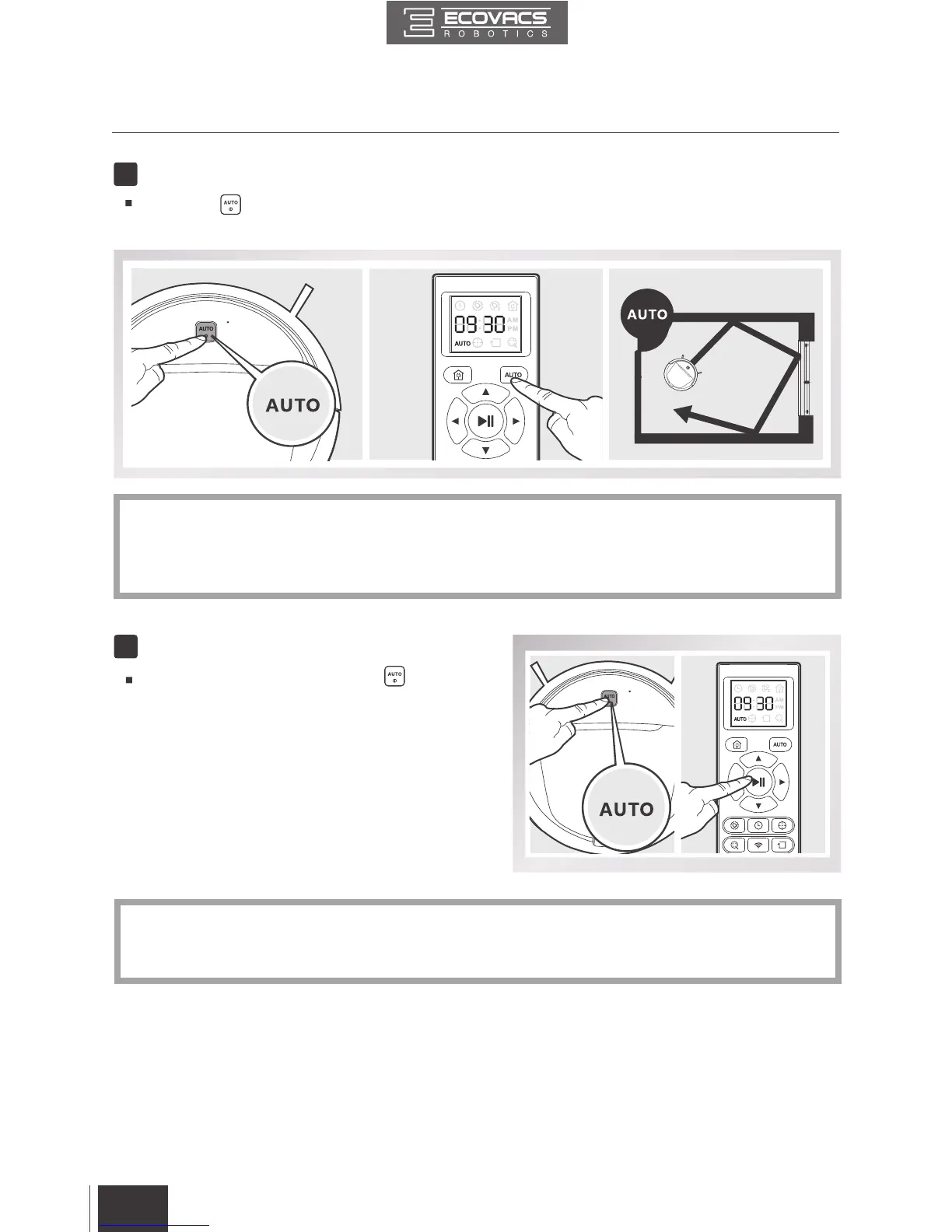
Pause DEEBOT by pressing the button on
DEEBOT or the START/PAUSE Button on the
Remote Control.
*
The AUTO Mode Button on the robot's Control Panel stops glowing when the robot is paused
for more than 10 minutes. Press AUTO Mode Button on the robot to wake up the robot, or
press any button on the Remote Control to start the DEEBOT immediately.
8
Pause
7
Start
Press the button on DEEBOT or the AUTO Mode Button on the Remote Control. DEEBOT
starts to work immediately in AUTO Cleaning Mode.
*
To choose another Cleaning Mode, please refer to section 3.3 Cleaning Mode Selection for details.
*
DEEBOT can be directed using the Direction Control Buttons on the Remote Control or App
when Paused.
3. Operating and Programming


 To Next Page