EasyManua.ls Logo

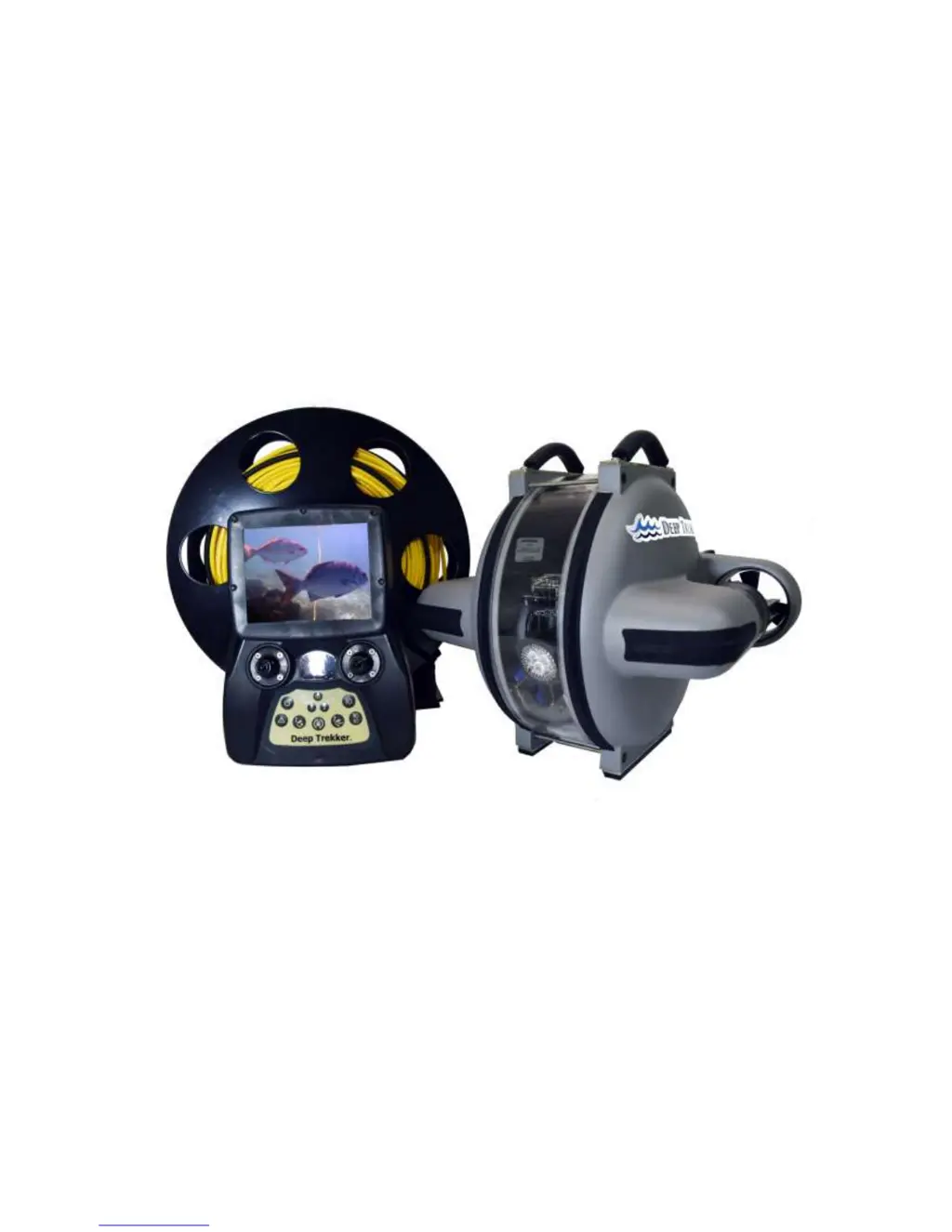
Deep Trekker DTG2 - User Manual

Deep Trekker DTG2
52 pages
Print Icon
To Next Page IconTo Next Page
Loading...
Deep Trekker DTG2 User Manual
Version 2.0 2016
06-9915-01-01 to 06-9915-01-100
06-9916-01-01 to 06-9915-01-200

Questions and Answers

  • U
    uhayesSep 12, 2025
    How to fix LED indicating low controller battery on Deep Trekker Drones?
    • R
      Robyn WrightSep 12, 2025
      If the LED indicates a low controller battery on your Deep Trekker Drones, charge the controller battery using the provided controller charger.
  • S
    Sandra FlemingSep 12, 2025
    What to do if the LED indicates a right thruster stall on Deep Trekker Drones?
    • B
      Brian RodriguezSep 13, 2025
      If the LED indicates a right thruster stall on your Deep Trekker Drones: * Press the reset thrusters/pitch servo button to reactivate. * If that doesn't work, remove the ROV from the water and turn off the system. Inspect the propellers for debris that may be preventing rotation. Remove guarding and propellers as necessary to inspect. Ensure everything and everyone is clear of the propellers when the system is turned on again.
  • K
    Karen GarciaSep 12, 2025
    How to fix LED indicating low ROV battery on Deep Trekker Drones?
    • A
      Amy HintonSep 12, 2025
      If the LED indicates a low ROV battery on your Deep Trekker Drones, charge the ROV battery using the provided ROV charger.
  • E
    Ethan SandovalSep 9, 2025
    Why are the thrusters weak on my Deep Trekker Drones?
    • O
      owallaceSep 9, 2025
      If the thrusters on your Deep Trekker Drones are weak, inspect the propellers and guarding for debris that may be causing blockage of water flow. Remove any obstructions as necessary. Also, ensure that the ROV is fully charged.
  • J
    Jennifer DavisSep 8, 2025
    What to do if the video feed is not working on my Deep Trekker Drones?
    • C
      christopher66Sep 9, 2025
      If the video feed on your Deep Trekker Drones isn't working, try these steps: * First, retrieve the ROV from the water and test the video again, because video footage of water with nothing in the background can appear black. * Check the connections between the controller and viewing system, ensuring all connectors are completely pushed in. * Charge the viewing system batteries. * Make sure that you are not using a splitter, as the composite video output on the controller is only capable of driving one monitor.
  • T
    Terry PatrickSep 7, 2025
    What does it mean if LED is quickly flashing on Deep Trekker DTG2 Utility Vehicle?
    • V
      Virginia LambertSep 8, 2025
      If the LED on your Deep Trekker Utility Vehicle is quickly flashing indicating no communication, there may be a breach in the hull.
  • A
    Ashley BennettAug 23, 2025
    How to fix video feed not working on Deep Trekker DTG2 Utility Vehicle?
    • H
      Heidi ChapmanAug 23, 2025
      If the video feed on your Deep Trekker Utility Vehicle isn't working, first, retrieve the ROV from the water and test the video again, as footage of water with nothing in the background can appear black. Next, check the connections between the controller and viewing system, ensuring all connectors are completely pushed in. Then, charge the viewing system batteries. Finally, ensure that you are not using a splitter, as the composite video output on the controller is only capable of driving one monitor.
  • A
    Amy BowmanSep 5, 2025
    Why is the ROV charger LED not turning red when plugged in on Deep Trekker DTG2 Utility Vehicle?
    • L
      Lisa HunterSep 6, 2025
      If the ROV charger LED isn't turning red when plugged in, first ensure the ROV battery is not at 100%. Next, check the integrity of the 2 charge pins in the ROV charge port for corrosion. Finally, ensure the charger provides 22.2VDC on the output pins using a multi-meter.
  • L
    Lori LopezSep 4, 2025
    Why is the window fogged on my Deep Trekker DTG2 Utility Vehicle?
    • V
      Vanessa CruzSep 5, 2025
      If the window of your Deep Trekker Utility Vehicle is fogged, move to better atmospheric conditions. If the issue persists, there may be a breach in the hull.
  • A
    Alex MartinezSep 3, 2025
    Why is pitch joystick not working on Deep Trekker DTG2 Utility Vehicle?
    • C
      Chelsea RitterSep 4, 2025
      If the pitch joystick isn't working and the ROV points up in the water, ensure the two shipping screws are not engaged.

Summary

Warning

Safety Precautions

Calibrating the Buoyancy

Launching your First Dive

Operation

Driving Controls

Explanation of how to maneuver the DTG2 ROV using the joysticks and pitch system.

Thruster Trim

Pitch Trim

Gain;Scroll Buttons

Reset

Grabber Open;Close Buttons (Optional Equipment)

Grabber Rotate Buttons (Optional Equipment)

LED Indicators

Tether Management

Shutdown

Charging

Storage

Transporting

Optional Equipment - Sensor System

Auto-Depth

Using the auto-depth feature to maintain a set depth.

Calibrating the Compass

Optional Equipment - Two Function Grabber

Optional Equipment - Auxiliary Lighting

Optional Equipment - Laser Scaler

Optional Equipment - Crawler Wheels

Optional Equipment - Auxiliary Camera(s)

Optional Equipment - Digital Video Recorder (DVR)

DVR Battery Charging

Connecting an External Microphone (Optional)

Infrared Remote Controller and Editing Settings

Optional Equipment - Video Glasses

Maintenance

Window Repair

Removing the Tether

Re-Installing the Tether

Troubleshooting

Using the Diagnostics Cable

Diagnostics Screens

Parts and Service

Warranty

Deep Trekker DTG2 Specifications

General IconGeneral
BrandDeep Trekker
ModelDTG2
CategoryUtility Vehicle
LanguageEnglish