EasyManua.ls Logo

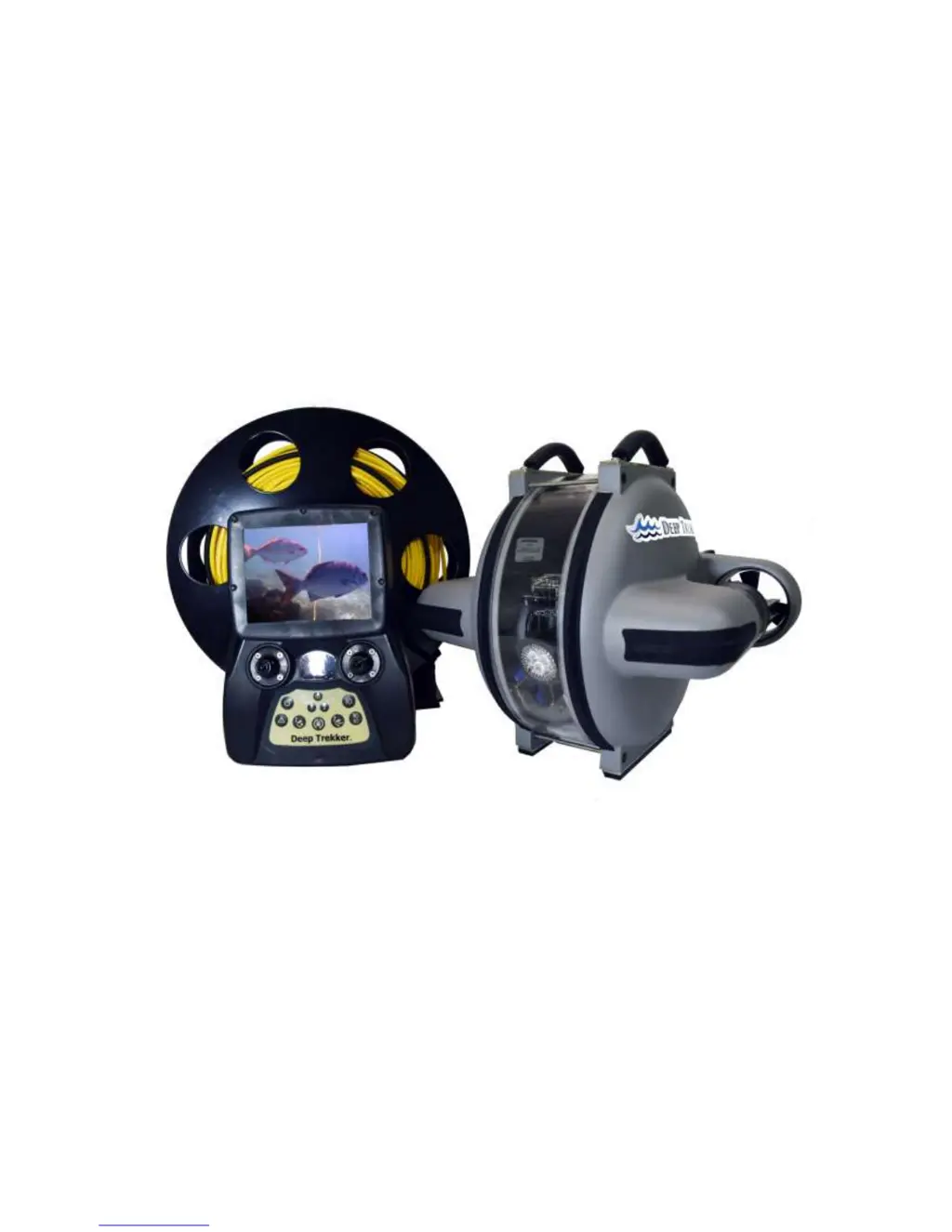
Deep Trekker DTG2 - User Manual

Deep Trekker DTG2
52 pages
Print Icon
To Next Page IconTo Next Page
Loading...
Deep Trekker DTG2 User Manual
Version 2.0 2016
06-9915-01-01 to 06-9915-01-100
06-9916-01-01 to 06-9915-01-200

Questions and Answers

  • K
    Keith SmithSep 2, 2025
    How to fix ROV computer system frozen on Deep Trekker DTG2?
    • L
      Lindsay MartinezSep 3, 2025
      If the ROV computer system for your Deep Trekker Utility Vehicle is frozen or acting unusually, reset the system by disconnecting the batteries for at least 10 seconds. You can do this by plugging in the charger.
  • L
    Laura CisnerosSep 2, 2025
    What to do if controller computer system is frozen on Deep Trekker DTG2 Utility Vehicle?
    • J
      Jenna PhillipsSep 2, 2025
      If the controller computer system for your Deep Trekker Utility Vehicle is frozen or acting unusually, reset the system by disconnecting the controller batteries for at least 10 seconds.
  • A
    Alejandro BellSep 1, 2025
    What does LED pitch stall mean on Deep Trekker DTG2 Utility Vehicle?
    • J
      James ChapmanSep 1, 2025
      If the LED indicates a pitch stall on your Deep Trekker Utility Vehicle, try these steps: First, press the reset thrusters/pitch servo button to reactivate. Ensure the shipping screws are not engaged. Make sure the tether isn't pulling on the ROV. Finally, ensure the ROV is in the water.
  • L
    lopezanthonyAug 31, 2025
    What does LED left thruster stall mean on Deep Trekker DTG2?
    • R
      Robert NelsonAug 31, 2025
      If the LED indicates a left thruster stall on your Deep Trekker Utility Vehicle, first, press the reset thrusters/pitch servo button to reactivate. If that doesn't work, remove the ROV from the water, turn off the system, and inspect the propellers for debris. Remove the guarding and propellers as necessary to inspect. Ensure everything and everyone is clear of the propellers when the system is turned on again.
  • F
    fitzgeraldethanAug 30, 2025
    What does LED right thruster stall mean on Deep Trekker Utility Vehicle?
    • M
      Miranda DeckerAug 30, 2025
      If the LED indicates a right thruster stall on your Deep Trekker Utility Vehicle, first, press the reset thrusters/pitch servo button to reactivate. If that doesn't work, remove the ROV from the water, turn off the system, and inspect the propellers for debris. Remove the guarding and propellers as necessary to inspect. Ensure everything and everyone is clear of the propellers when the system is turned on again.
  • R
    Ryan ScottAug 29, 2025
    How to calibrate Deep Trekker DTG2 Utility Vehicle that turns left or right by itself?
    • J
      Jeffrey SinghAug 29, 2025
      If your Deep Trekker Utility Vehicle turns left or right when trying to drive straight, adjust the thruster trim.
  • C
    cfloresAug 28, 2025
    Why does the LED on my Deep Trekker Utility Vehicle show no communication (on constantly or erratic flashing)?
    • E
      Eric DorseyAug 28, 2025
      If the LED on your Deep Trekker Utility Vehicle shows no communication (on constantly or erratic flashing), inspect the tether for damage. If the ROV is charging, it will be unusable. Low batteries can also cause this, so charge the ROV. You can also remove the tether and try a diagnostic cable.
  • J
    Jessica KimAug 27, 2025
    Why does my Deep Trekker DTG2 Utility Vehicle either float or sink?
    • J
      jamesgonzalezAug 27, 2025
      To correct your Deep Trekker Utility Vehicle floating too high or sinking, add or remove ballast plates. Also, make sure any external equipment attached to the ROV is neutrally buoyant.
  • R
    rangeljenniferAug 26, 2025
    What to do if LED indicates low controller battery on Deep Trekker DTG2?
    • J
      jeffreywilliamsAug 27, 2025
      If the LED indicates a low controller battery on your Deep Trekker Utility Vehicle, charge the controller battery using the provided controller charger.
  • R
    Rodney HopkinsAug 26, 2025
    How to fix LED indicating low ROV battery on Deep Trekker Utility Vehicle?
    • P
      Pamela KerrAug 26, 2025
      If the LED indicates a low ROV battery on your Deep Trekker Utility Vehicle, charge the ROV battery using the provided ROV charger.

Summary

Warning

Safety Precautions

Calibrating the Buoyancy

Launching your First Dive

Operation

Driving Controls

Explanation of how to maneuver the DTG2 ROV using the joysticks and pitch system.

Thruster Trim

Pitch Trim

Gain;Scroll Buttons

Reset

Grabber Open;Close Buttons (Optional Equipment)

Grabber Rotate Buttons (Optional Equipment)

LED Indicators

Tether Management

Shutdown

Charging

Storage

Transporting

Optional Equipment - Sensor System

Auto-Depth

Using the auto-depth feature to maintain a set depth.

Calibrating the Compass

Optional Equipment - Two Function Grabber

Optional Equipment - Auxiliary Lighting

Optional Equipment - Laser Scaler

Optional Equipment - Crawler Wheels

Optional Equipment - Auxiliary Camera(s)

Optional Equipment - Digital Video Recorder (DVR)

DVR Battery Charging

Connecting an External Microphone (Optional)

Infrared Remote Controller and Editing Settings

Optional Equipment - Video Glasses

Maintenance

Window Repair

Removing the Tether

Re-Installing the Tether

Troubleshooting

Using the Diagnostics Cable

Diagnostics Screens

Parts and Service

Warranty

Deep Trekker DTG2 Specifications

General IconGeneral
BrandDeep Trekker
ModelDTG2
CategoryUtility Vehicle
LanguageEnglish