18
5.2 Switching the unit on and off
Switching the unit on
• Press the <O/I> key.
The unit loads the settings that were active when the device was shut down last. Upon completion
the operating display appears. The look of the operating display depends whether the Defensor
PH15/PH15A is operated in “Normal operating mode” or in “Program mode”.
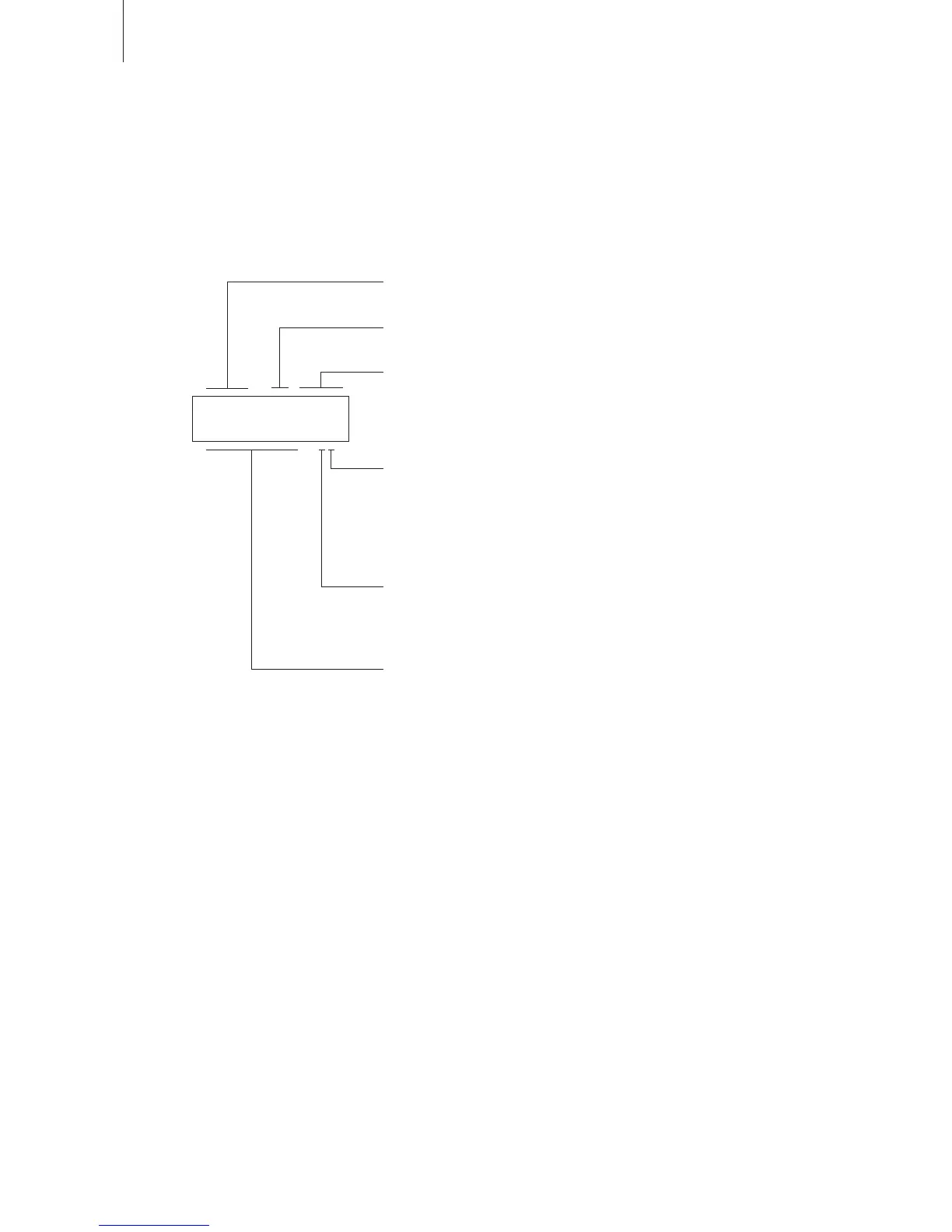
PH 15 Mo 12:32
Act 38%rH H2
Unit designation
PH15
Day of the week (appears only in program mode)
Format: “Mo”, “Tu”, “We”, “Th”, “Fr”, “Sa”, “Su”
Hour (appears only in program mode)
Format: “hh:mm”
Fan step
1, 2, 3, 4 or A (automatic operation)
Note: If humidification is active and the fan step is set to “A”, the fan
will be controlled automatically, based on the difference between
the actual and reference humidity. If humidification is inactive the
“A” setting corresponds to fan step “1”.
Mode of operation (Humidifying mode)
H: Air humidification
P: Air purification with humidification
_: Air purification without humidification
Actual humidity value in %rh
Note: The actual humidity value is always displayed (even in air
purification mode).
The fan starts in all operating modes with a delay of approx. 1 minute. Until the fan starts the
operating mode and the fan step are blinking.
If, after switching on the unit a warning or error message is displayed, please observe the
notes in chapter 7.
Switching the unit off
• Press the <O/I> key.
The currently active settings will be stored upon shutdown.


 To Next Page