26
Monday 1
--.-- 45%rH H0
Monday 1
New Value
Monday 1
Old Value
Monday 1
--.-- 45%rH H0
Monday 2
--.-- 45%rH H0
Sunday 2
--.-- 45%rH H0
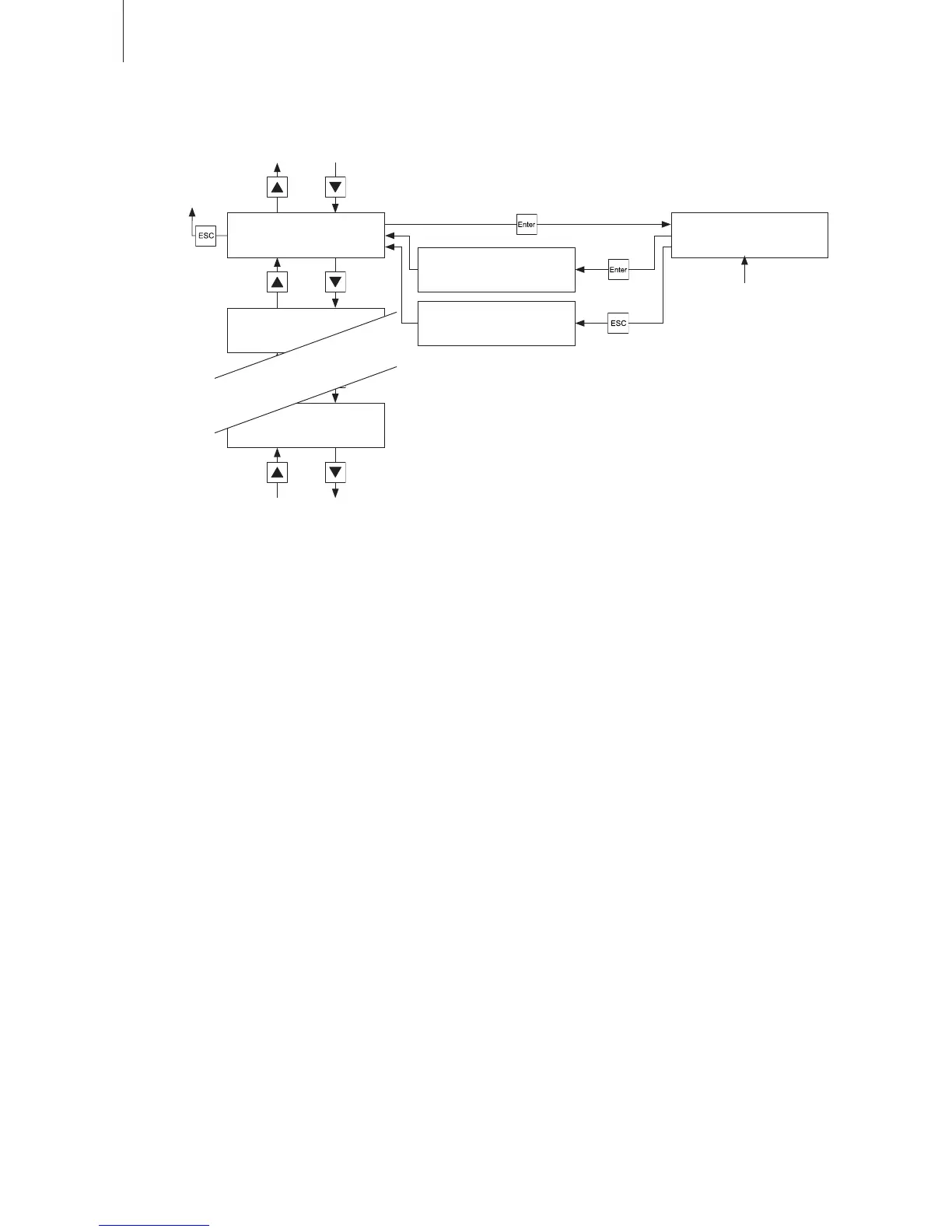
5.5.4 Setting the starting points and the operating programs
First select the desired day of the week or the starting point, respectively (Monday 1, Monday 2 .....
Sunday 1, Sunday 2), then define the operation settings which should become active at the starting
point.
Available settings: Hours (Format: hh)
Minutes (Format: mm)
Reference humidity value in %rH
Operating mode (“H”: for air humidification, “P”: for air purification with“H”: for air humidification, “P”: for air purification with: for air humidification, “P”: for air purification with“P”: for air purification with: for air purification with
humidification and “_”: for air purification without humidification)for air purification without humidification) humidification)
Fan step (0, 1, 2, 3, 4 or A (automatic operation))
Factory setting: “– –:– – 45%rH H0”
Notes on setting: After calling the modification mode set the hour, the minute, the reference
humidity value, the operating mode and the fan step for the selected starting
point. Confirm each setting with the <Enter> key.
To deactivate a starting point (display: – – : – –) press both arrow keys simul-
taneously when the hour field flashes. Confirm with the <Enter> key. Repeat
this procedure with the minute field.
The switch off the unit at a certain time select operating mode “H” and fan
step “0”.
(see chapter 5.5.3)
(see chapter 5.5.2)
modify
confirm
cancel
see notes on setting


 To Next Page