EasyManua.ls Logo

Delfi DelfiScan C51 - Page 11

Default Icon
58 pages
Print Icon
To Next Page IconTo Next Page
To Previous Page IconTo Previous Page
Loading...
DelfiScan
Programming Manual
Configure Your DelfiScan
7
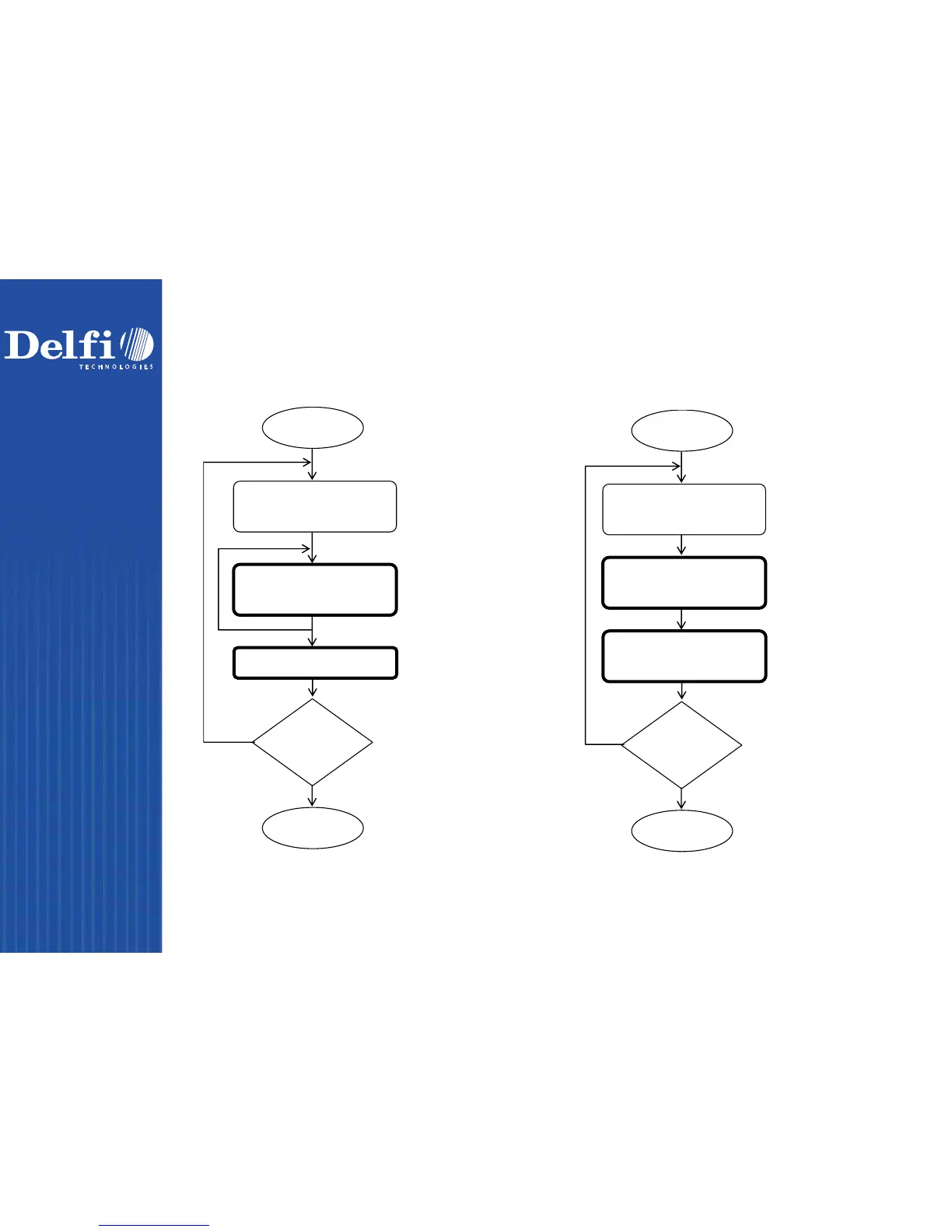
Cycling scan selection Dual level selection
Enter programming mode.
Select one of desired
programming families.
Cycling select one or
several option codes of
desired parameters as
“Single” or “Multiple
scans selection.
Finish cycling selection.
(If necessary)
Want to select another
programming family?
Exit programming mode.
Scan
“PROGRAM
Scan
One of
Family
Codes
Scan
One of
Option
Codes
Repeat
Selection
Scan
“END”
No
Yes
Scan “
FIN
Enter programming mode.
Select one of desired
programming families.
Select several option codes
of desired parameters.
1.
Select one or severa
l
o
ption codes of desired
parameters
.
2.
If it’s necessary, scan
“FIN” to terminate
option code selection.
Want to select another
programming family?
Exit programming mode.
Scan
One of Family Codes
(1st) Scan
Several Option Codes
Yes
Scan
PROGRAM
Repeat
Selection
Scan
END
No
(2nd) Scan One or
Several Option Codes