About this task
Steps
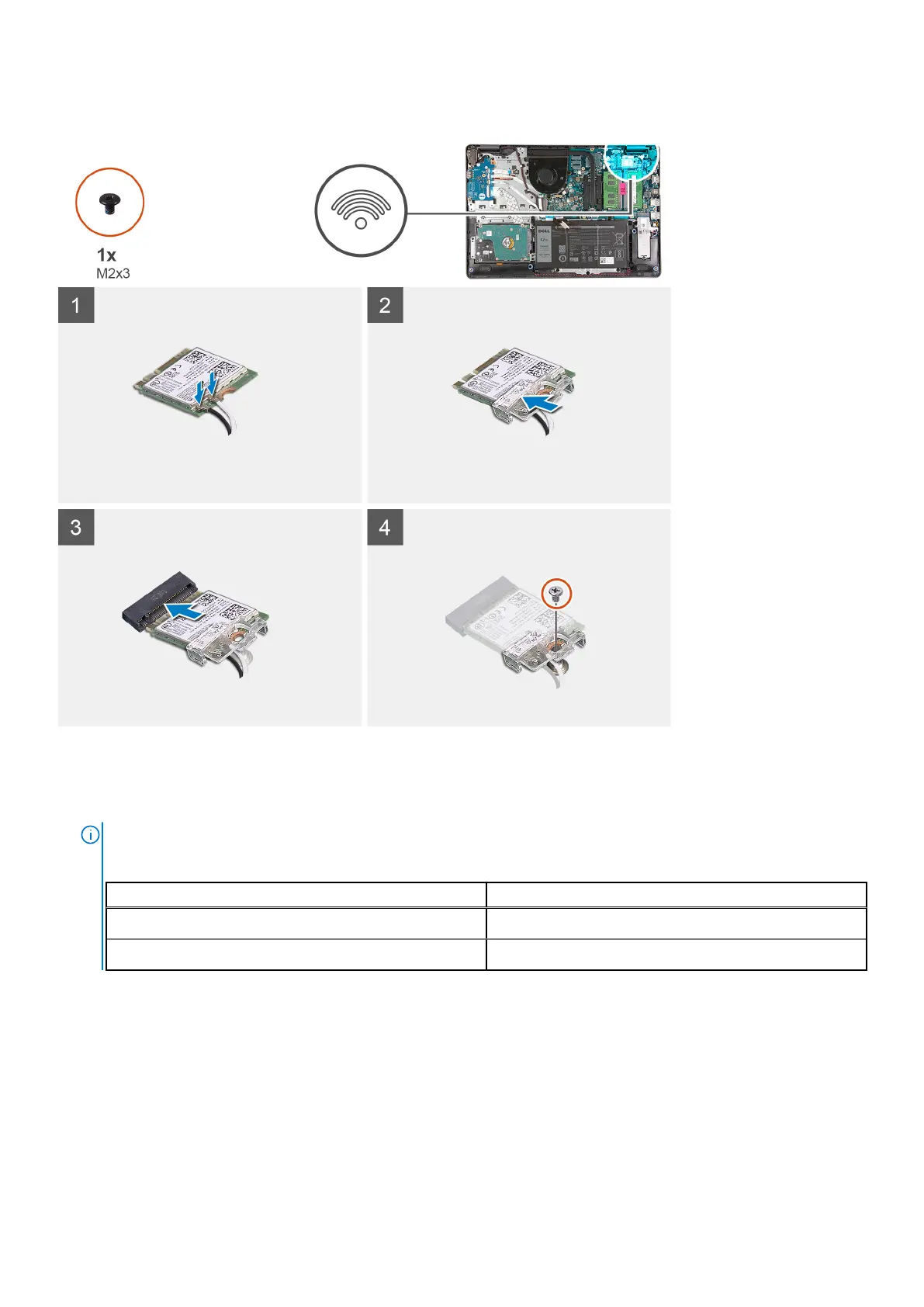
1. Replace the WLAN card into the M.2 Slot on the system board.
2. Connect the WLAN antenna cables to the connectors on the WLAN card.
NOTE:
Table 3. WLAN Antenna Cables
Cable color Indicator on WLAN
White White triangle
Black Black triangle
3. Place the WLAN card bracket to secure the WLAN antenna cables to the WLAN card.
4. Replace the single (M2x3) screw to secure the WLAN bracket and the WLAN card to the palmrest.
Next steps
1. Connect the battery cable.
2. Install the base cover.
3. Install the SD card.
4. Follow the procedure in after working inside your computer.
Disassembly and reassembly
31











 To Next Page