About this task
Steps
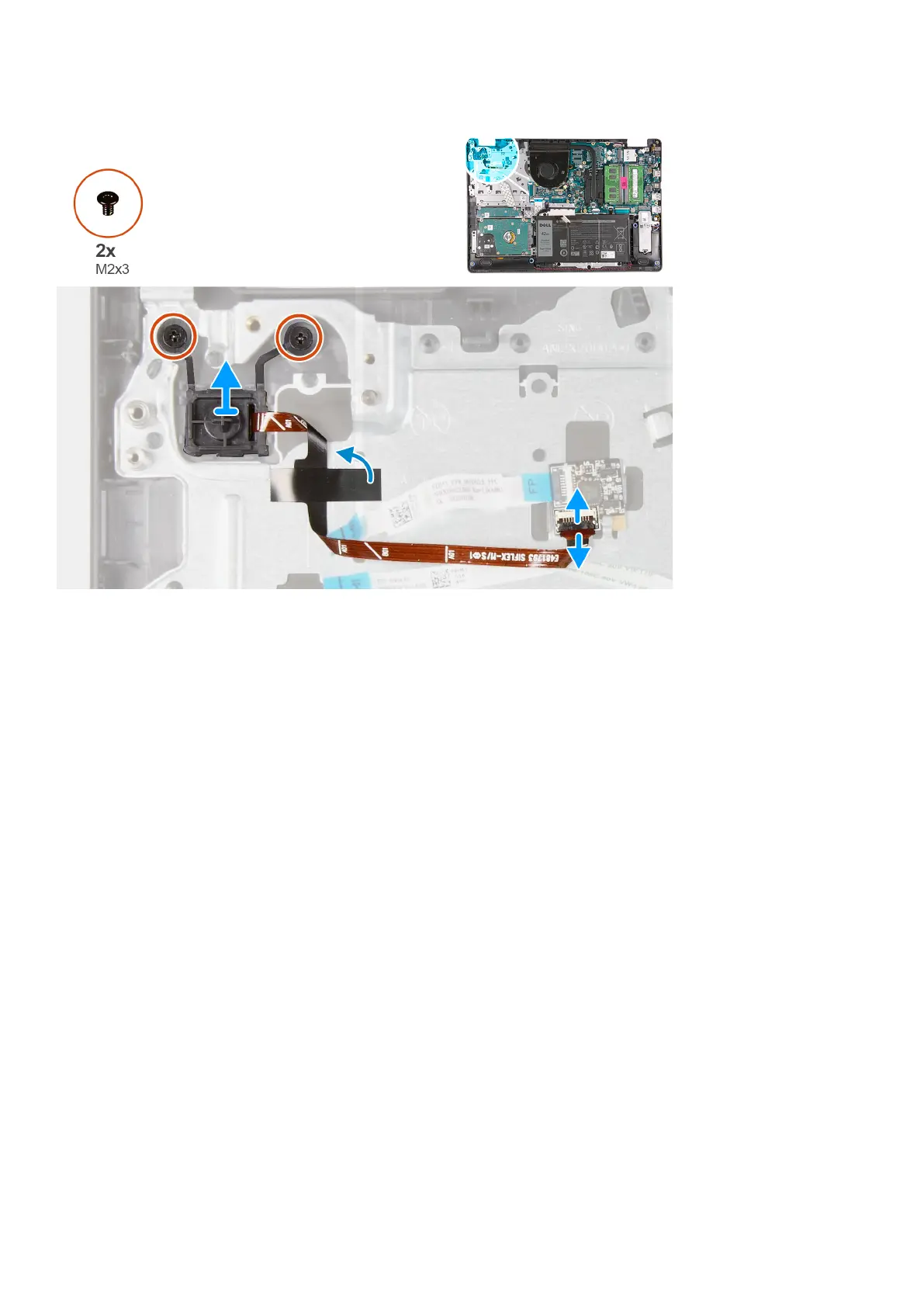
1. Remove the two (M2x3) screws securing the power button to the palmrest.
2. Disconnect the power button cable and remove the power button from the system.
Installing the power button
Prerequisites
If you are replacing a component, remove the existing component before performing the installation procedure.
Disassembly and reassembly
67











 To Next Page