About this task
Steps
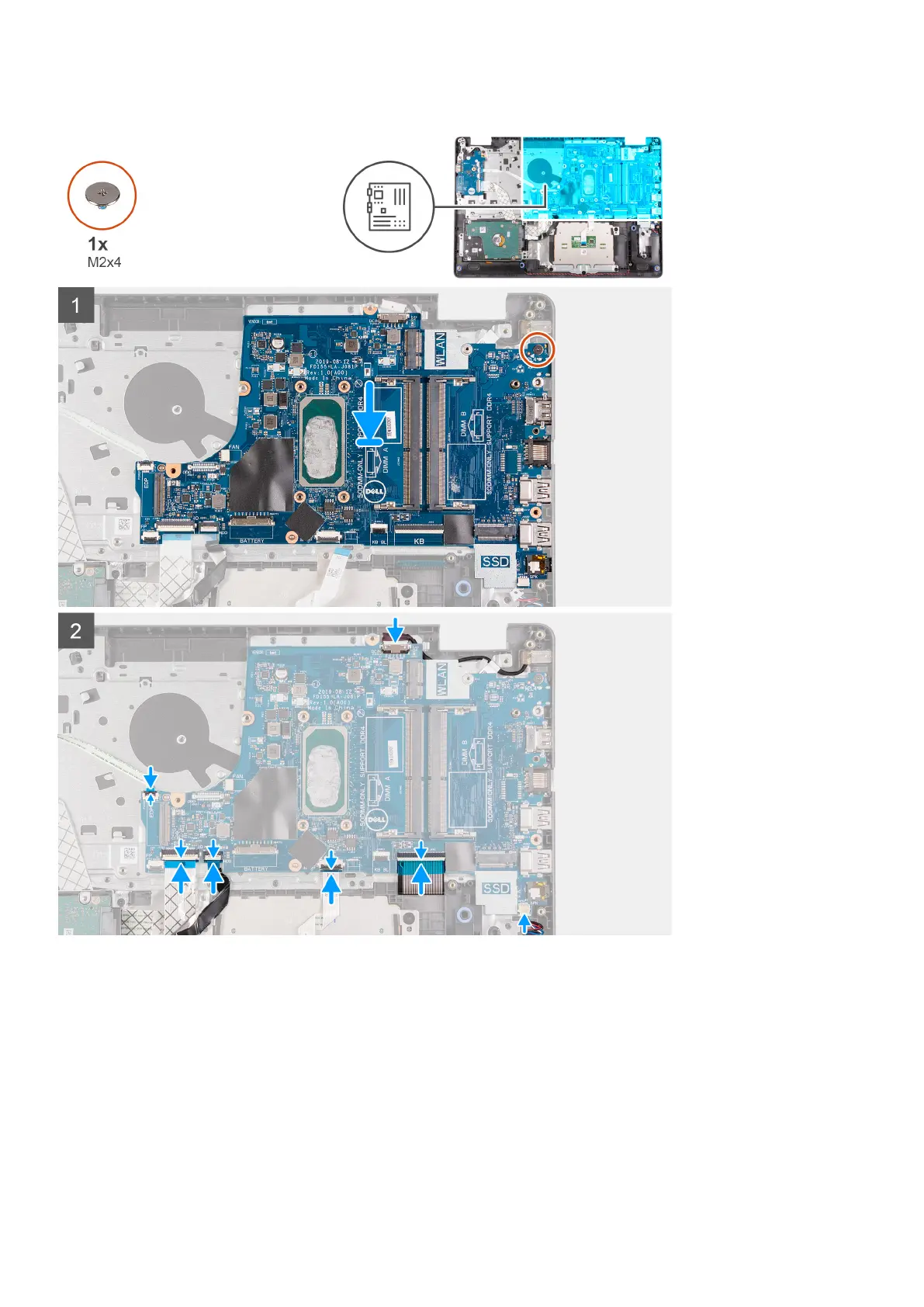
1. Align and place the system board on the palmrest.
2. Replace the single (M2x4) screw that secures the system board to the palmrest.
3. Connect the following cables to the system board:
a. Speaker cable
b. Keyboard FFC
c. Keyboard backlight FFC
d. Touchpad FFC
e. Hard drive FFC
f. IO board FFC
g. Power adapter port cable
Disassembly and reassembly
71











 To Next Page