Keep your hard drive
About this task
If you need to send the unit back to Dell Technologies for service or replacement, you may choose to keep the SSD to protect
data or intellectual property. To do so, remove any drives from the unit, then reinstall them once the unit is returned or replaced.
Both of these tasks are described here.
Table 2. Tools needed
Tool Notes
Phillips head screwdriver Small size
Remove SSD
About this task
Prior to shipping, perform the following steps to remove the SSD drive.
Steps
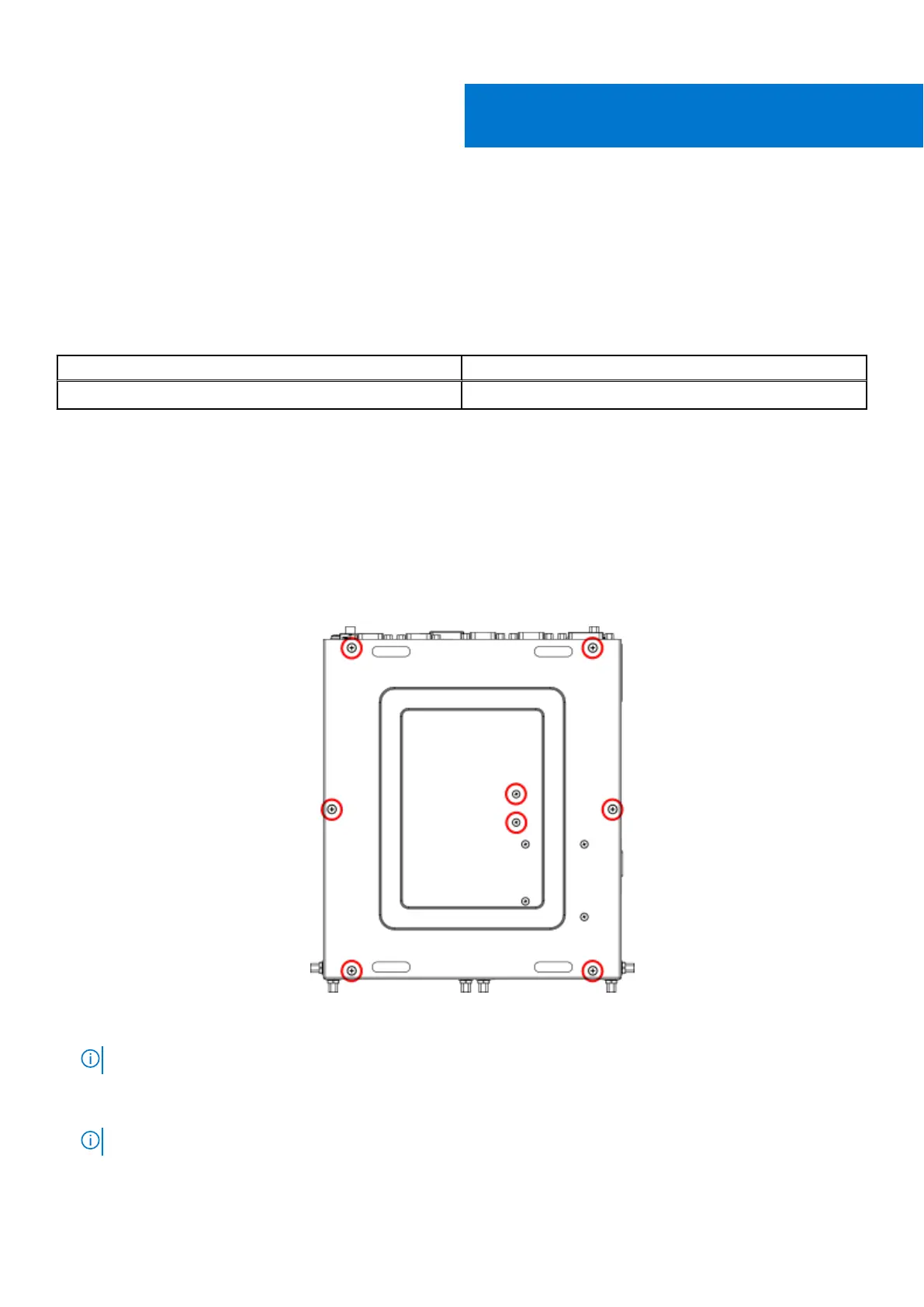
1. Remove the eight screws from the bottom panel of the EGW-5200, as shown in the following figure, and remove the bottom
panel.
Figure 1. Bottom panel screw locations
NOTE: If 4G or 5G is installed, you must also remove the remaining four screws from the bottom panel.
2. Remove the four screws of the upper SSD bracket (shown in the following figure), then remove the upper SSD bracket from
the unit.
NOTE: If the upper bracket includes a second SSD, pull the assembly away from the SSD connection to disconnect.
I
Keep your hard drive 5















 To Next Page