122 Adding and Replacing Parts
b
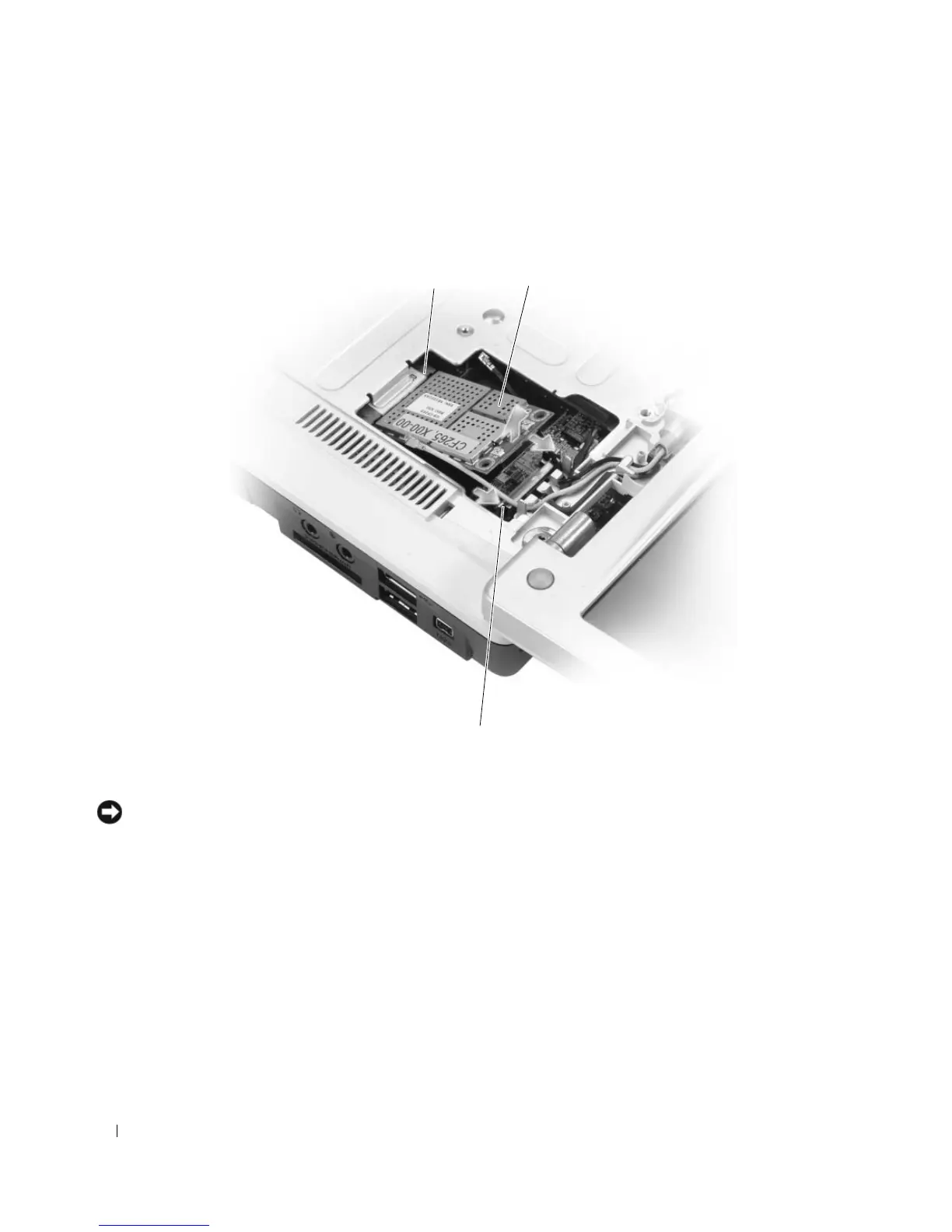
Release the Mini-Card by pushing the metal securing tabs toward the back of the computer until
the card pops up slightly.
c
Lift the Mini-Card out of its system board connector.
NOTICE: The connectors are keyed to ensure correct insertion. If you feel resistance, check the connectors on
the card and on the system board, and realign the card.
5
Install the replacement Mini-Card:
a
Insert the Mini-Card connector into the system board connector at a 45-degree angle, and then
press the other end of the Mini-Card down into the securing tabs until the card clicks into place.
1 system board connector 2 Mini-Card 3 metal securing tabs (2)
1 2
3








 To Next Page