16 About Your Computer
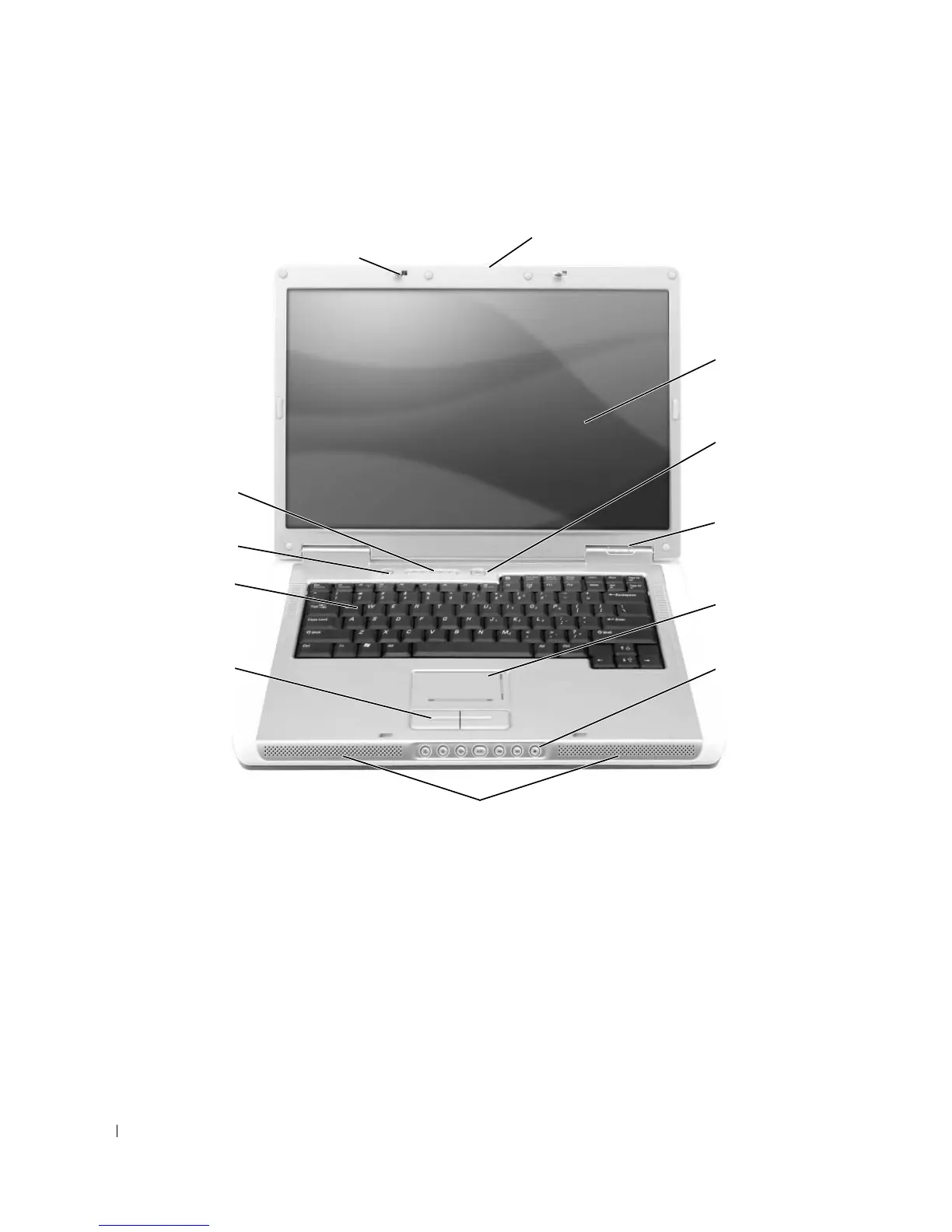
Front View
DISPLAY LATCH RELEASE — Press to release the display latches and open the display.
DISPLAY — For more information about your display, see "Using the Display" on page 33.
1 display latch release 5 touch pad 9 keyboard
2 display 6 media control buttons 10 Dell MediaDirect™ button
3 power button 7 speakers (2) 11 keyboard and wireless
status lights
4 device status lights 8 touch pad buttons 12 display latches (2)
9
2
5
8
3
7
10
4
6
12
11








 To Next Page