Installing Blade Components 219
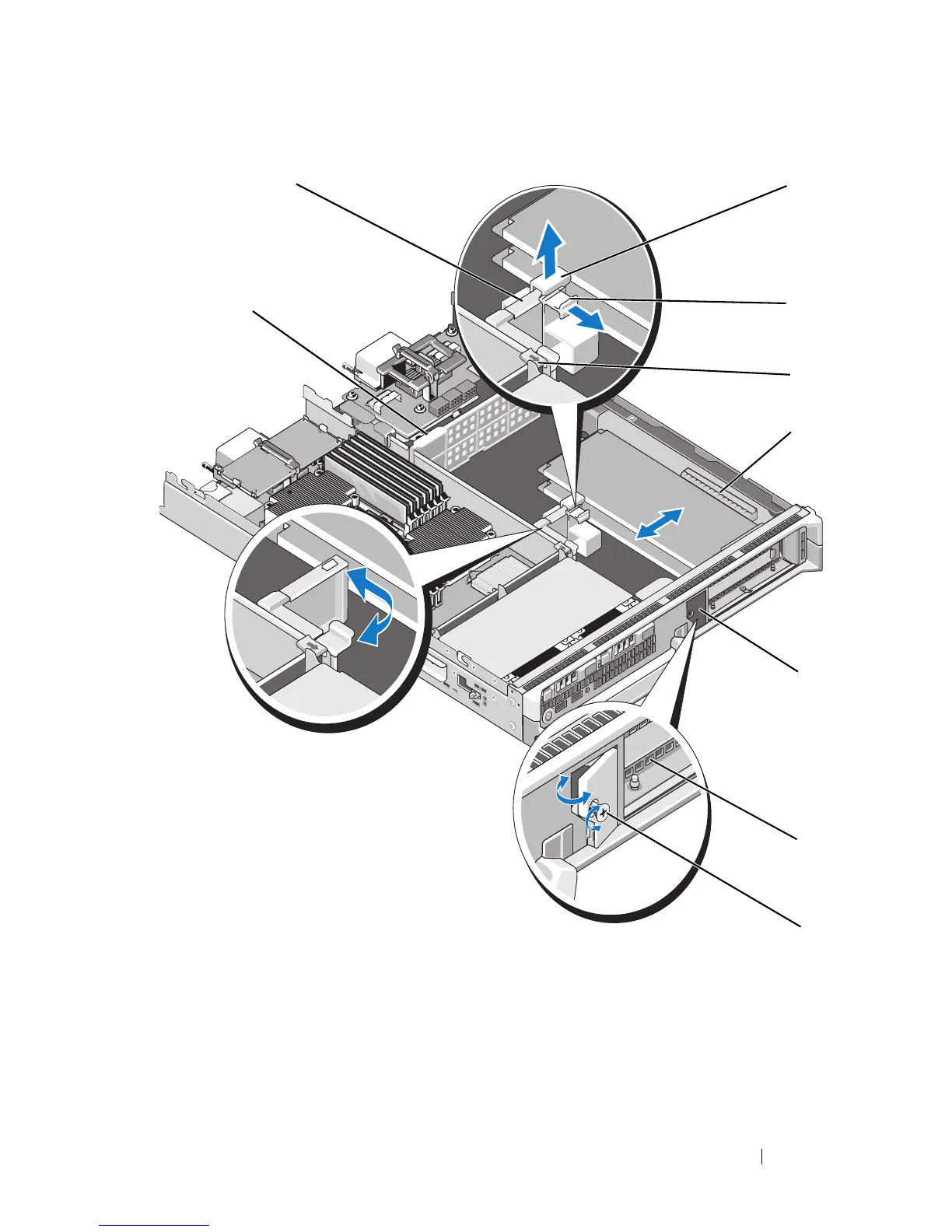
Figure 3-35. Installing and Removing an Expansion Card (PowerEdge M610x Only)
1 expansion-card retention latch 2 shipping lock
3 locking tab 4 securing tab
5 expansion-card connector (2) 6 filler-bracket retention latch
7 filler bracket 8 captive screw
9 impedance wall















 To Next Page