EasyManua.ls Logo

Dell 9478N - User Manual

Dell 9478N
119 pages
Print Icon
To Next Page IconTo Next Page
Loading...
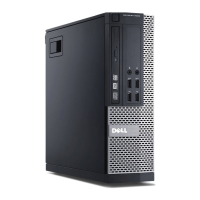
OptiPlex Small Form Factor 7010
Owner's Manual
Regulatory Model: D17S
Regulatory Type: D17S003
March 2023
Rev. A00
Questo manuale d’istruzione è fornito da trovaprezzi.it. Scopri tutte le offerte per Dell OptiPlex 7010
SFF i5-13500 / 8GB / 512GB (9478N) o cerca il tuo prodotto tra le migliori offerte di PC Desktop e
Workstation

Table of Contents

Questions and Answers

  • B
    Breanna NguyenSep 7, 2025
    What to do if Dell 9478N Desktop says invalid memory installed?
    • E
      Elizabeth NixonSep 7, 2025
      If your Dell Desktop has an invalid memory installed, try resetting the memory module. If the problem continues, you might need to replace the memory module.
  • E
    Edward GarciaAug 22, 2025
    How to fix CMOS battery failure in Dell Computer Hardware?
    • J
      Jonathan MoyerAug 22, 2025
      In the event of CMOS battery failure, the amber LED may blink. Replace the CMOS battery.
  • E
    Emily RogersSep 4, 2025
    What to do if my Dell 9478N Desktop is not detecting Memory/RAM?
    • M
      Mikayla CarterSep 5, 2025
      If your Dell Desktop displays 'No Memory/RAM detected', first ensure the memory module is correctly installed. If the problem persists, you may need to replace the memory module.
  • S
    singhrobertSep 3, 2025
    What to do if there is a CPU power cable connection issue with Dell 9478N Desktop?
    • M
      miguelpenaSep 3, 2025
      If your Dell Desktop experiences a CPU power cable connection issue, initiate the PSU built-in self-test (BIST) to pinpoint the problem, and ensure the CPU power cable is securely reseated. If the issue continues, consider replacing the system board, power supply, or cabling.
  • K
    Kristine WoodsSep 2, 2025
    How to fix CMOS battery failure on Dell Desktop?
    • P
      perezcolleenSep 2, 2025
      If your Dell Desktop has a CMOS battery failure, try resetting the CMOS battery connection. If the problem persists, replace the RTS battery.
  • G
    Gregory FowlerAug 31, 2025
    What to do if invalid memory installed on Dell Desktop?
    • K
      Kimberly StarkAug 31, 2025
      If your Dell Desktop has invalid memory installed, try resetting the memory module. If the problem continues, replace the memory module.
  • M
    Michael HensonAug 30, 2025
    How to fix no memory RAM detected on Dell 9478N?
    • M
      Martin MosleyAug 30, 2025
      If your Dell Desktop is not detecting memory or RAM, confirm that the memory module is installed properly. If the problem continues, replace the memory module.
  • S
    Stephanie WilliamsAug 29, 2025
    How to fix invalid BIOS Recovery image on Dell 9478N Desktop?
    • K
      Kimberly HallAug 29, 2025
      If your Dell Desktop indicates that the BIOS recovery image was found but is invalid, try flashing the latest BIOS version. If the problem persists, consider replacing the system board.
  • R
    Ronald WileyAug 27, 2025
    What to do if BIOS Recovery image not found on Dell 9478N Desktop?
    • J
      Juan AlvaradoAug 27, 2025
      If your Dell Desktop indicates that the BIOS recovery image was not found, try flashing the latest BIOS version. If the problem persists, consider replacing the system board.
  • C
    Courtney HarrisAug 27, 2025
    How to fix system board failure on Dell Desktop?
    • J
      jenniferryanAug 27, 2025
      If your Dell Desktop experiences a system board failure, including BIOS corruption or a ROM error, try flashing the latest BIOS version. If the problem continues, consider replacing the system board.

Dell 9478N Specifications

General IconGeneral
BrandDell
Model9478N
CategoryDesktop
LanguageEnglish

Related product manuals