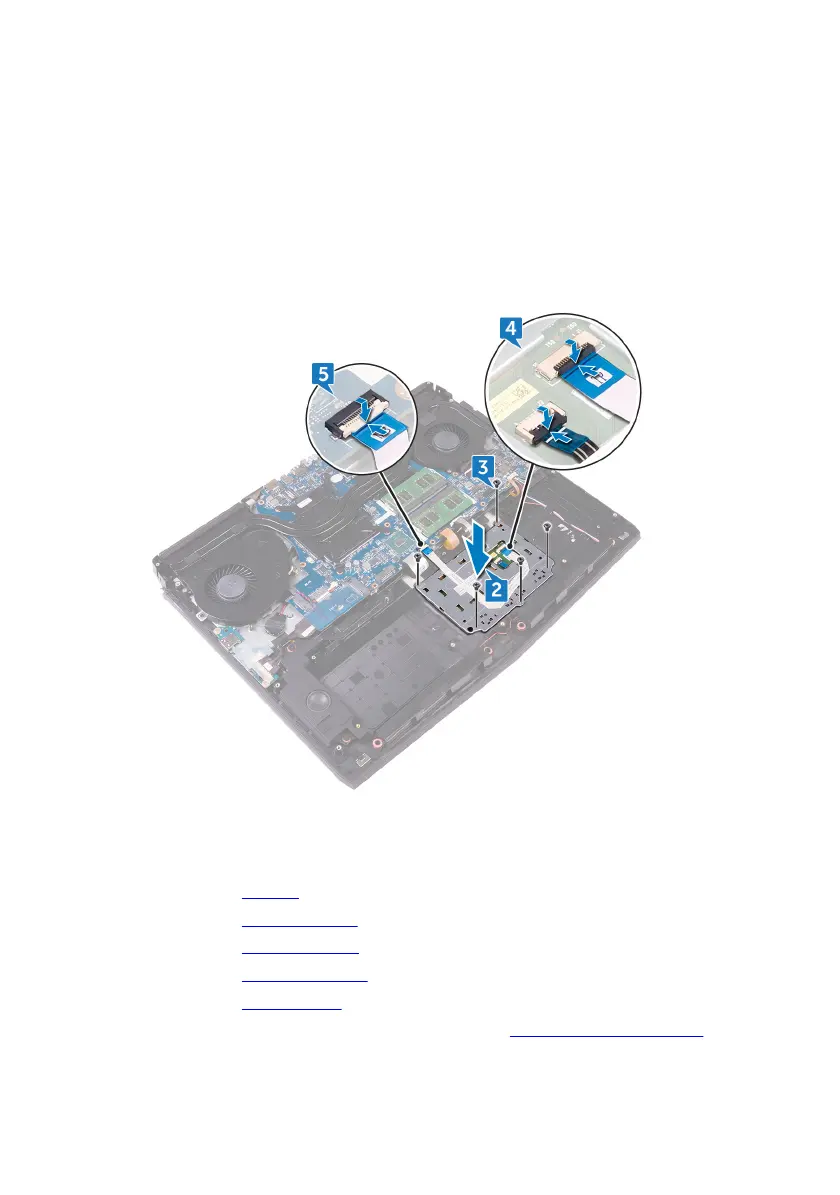
2 Align the screw holes on the touchpad bracket with the screw holes on the
palm-rest assembly.
3 Replace the ve screws (M2x3) that secure the touchpad bracket to the
palm-rest assembly.
4 Slide the touchpad cable and touchpad buttons cable into their respective
connectors on the touchpad and close the latches to secure the cables.
5 Slide the touchpad cable into the connector on the system board and close
the latch to secure the cable.
Post-requisites
1 Replace the battery.
2 Replace the computer base.
3 Replace the rear-I/O cover.
4 Replace the solid-state drive.
5 Replace the wireless card.
6 Follow the procedure from step 4 to step 7 in “Replacing the hard drive”.
107












 To Next Page