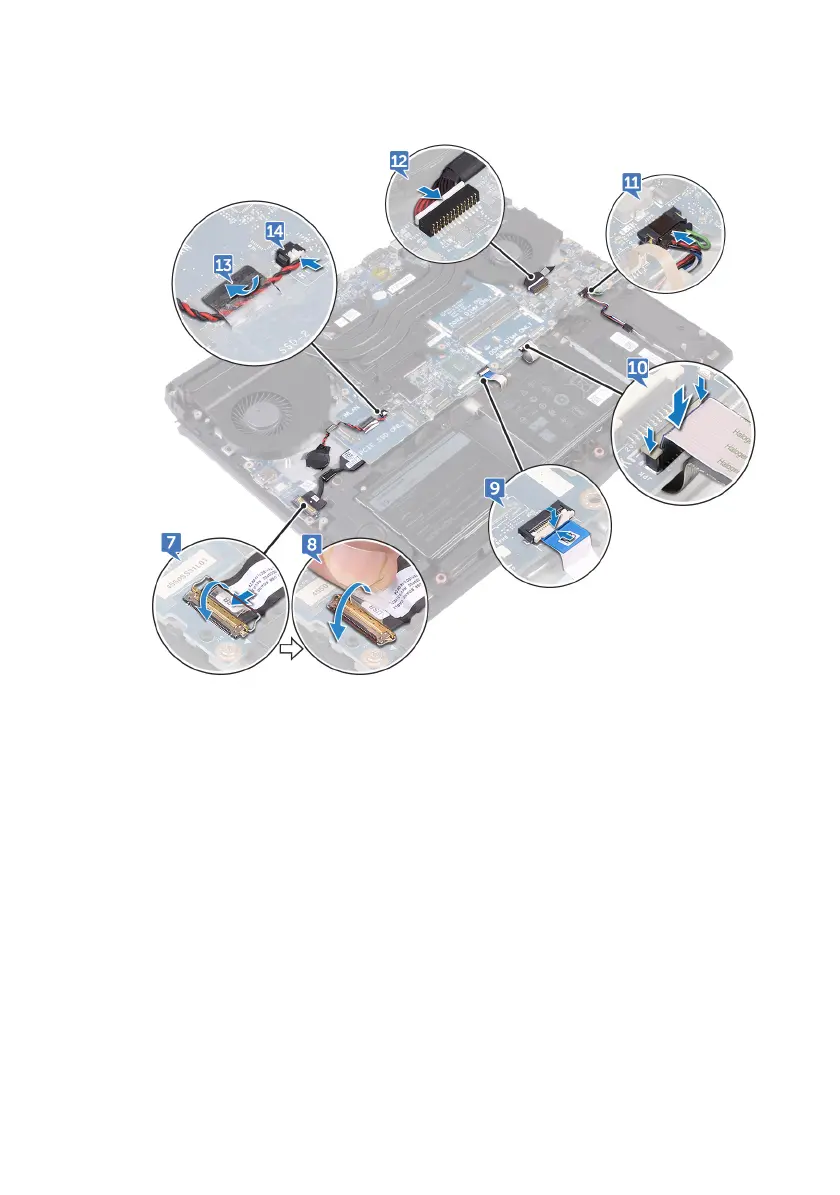
14 Connect the coin-cell battery cable to the system board.
15 Slide the keyboard cable (optional) into the connector on the system board
and close the latch to secure the cable.
16 Slide the keyboard-backlight cable (optional) into the connector on the
system board and close the latch to secure the cable.
17 Slide the macro-keys cable (optional) into the connector on the system board
and close the latch to secure the cable.
75












 To Next Page