13
About your monitor
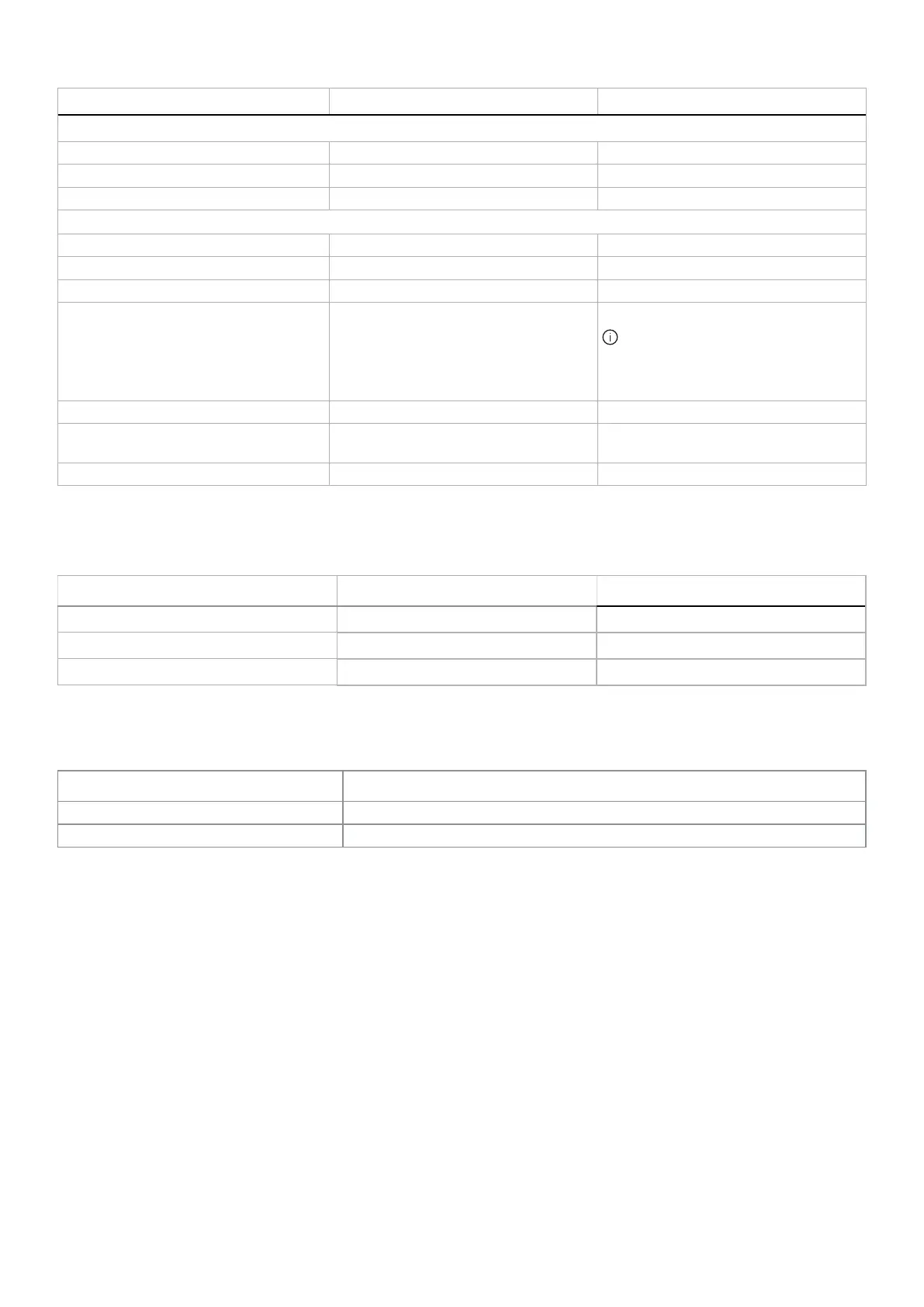
Description AW2725DM AW3225DM
Border width (edge of monitor to active area)
Top 8.13 mm 8.20 mm
Left/Right 8.13 mm/8.13 mm 8.47 mm/8.47 mm
Bottom 19.93 mm 18.21 mm
Adjustability
Height adjustable stand 0 mm to 110 mm 0 mm to 110 mm
Tilt -5
°
/+21
°
-5
°
/+21
°
Swivel -20
°
/+20
°
N/A
Pivot -90
°
/+90
°
N/A
NOTE: Do not mount or use this
monitor in portrait (vertical) orientation
or inverse (180°) landscape mount as it
may damage the monitor.
Cable management Yes Yes
Security
Security-lock slot (cable lock optional
purchase)
Security-lock slot (cable lock optional
purchase)
Alienware Command Center (AWCC) Yes Yes
Resolution specifications
Table 6. Resolution specifications.
Description DisplayPort HDMI port
Horizontal scan range 30 kHz to 285 kHz (automatic) 30 kHz to 230 kHz (automatic)
Vertical scan range 48 Hz to 180 Hz (automatic) 48 Hz to 144 Hz (automatic)
Maximum preset resolution 2560 x 1440 at 180 Hz 2560 x 1440 at 144 Hz
Supported video modes
Table 7. Supported video modes.
Description Value
Video display capabilities (DisplayPort) 1080p, 720p, 576p, 480p
Video display capabilities (HDMI) 2160p, 1080p, 1080i, 720p, 576p, 480p











 To Next Page