9
About your monitor
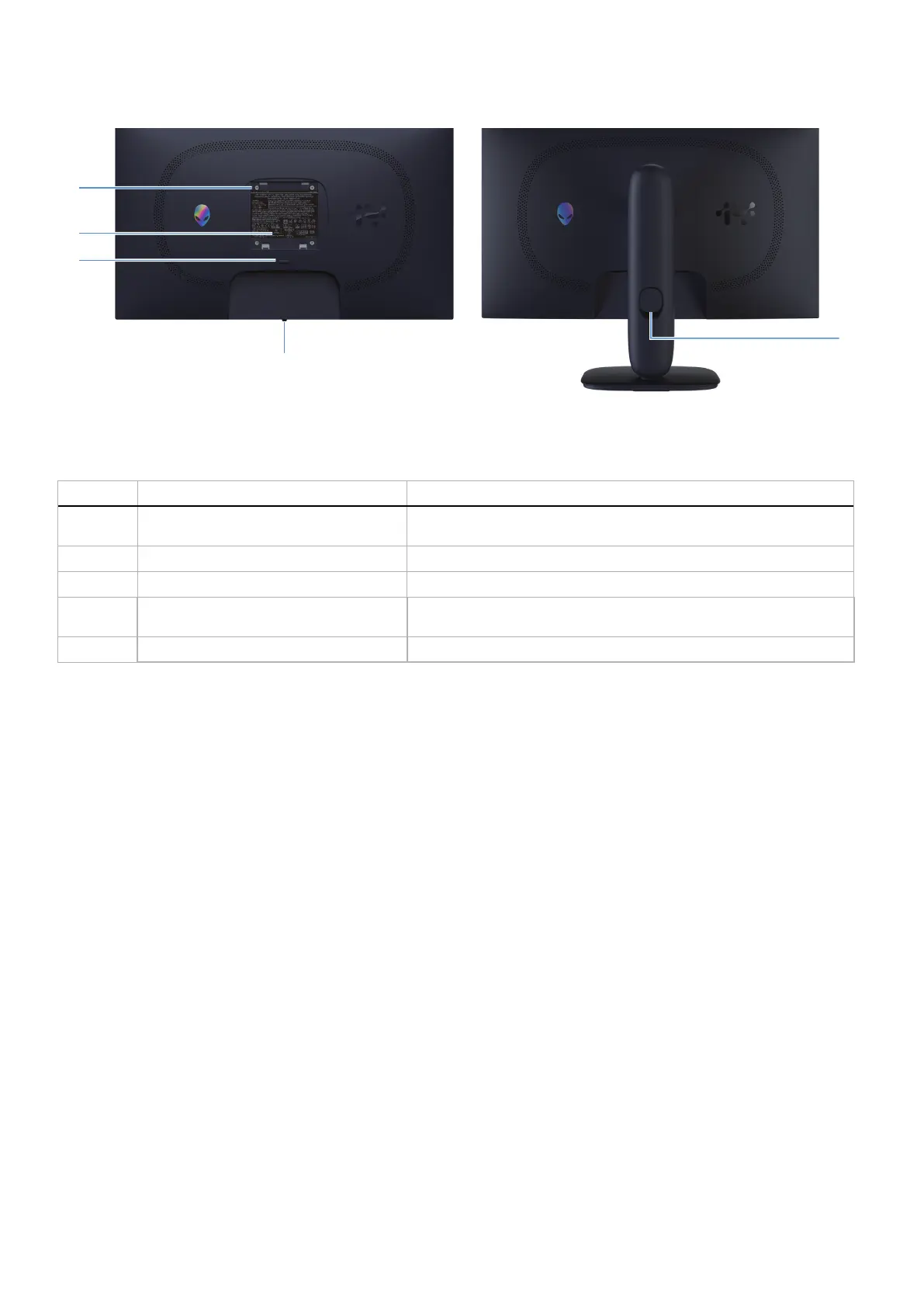
Back view
4
1
3
5
2
Figure 2. Back view of the monitor
Table 3. Components and descriptions.
Label Description Use
1
VESA mounting holes (4) (100 mm x 100
mm) - behind attached VESA cover
Wall-mount the monitor using VESA-compatible wall mount kit.
2
Regulatory label Lists the regulatory approvals.
3
Stand release button Releases the stand from the monitor.
4
Joystick button Use it to control the OSD menu. For more information, see Operating
the monitor.
5
Cable-management slot Use to organize cables by inserting them through the slot.











 To Next Page