34
Setting up the monitor
Organizing your cables
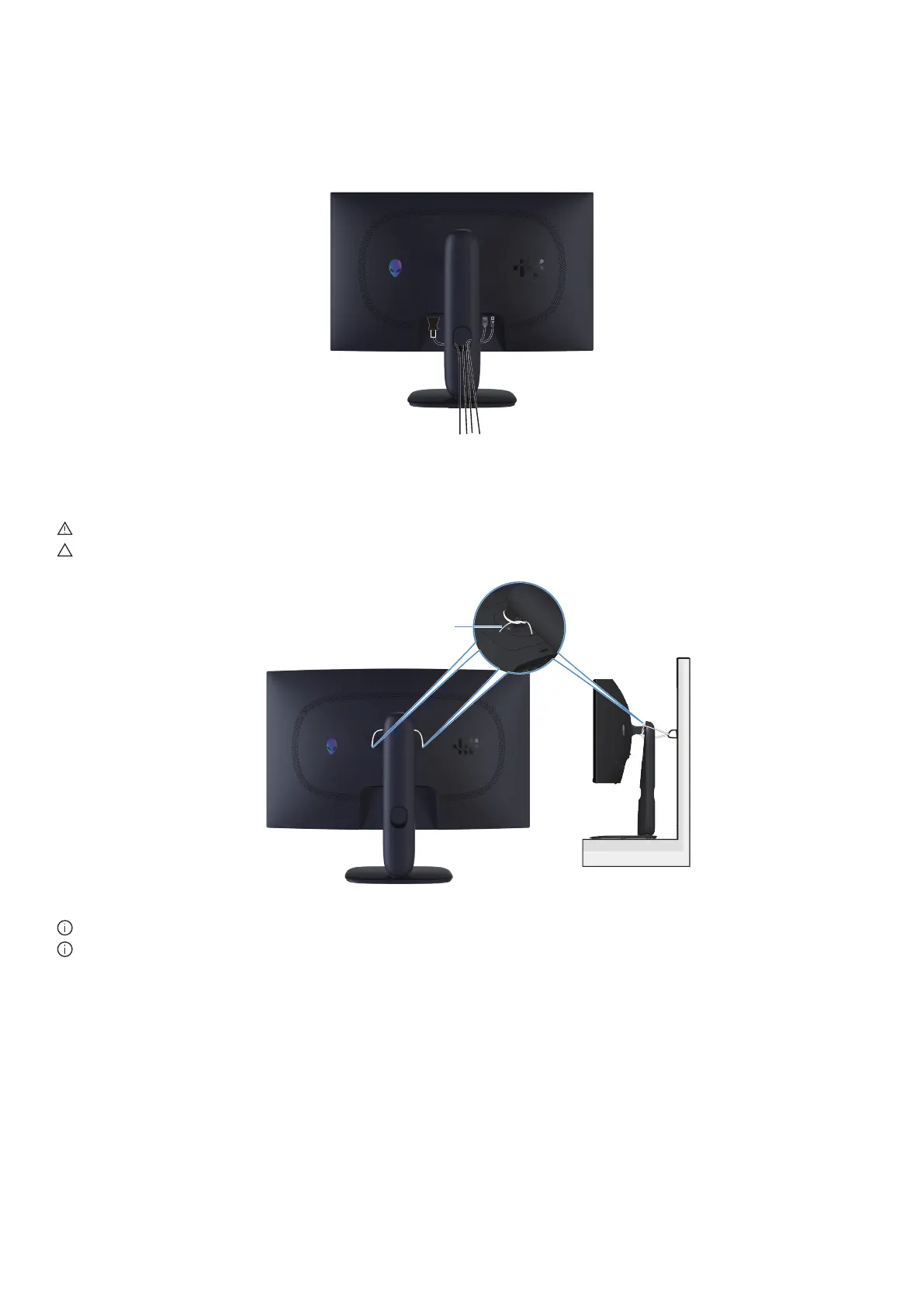
After attaching all required cables to your monitor and computer (see Connecting your monitor for cable attachment), route the
cables through the cable-management slot on the stand.
If a cable does not reach your computer when routing it through the slot, then connect the cable directly to the computer instead.
Figure 26. Organizing cables
Connecting your monitor
WARNING: Before you begin any of the procedures in this section, follow the Safety instructions.
CAUTION: Before using the monitor, it is recommended to fasten the stand riser to a wall using cable tie or a cord that can
support the weight of the monitor in order to prevent the monitor from falling.
Cable tie or Cord
Figure 27. Securing your monitor
NOTE: Do not connect all cables to the computer simultaneously.
NOTE: The images are for illustration only. The appearance of the computer may vary.











 To Next Page