45
Operating the monitor
Icon Menu and submenus Description
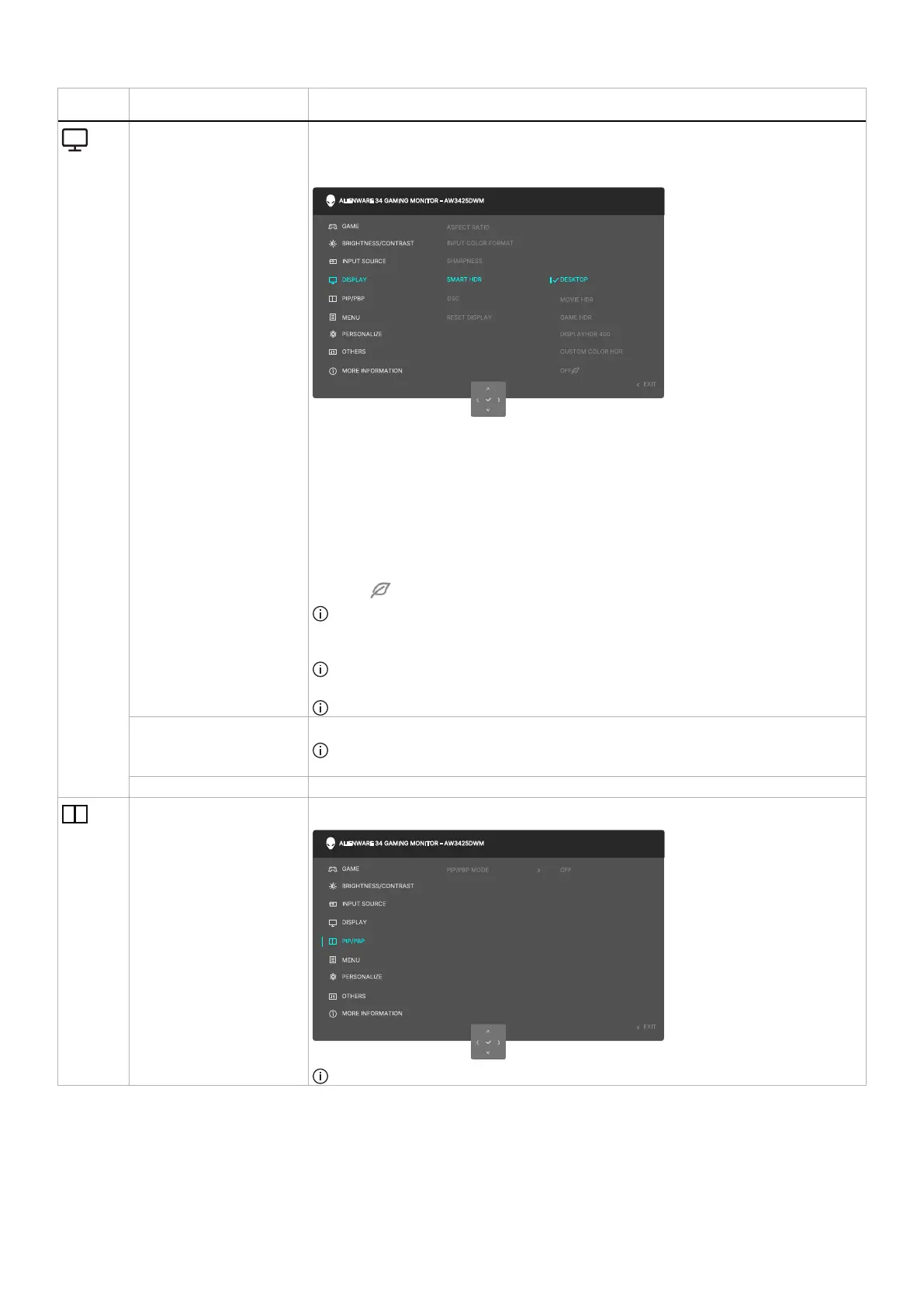
SMART HDR The SMART HDR (High Dynamic Range) feature enhances the display output by
optimally adjusting contrast and the ranges of color and luminosity to resemble true-to-life
visuals.
• DESKTOP: Suitable for using the monitor with a desktop computer.
• MOVIE HDR: Suitable for the playback of HDR video content.
• GAME HDR: Suitable for playing HDR-compatible games. It displays more realistic
scenes and makes the gaming experience immersive and entertaining.
• CUSTOM COLOR HDR: Enables you to create your own HDR mode by adjusting
the settings of CONTRAST, HUE, and SATURATION.
• DISPLAYHDR 400: Compliant with the DisplayHDR True Black standard, supporting
a peak brightness of 400 cd/m
2
.
• OFF : Disable SMART HDR by selecting OFF.
NOTE: When activating and deactivating SMART HDR, a blank screen is expected
(for about 5 seconds). This is normal behavior as the monitor changes the display
mode. Do not power on/off the monitor.
NOTE: When the monitor is processing HDR content, PRESET MODES, DARK
STABILIZER, BRIGHTNESS, and CONTRAST are disabled.
NOTE: The feature is disabled when PIP/PBP is activated.
DSC Allows you to turn DSC (Display Stream Compression) ON or OFF.
NOTE: DSC On/Off is only for DP input, and the maximum resolution is 3440 x 1440
at 100 Hz when DSC is off.
RESET DISPLAY Select this option to restore default display settings.
PIP/PBP This feature brings up a window displaying images from another input source.
NOTE: In PBP mode, the images are displayed at the center of the split windows.












 To Next Page