022
022
/
CHAPTER 5: DRIVE(S)
Removing the Hard Drive(s)
CAUTION: If you are replacing a hard drive that contains data you want
to keep, back up your les before you begin this procedure.
Follow the instructions in “Before You Begin” on page 1. 6.
Remove the left side-panel (see “Removing the Left Side-Panel“ on page 2. 11).
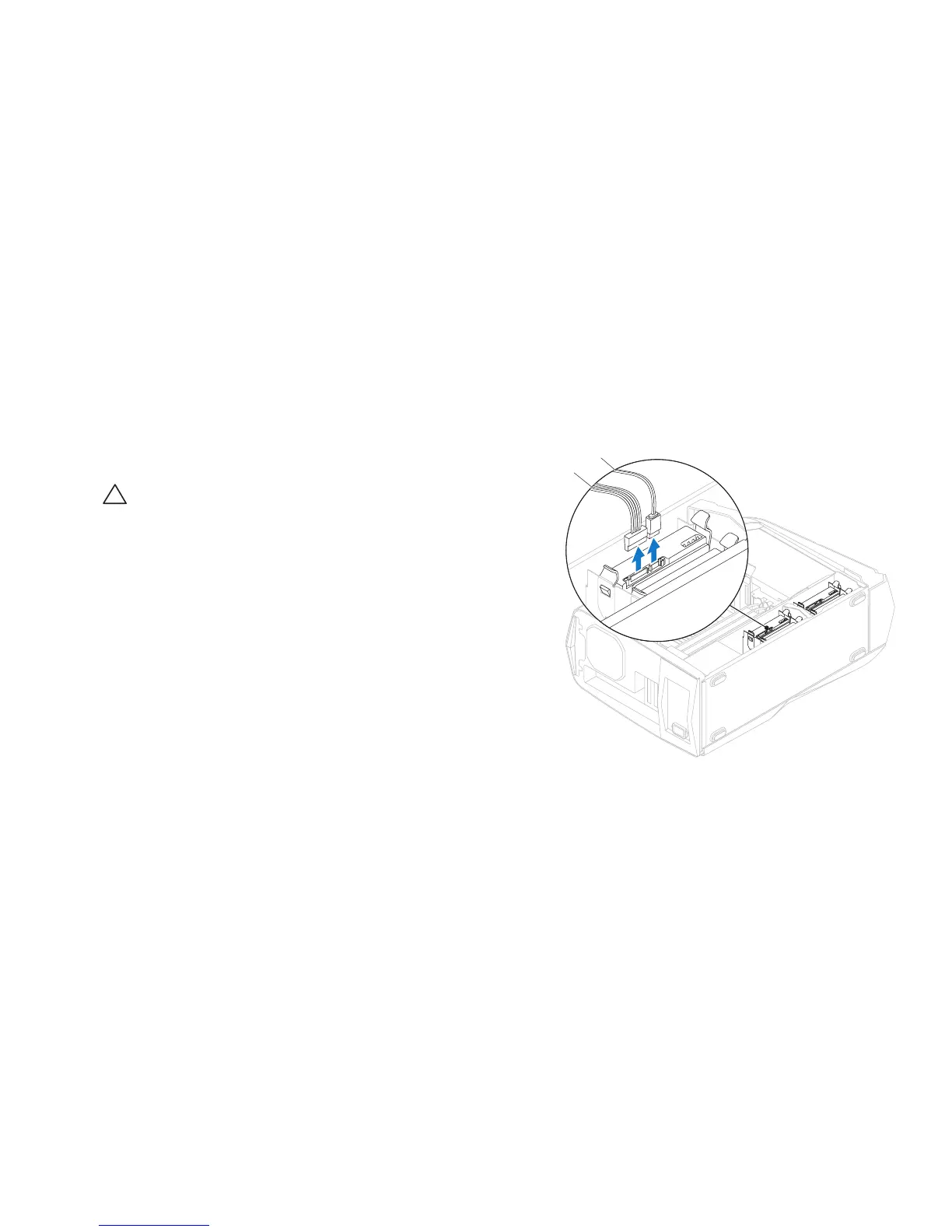
Disconnect the power and data cables from the hard-drive assembly 3.
(if applicable).
2
1
1 power cable 2 data cable










 To Next Page