0114
0114
/
CHAPTER 22: SYSTEM SETUP
Clearing Forgotten Passwords and CMOS Settings
Follow the instructions in “Before You Begin” on page 1. 6.
WARNING: e computer must be disconnected from the electrical
outlet to clear the CMOS setting.
Remove the left side-panel (see “Removing the Left Side-Panel” on page 2. 11).
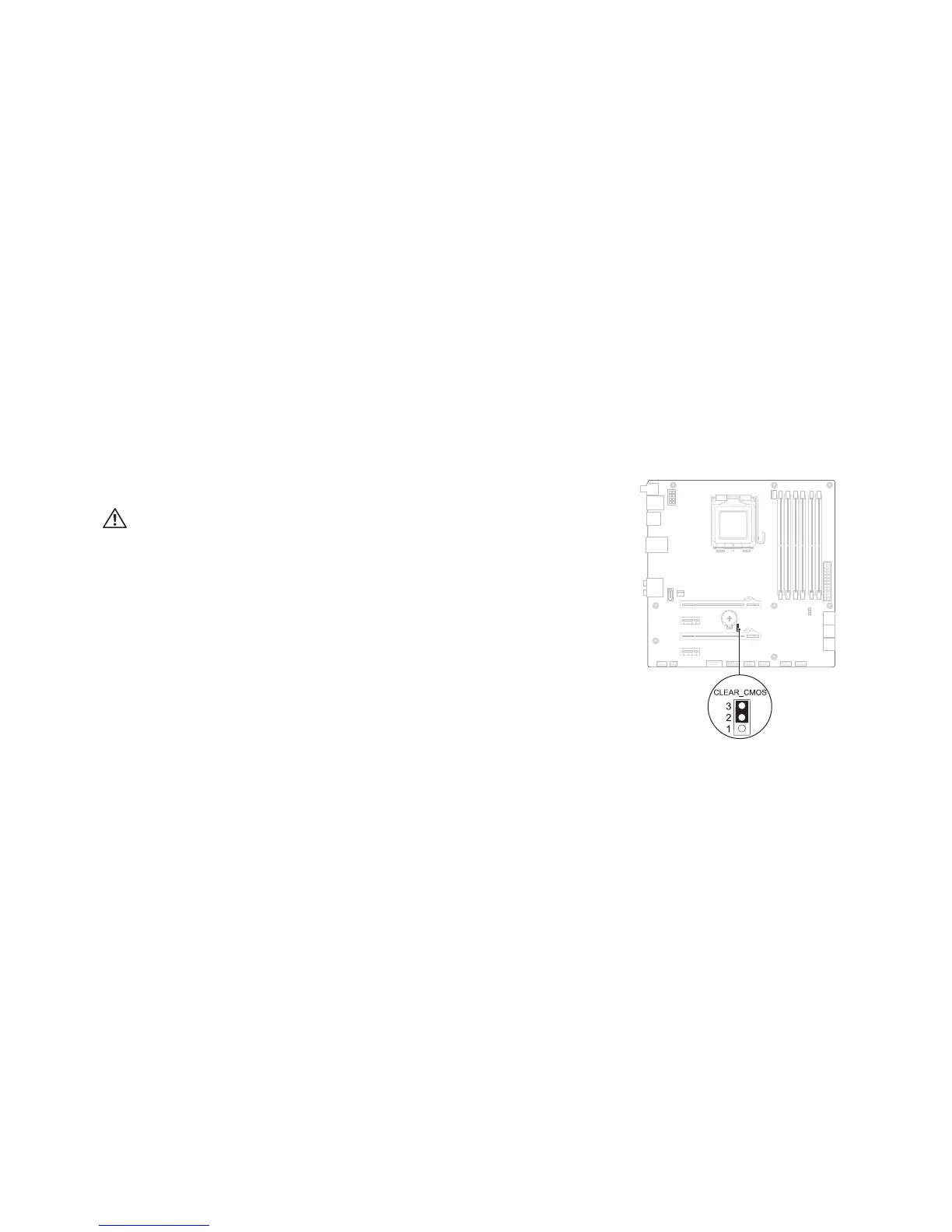
Reset the current password and CMOS settings: 3.
Locate the 3-pin CMOS or password-reset jumper on the system board a.
(see “System Board Components” on page 14).
Remove the jumper plug from the CMOS or password-reset jumper b.
pins 2 and 3.
Place the jumper plug on the CMOS or password-reset jumper c.
pins 1 and 2 and wait for approximately ve seconds.
Remove the jumper plug and replace it on the CMOS or password reset d.
jumper pins 2 and 3.
CMOS:










 To Next Page