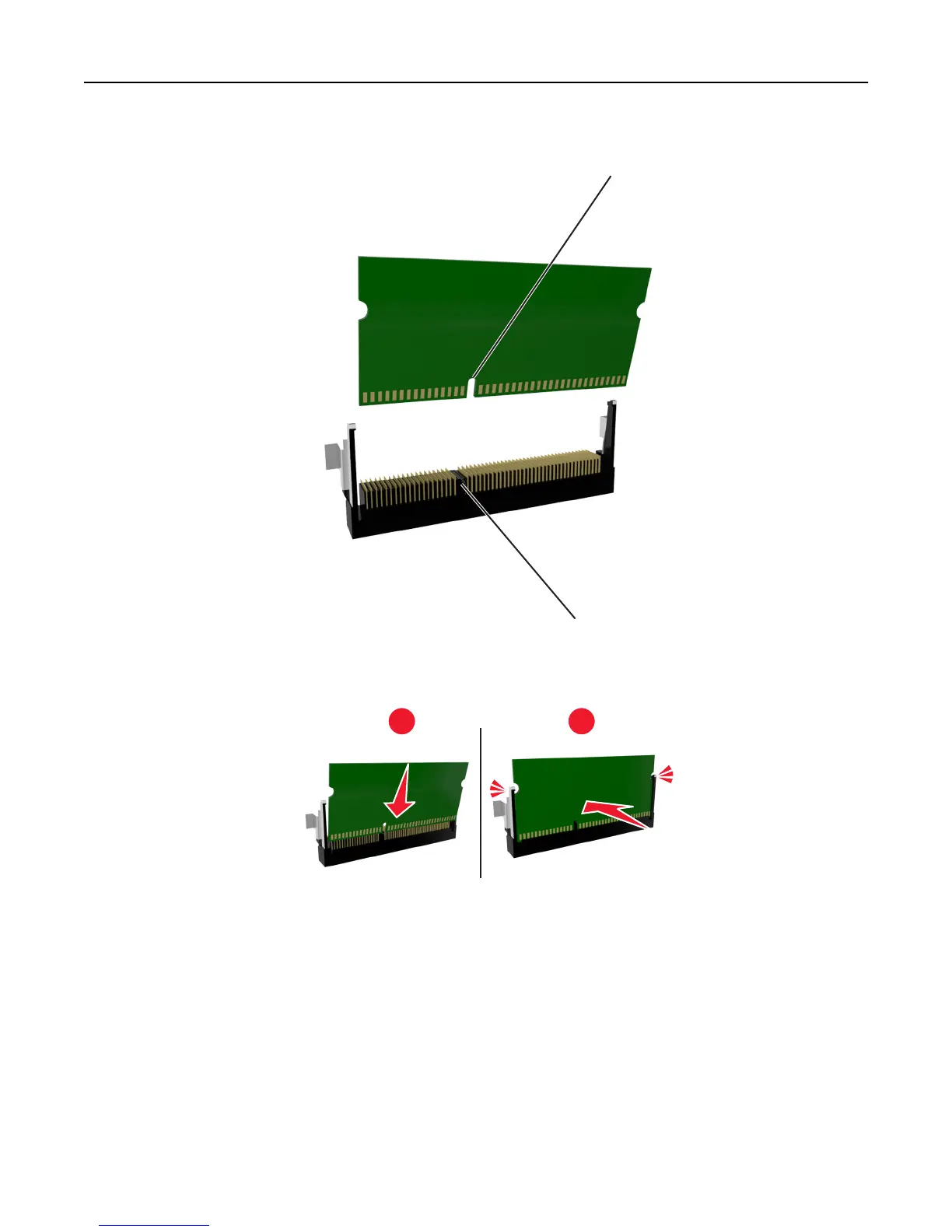
3 Align the notch (1) on the memory card with the ridge (2) on the connector.
1
2
4 Push the memory card straight into the connector, and then push the card toward the controller board wall until
it clicks into place.
1
2
5 Close the controller board access door.
Note: When the printer software and any hardware options are installed, it may be necessary to manually add the
options in the printer driver to make them available for print jobs. For more information, see “Updating available
options in the printer driver” on page 22.
Additional printer setup 16













 To Next Page