Do not expose supplies to:
• Direct sunlight
• Temperatures above 35°C (95°F)
• High humidity above 80%
• Salty air
• Corrosive gases
• Heavy dust
Replacing supplies
Replacing the toner cartridge
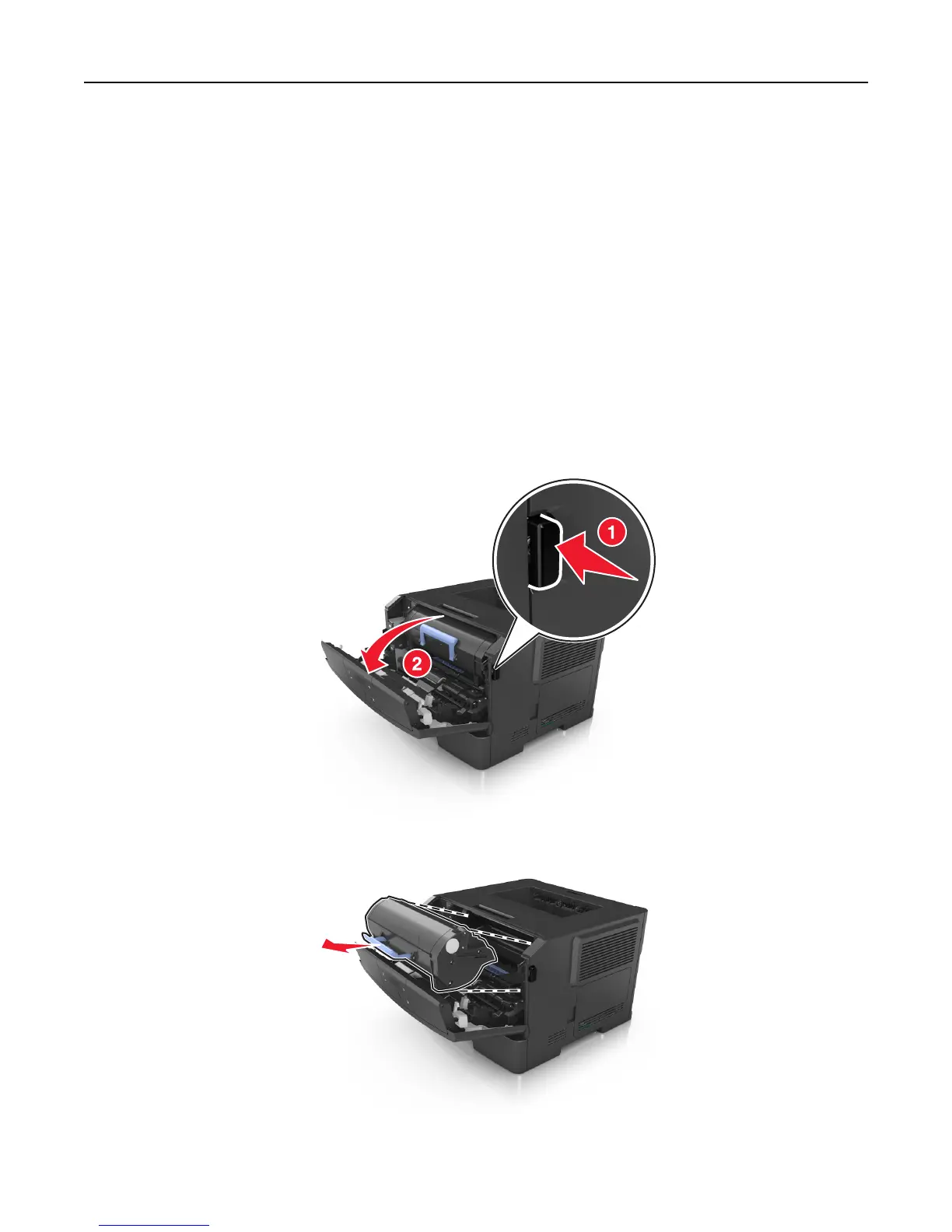
1 Press the button on the right side of the printer, and then open the front door.
2 Pull the toner cartridge out using the handle.
3 Unpack the toner cartridge, and then remove all packing materials.
Maintaining the printer 91













 To Next Page