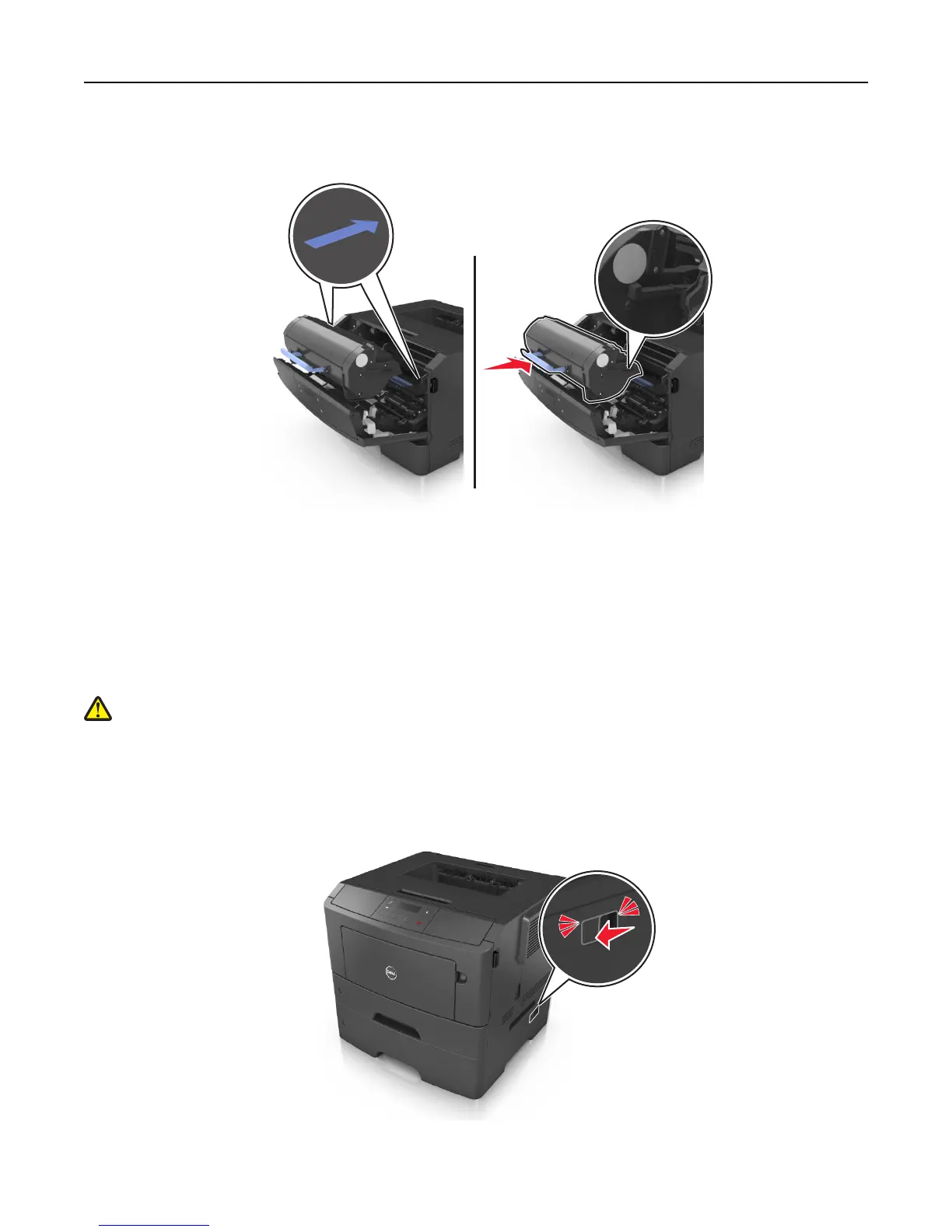
7 Insert the toner cartridge into the printer by aligning the side rails of the cartridge with the arrows on the side rails
inside the printer.
8 Close the front door.
Moving the printer
Before moving the printer
CAUTION—POTENTIAL INJURY: Before moving the printer, follow these guidelines to avoid personal injury or
printer damage:
• Turn the printer off using the power switch, and then unplug the power cord from the electrical outlet.
• Disconnect all cords and cables from the printer before moving it.
• If an optional tray is installed, then remove it from the printer. To remove the optional tray, slide the latch on the
right side of the tray toward the front of the tray until it clicks into place.
• Use the handholds located on both sides of the printer to lift it.
Maintaining the printer 95













 To Next Page