Replacing the imaging unit
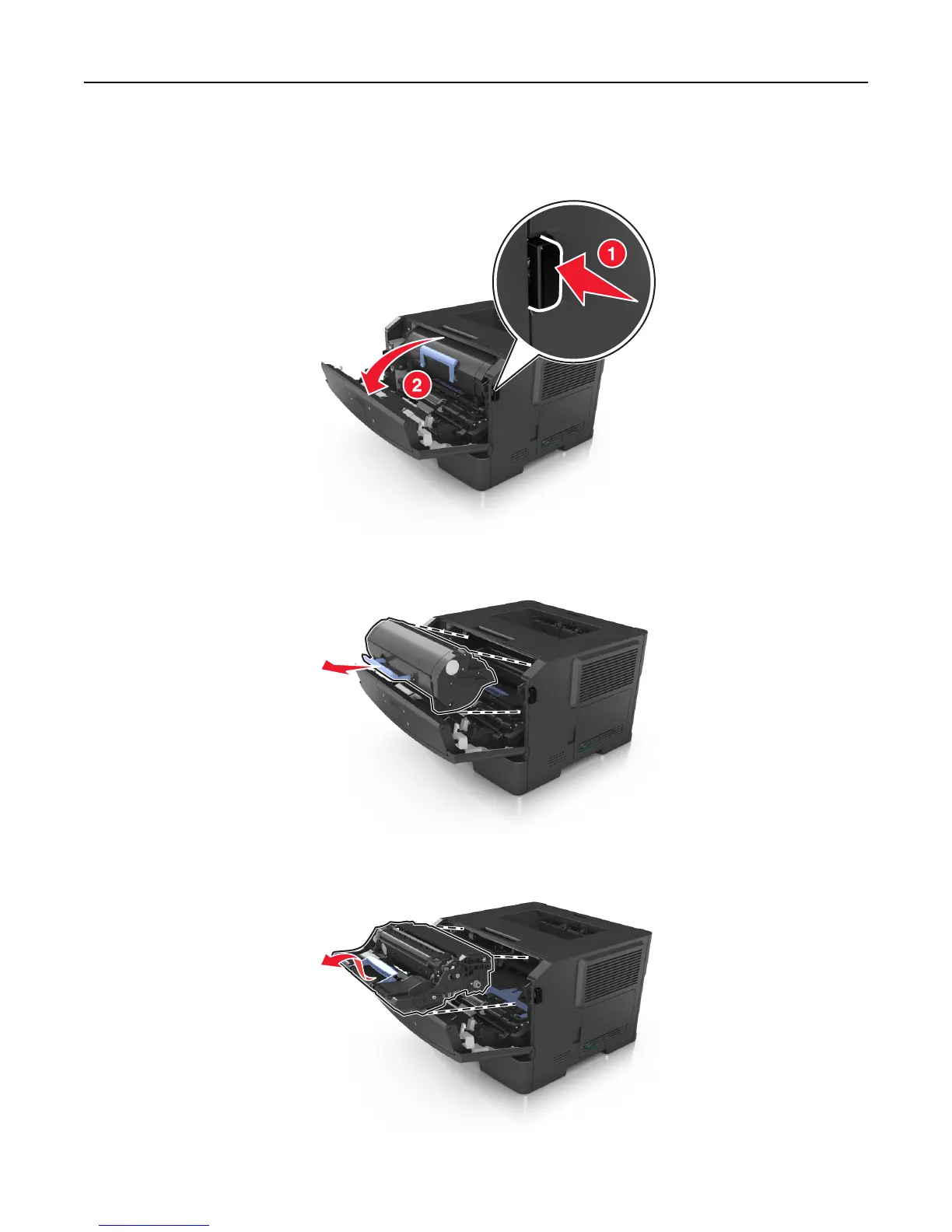
1 Press the button on the right side of the printer, and then open the front door.
2 Pull the toner cartridge out using the handle.
3 Lift the blue handle, and then pull the imaging unit out of the printer.
Maintaining the printer 93













 To Next Page