Initial Settings Procedures Using Dell Printer Configuration Web Tool
23
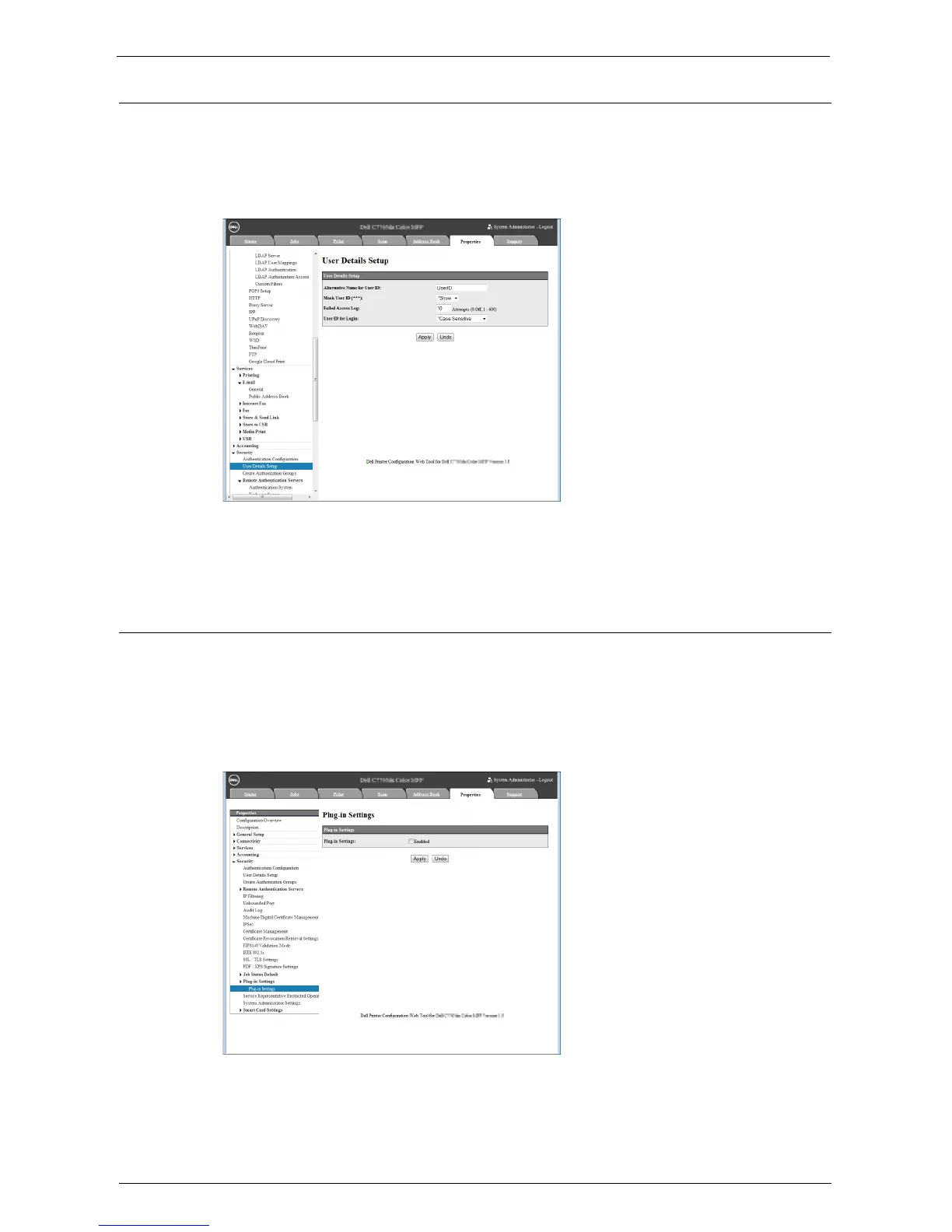
Set User ID Case Sensitivity
1
Click [Security] on the [Properties] screen.
2
Click [User Details Setup].
3
Select [Non-Case Sensitive] for [User ID for login].
4
Click [Apply].
5
Click [Reboot Machine] if prompted.
Disable Plug-in Settings
Note • Plug-ins cannot be used together with the Smart Card Reader.
1
Click [Security] on the [Properties] screen.
2
Click [Plug-in Settings] under [Plug-in Settings].
3
Uncheck the [Enabled] box.
4
Click [Apply].
5
Click [Reboot Machine] if prompted.














 To Next Page