30 │ Setting Up the Dell Canvas 27
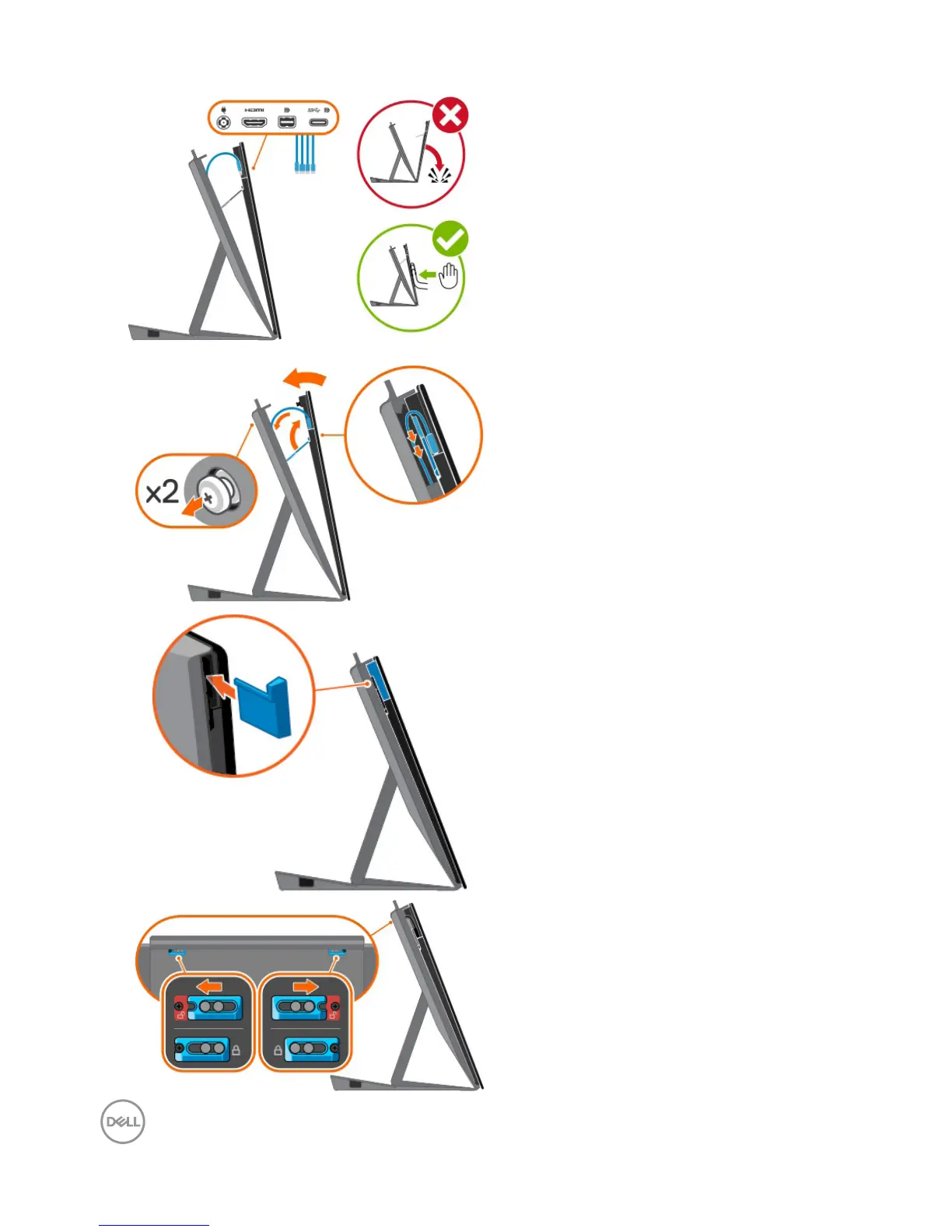
• Plug in the cables into Dell
Canvas 27.
• Close the FlipStand.
• Ensure the two screws are rmly
xed to the screw holes and
that the stand and Canvas t
together.
• Replace the Clearwater Display
IO cover.
• Slide the latch on either side of
stand’s back.


 To Next Page