34 │ Operating the Dell Canvas 27
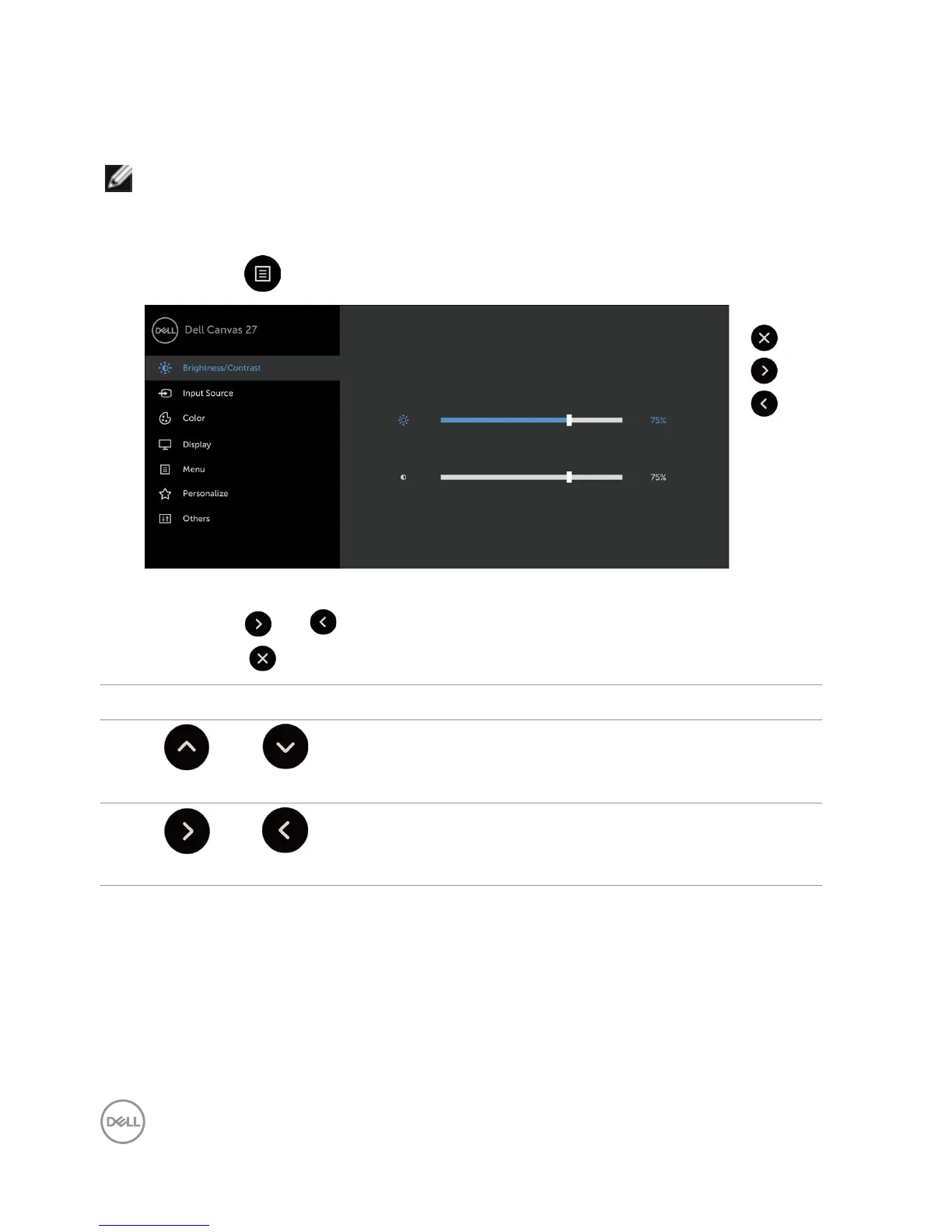
Using the On-Screen Display (OSD) Menu
Accessing the Menu System
NOTE: Any changes you make using the OSD menu are automatically saved
if youmove to another OSD menu, exit the OSD menu, or wait for the OSD menu
todisappear.
1. Touch the icon to launch the OSD menu and display the main menu.
2. You can touch screen to select the desired menu.
3. Touch the and icons to select the desired parameter.
4. Touch the icon to exit the OSD main menu.
Front Panel icon Description
1
Up Down
Use the Up (increase) and Down (decrease) keys to
adjust items in the OSD menu.
2
Right Left
Use the Right (increase) and Left (decrease) keys to
adjust items in the OSD menu.



 To Next Page