36 │ Operating the Dell Canvas 27
Icon Menu and
Submenus
Description
mDP Select mDP input when you are using the mDP (mini
DisplayPort) connector.
mini-HDMI Select the mini HDMI input when you are using the mini-HDMI
connector.
Auto Select Select Auto Select, the Dell Canvas 27 scans for available input
sources.
Reset Input
Source
Resets your Dell Canvas 27’s Input Source settings to the factory
defaults.
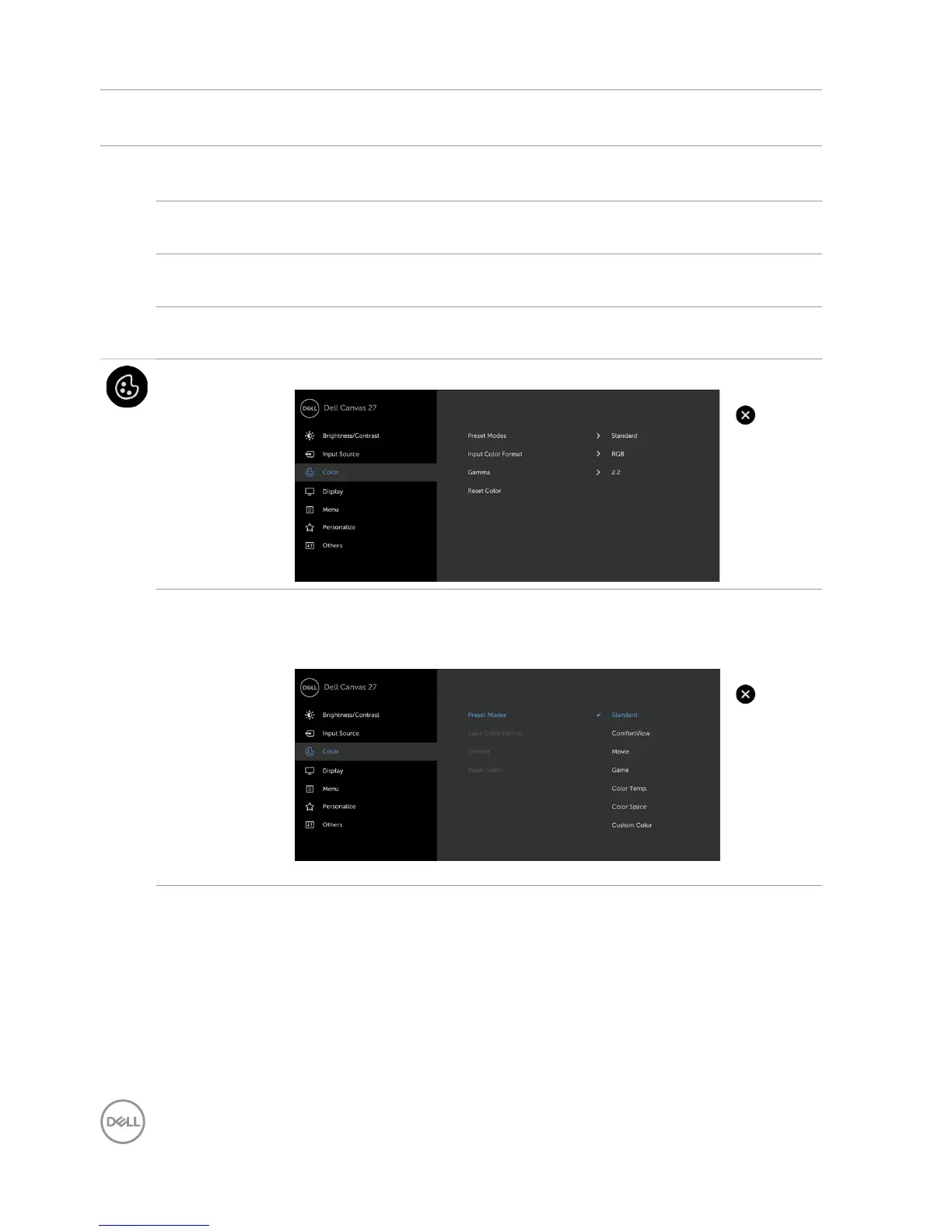
Color Use the Color menu to adjust the color setting mode.
Preset
Modes
When you select Preset Modes, you can choose Standard,
ComfortView, Movie, Game, Color Temp., Color Space, or
Custom Color from the list.
•Standard: Default color settings. This is the default preset mode.


 To Next Page