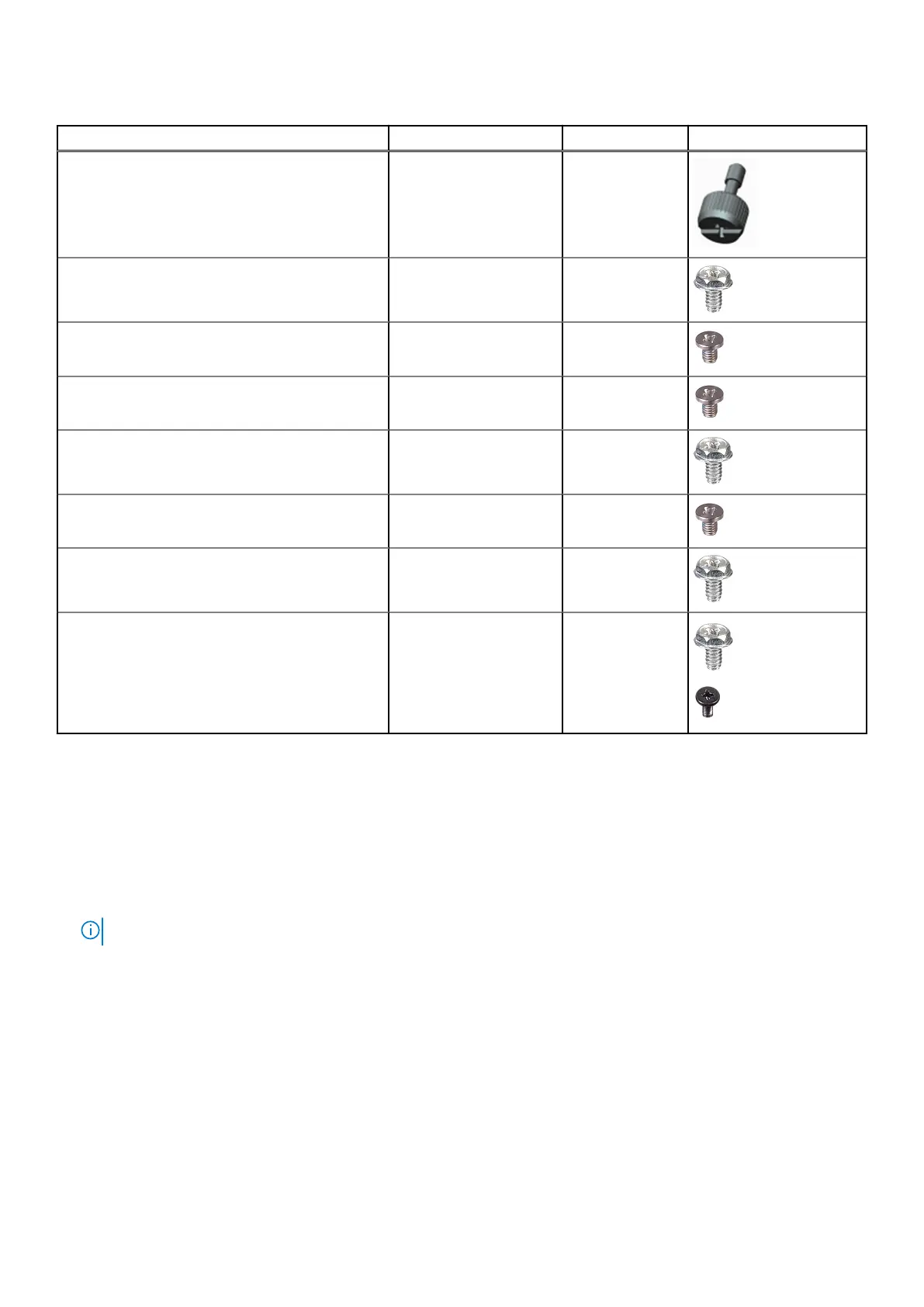
Table 1. Screw list
Component Screw type Quantity Image
Side cover #6-32 2
Front I/O bracket #6-32 2
M.2 2230/2280 Solid-state drive M2x3.5 1
WLAN card M2x3.5 1
Power supply unit #6-32 3
2.5 in. hard-drive bracket M3x3.5 4
3.5 in. hard-drive #6-32 4
System board #6-32
M2x4
8
1
Side cover
Removing the side cover
Prerequisites
1. Follow the procedure in before working inside your computer.
NOTE: Ensure that you remove the security cable from the security-cable slot (if applicable).
About this task
The following images indicate the location of the side cover and provide a visual representation of the removal procedure.
14
Disassembly and reassembly



 To Next Page