Graphical processing unit
Removing the powered GPU
Prerequisites
1. Follow the procedure in before working inside your computer.
2. Remove the side cover.
3. Remove the fan duct.
About this task
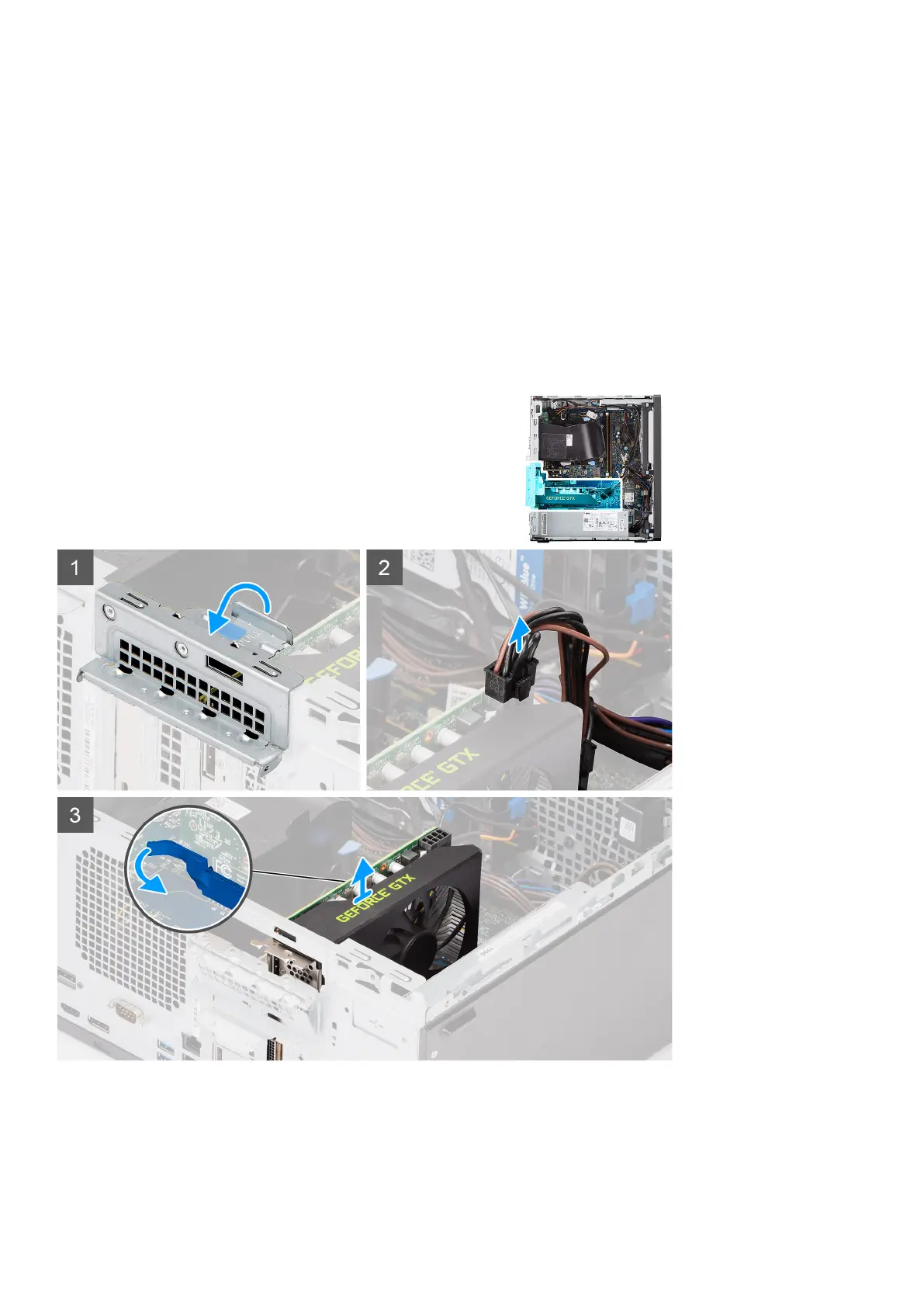
The following images indicate the location of the powered graphical processing unit and provides a visual representation of the
removal procedure.
Steps
1. Lift the pull tab to open the PCIe door.
2. Disconnect the power cable from the connector on the powered GPU.
3. Push and hold the securing tab on the graphics-card slot and lift the powered GPU away from the graphics-card slot.
Disassembly and reassembly
39



 To Next Page