Dell DCS-1130 Setup and Features Information
Page 10 | Power and System Board Indicator Codes
Power and System Board Indicator Codes
e LEDs on the system front panel and back panel display status codes during system startup.
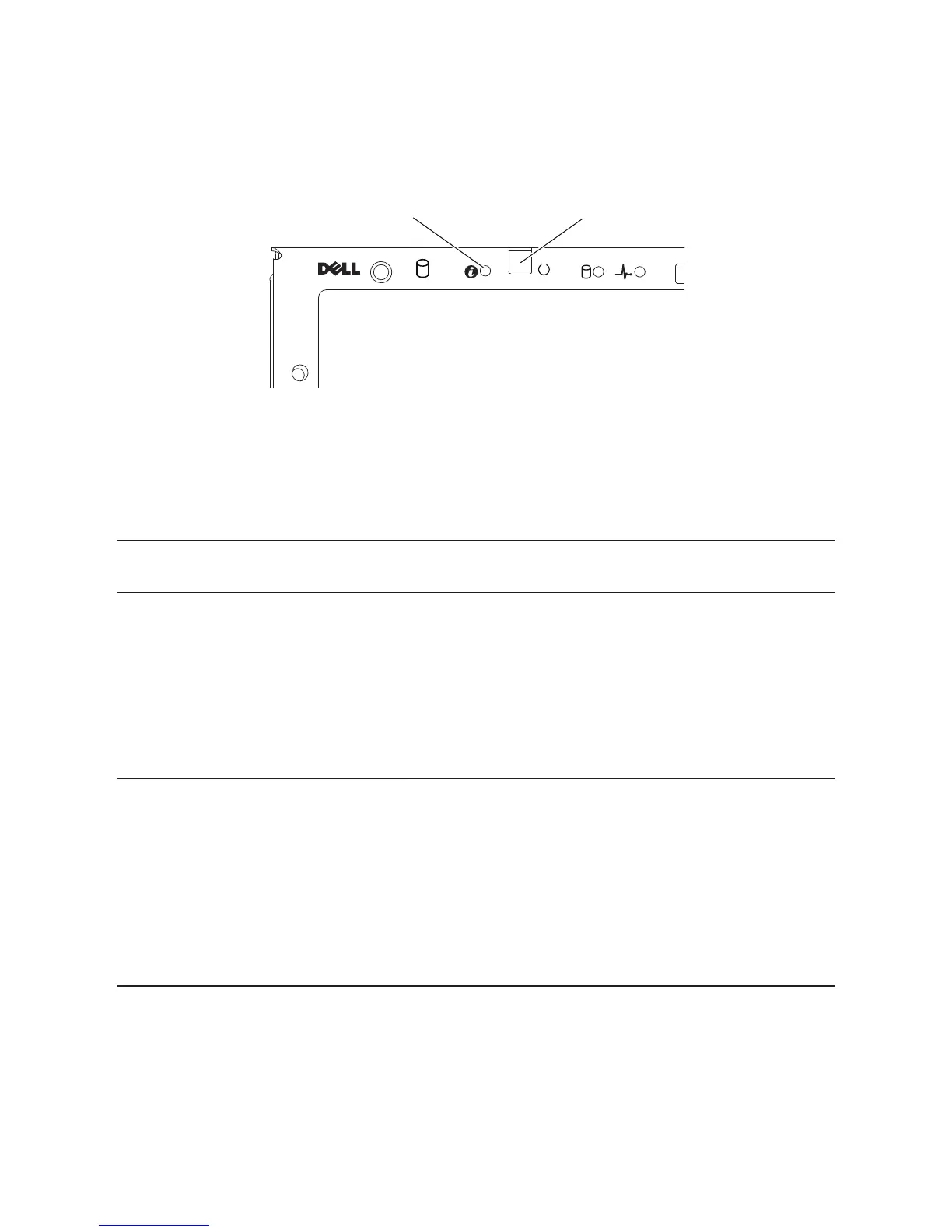
Figure 6. System Identification and Power Indicators
0
1
2
1. system identification indicator 2. power-on indicator
Table 2 lists the status associated with the status codes.
Table 2. Status Indicator Codes
Component Indicator Condition
System
identication
indicator
Steady Blue
Blinks Blue
O
IPMI Via Chassis Identify Command On
Only IPMI using Chassis Identify Command Blink On
IPMI using Chassis Identify Command O
Power-on
indicator
Steady Green
Blinks Amber
Blinks Green/
Amber
Power On S0/S1
BMC Critical condition event in Power O mode S4/S5
BMC Critical condition event in Power On mode S0/S1


 To Next Page