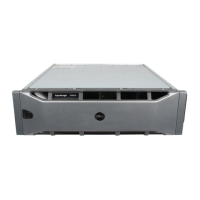
Dell DCS-1130 Setup and Features Information
Contents | Page 3
Contents
Notes, Cautions, and Warnings .............................................................................2
Accessing System Features During Startup ........................................................ 4
Figure 1. Front Panel ..................................................................................... 5
Hard-Drive Indicator Patterns ................................................................................ 6
Figure 2. Hard Drive Indicators ................................................................... 6
Table 1. Hard Drive Indicator Status ..........................................................6
Back-Panel Features and Indicators ...................................................................7
Figure 3. Back Panel ..................................................................................... 7
NIC Indicator Codes .................................................................................................8
Figure 4. NIC Indicators ...............................................................................8
Figure 5. NIC Indicators (KVM over IP Port) ............................................. 9
Power and System Board Indicator Codes ........................................................ 10
Figure 6. System Identification and Power Indicators .........................10
Table 2. Status Indicator Codes ................................................................10
Power Supply Indicator Codes ............................................................................11
Figure 7. Power Supply Status Indicator ................................................11
Other Information You May Need .......................................................................11
Contacting Dell .......................................................................................................12


 To Next Page