Item Control/
Feature
Icon Description
3 Fan fault Amber — Loss of communication with the fan module, or
reported fan speed is out of tolerance
SCv2080 Storage System PSU Features and Indicators
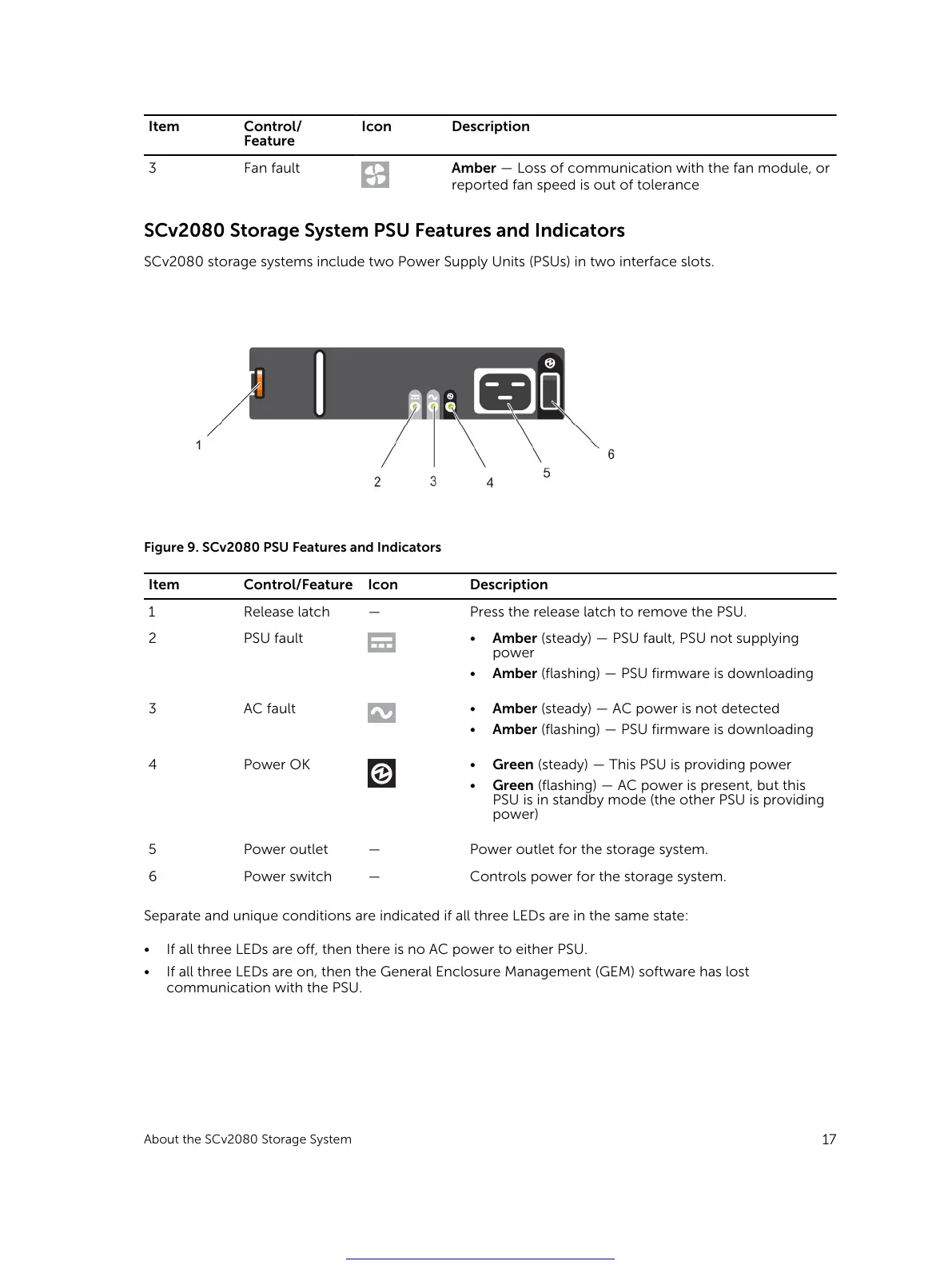
SCv2080 storage systems include two Power Supply Units (PSUs) in two interface slots.
Figure 9. SCv2080 PSU Features and Indicators
Item Control/Feature Icon Description
1 Release latch — Press the release latch to remove the PSU.
2 PSU fault
• Amber (steady) — PSU fault, PSU not supplying
power
• Amber (flashing) — PSU firmware is downloading
3 AC fault
• Amber (steady) — AC power is not detected
• Amber (flashing) — PSU firmware is downloading
4 Power OK
• Green (steady) — This PSU is providing power
• Green (flashing) — AC power is present, but this
PSU is in standby mode (the other PSU is providing
power)
5 Power outlet — Power outlet for the storage system.
6 Power switch — Controls power for the storage system.
Separate and unique conditions are indicated if all three LEDs are in the same state:
• If all three LEDs are off, then there is no AC power to either PSU.
• If all three LEDs are on, then the General Enclosure Management (GEM) software has lost
communication with the PSU.
About the SCv2080 Storage System
17
Get other manuals https://www.bkmanuals.com





 To Next Page