SCv2080 Storage System Front-Panel Features and
Indicators
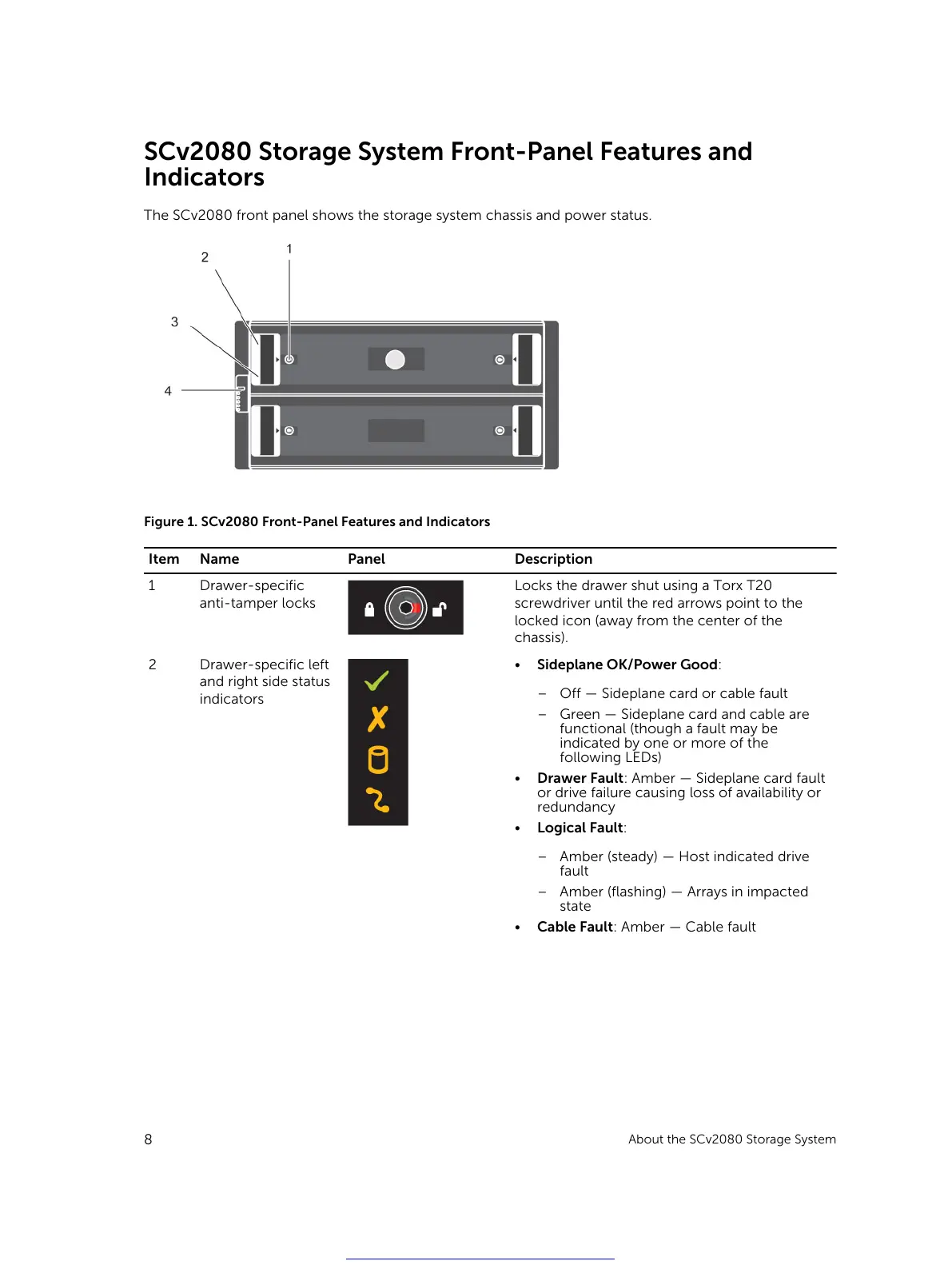
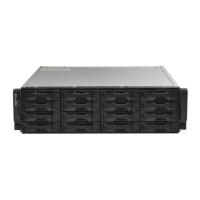
The SCv2080 front panel shows the storage system chassis and power status.
Figure 1. SCv2080 Front-Panel Features and Indicators
Item Name Panel Description
1 Drawer-specific
anti-tamper locks
Locks the drawer shut using a Torx T20
screwdriver until the red arrows point to the
locked icon (away from the center of the
chassis).
2 Drawer-specific left
and right side status
indicators
• Sideplane OK/Power Good:
– Off — Sideplane card or cable fault
– Green — Sideplane card and cable are
functional (though a fault may be
indicated by one or more of the
following LEDs)
• Drawer Fault: Amber — Sideplane card fault
or drive failure causing loss of availability or
redundancy
• Logical Fault:
– Amber (steady) — Host indicated drive
fault
– Amber (flashing) — Arrays in impacted
state
• Cable Fault: Amber — Cable fault
8
About the SCv2080 Storage System
Get other manuals https://www.bkmanuals.com





 To Next Page