Item Name Panel Description
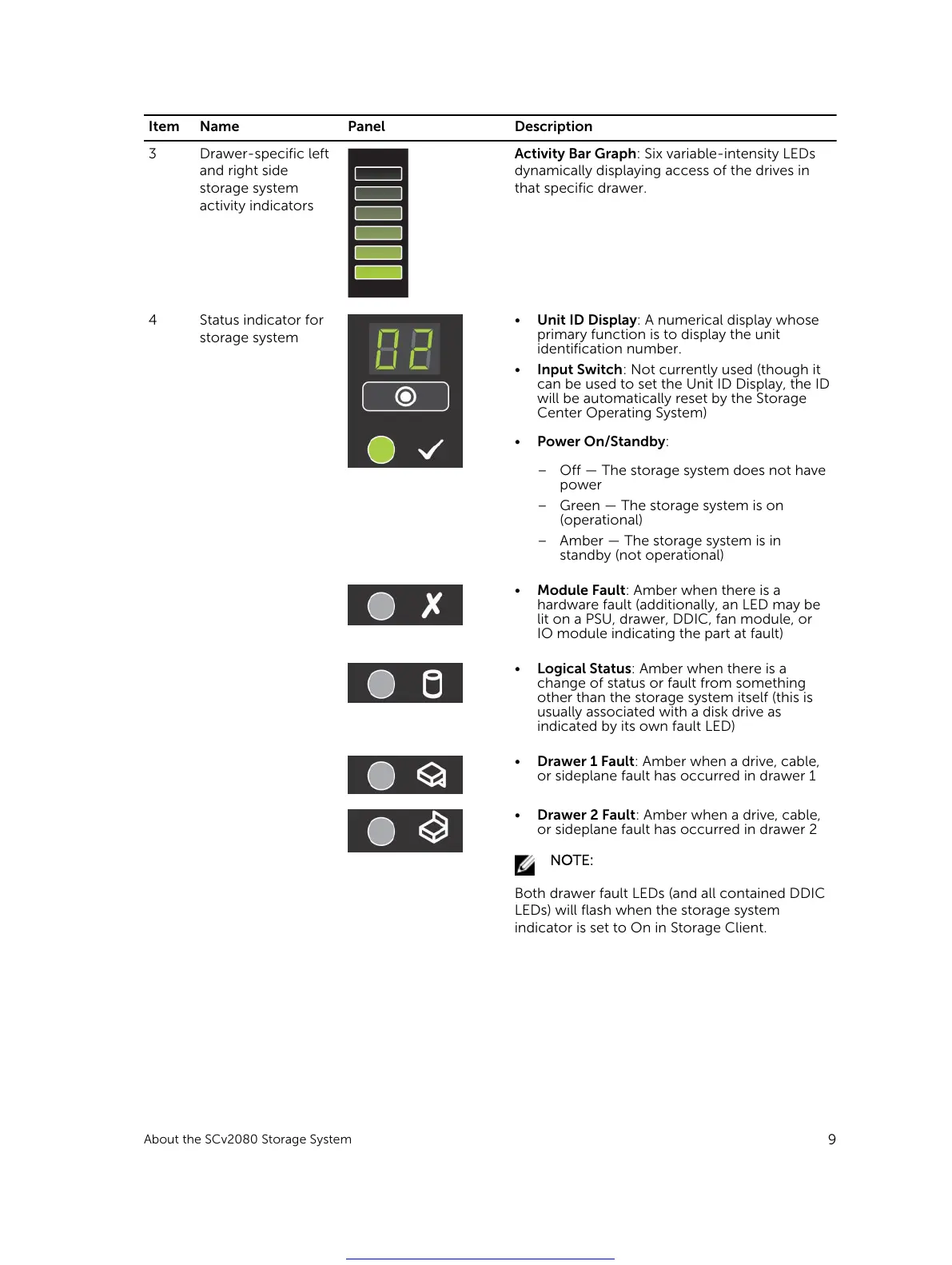
3 Drawer-specific left
and right side
storage system
activity indicators
Activity Bar Graph: Six variable-intensity LEDs
dynamically displaying access of the drives in
that specific drawer.
4 Status indicator for
storage system
• Unit ID Display: A numerical display whose
primary function is to display the unit
identification number.
• Input Switch: Not currently used (though it
can be used to set the Unit ID Display, the ID
will be automatically reset by the Storage
Center Operating System)
• Power On/Standby:
– Off — The storage system does not have
power
– Green — The storage system is on
(operational)
– Amber — The storage system is in
standby (not operational)
• Module Fault: Amber when there is a
hardware fault (additionally, an LED may be
lit on a PSU, drawer, DDIC, fan module, or
IO module indicating the part at fault)
• Logical Status: Amber when there is a
change of status or fault from something
other than the storage system itself (this is
usually associated with a disk drive as
indicated by its own fault LED)
• Drawer 1 Fault: Amber when a drive, cable,
or sideplane fault has occurred in drawer 1
• Drawer 2 Fault: Amber when a drive, cable,
or sideplane fault has occurred in drawer 2
NOTE:
Both drawer fault LEDs (and all contained DDIC
LEDs) will flash when the storage system
indicator is set to On in Storage Client.
About the SCv2080 Storage System
9
Get other manuals https://www.bkmanuals.com





 To Next Page