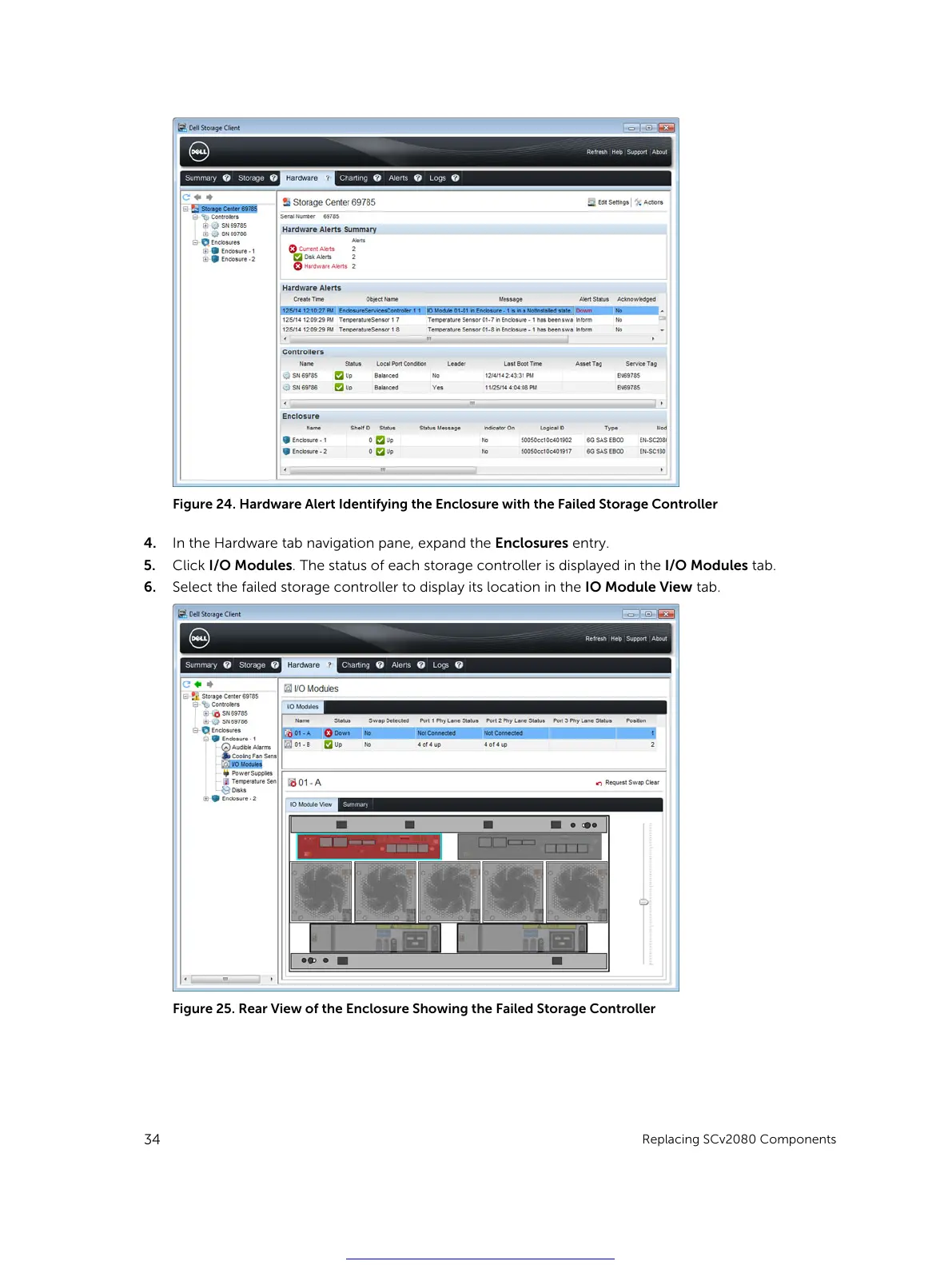
Figure 24. Hardware Alert Identifying the Enclosure with the Failed Storage Controller
4. In the Hardware tab navigation pane, expand the Enclosures entry.
5. Click I/O Modules. The status of each storage controller is displayed in the I/O Modules tab.
6. Select the failed storage controller to display its location in the IO Module View tab.
Figure 25. Rear View of the Enclosure Showing the Failed Storage Controller
34
Replacing SCv2080 Components
Get other manuals https://www.bkmanuals.com





 To Next Page