17" LCD Color Monitor Dell E178FPC
21
*Inspection patterns: Standard inspection patterns of dot defect are listed below. AU uses these patterns as
standard criteria for judging dot defect. Please inform AU if any other pattern is to be used to examine dot defect.
Note (4) The general mura symptoms will use 6 % ND Filter.
Note (5) The inspection method of ND Filter - holding ND filter in front of the panel around 1 cm and examine the
panel from 35±5 cm in the front view for 5 seconds.
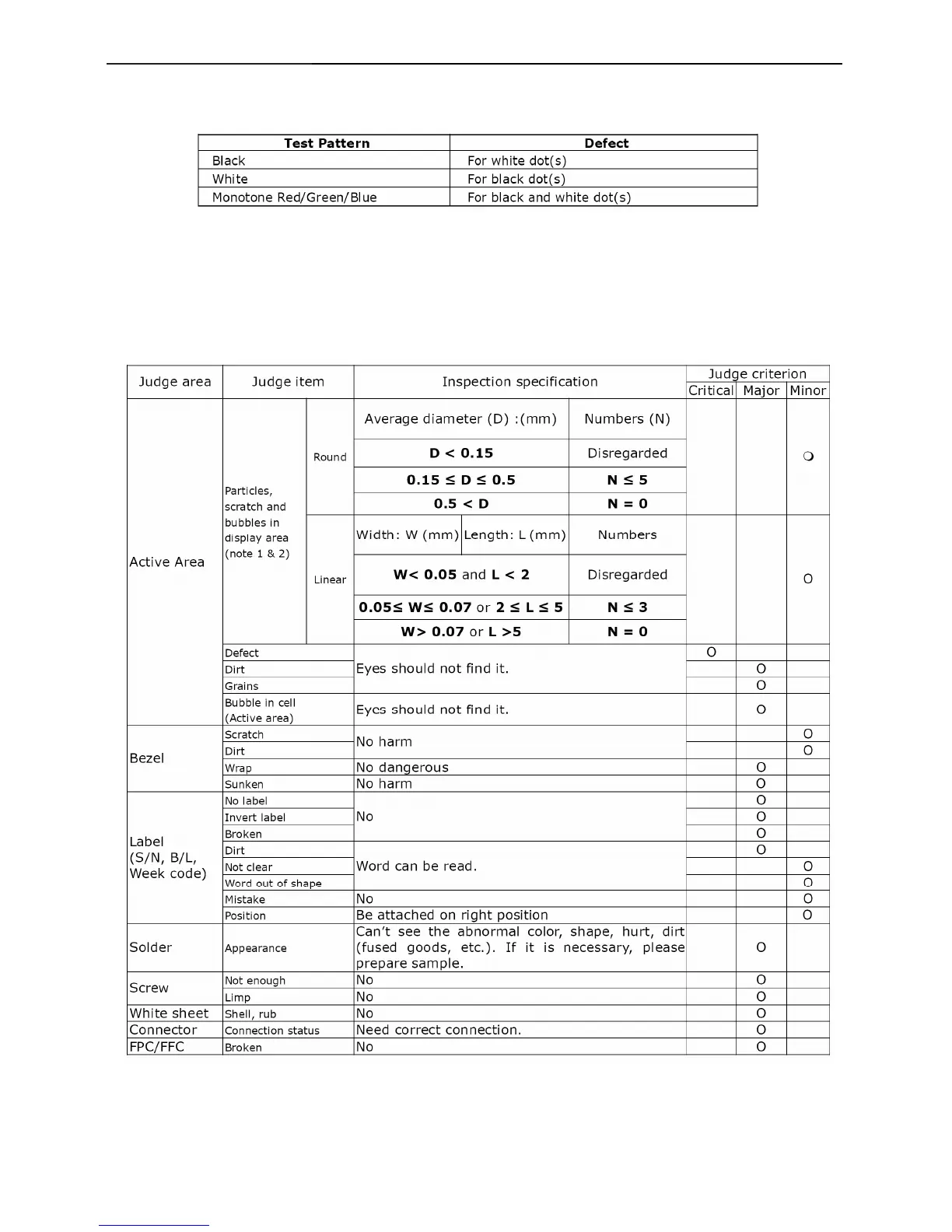
4.5.4 Appearance inspection specification
Note 1: When L >=2W, defect count as liner defect.
Note 2: The judged view angle should be at 40°



 To Next Page