17" LCD Color Monitor Dell E178FPC
8
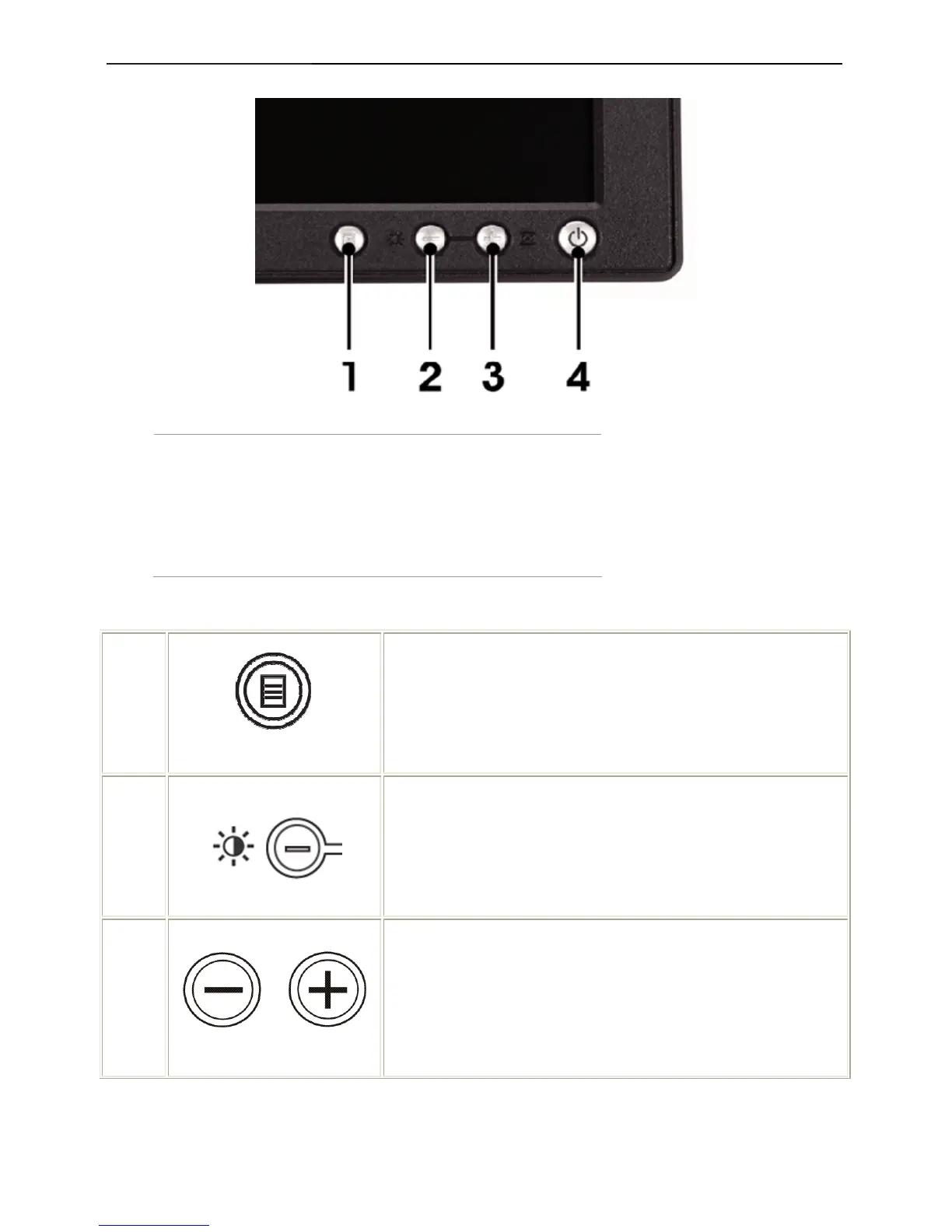
3.2 Control Buttons
1 Menu selection button
2 Brightness Contrast / Down(-) button
3 Auto-Adjust / Up(+) button
4 Power On/Off button with LED indicator
1
MENU
The 'MENU' button is used to open the on-screen display (OSD),
select function icons, exit from menus and sub-menus, and to exit the
OSD. See Accessing the Menu System
2
Brightness/Contrast Hot Key
Use this button for direct access to the 'Brightness' and 'Contrast'
control menu.
2,3
Down (-) and Up (+)
Use these buttons to adjust (decrease/increase ranges) items in the
OSD.
NOTE: You can activate automatic scroll feature by pressing and
holding either + or - button.



 To Next Page