Dell E1913S/E1913/E2213 Monitor User's Guide
file:///K|/Dell/E1913/Dell%20E1913(S)%20E2213%20E-DOC%20Source/en/ug/setup.htm[2012-3-19 16:22:02]
Back to Contents Page
Setting Up the Monitor
Dell™ E1913S/E1913/E2213 Monitor User's Guide
Attaching the Stand
Removing the Monitor Stand for VESA Wall Mount
Connecting Your Monitor
Attaching the Dell Soundbar (Optional)
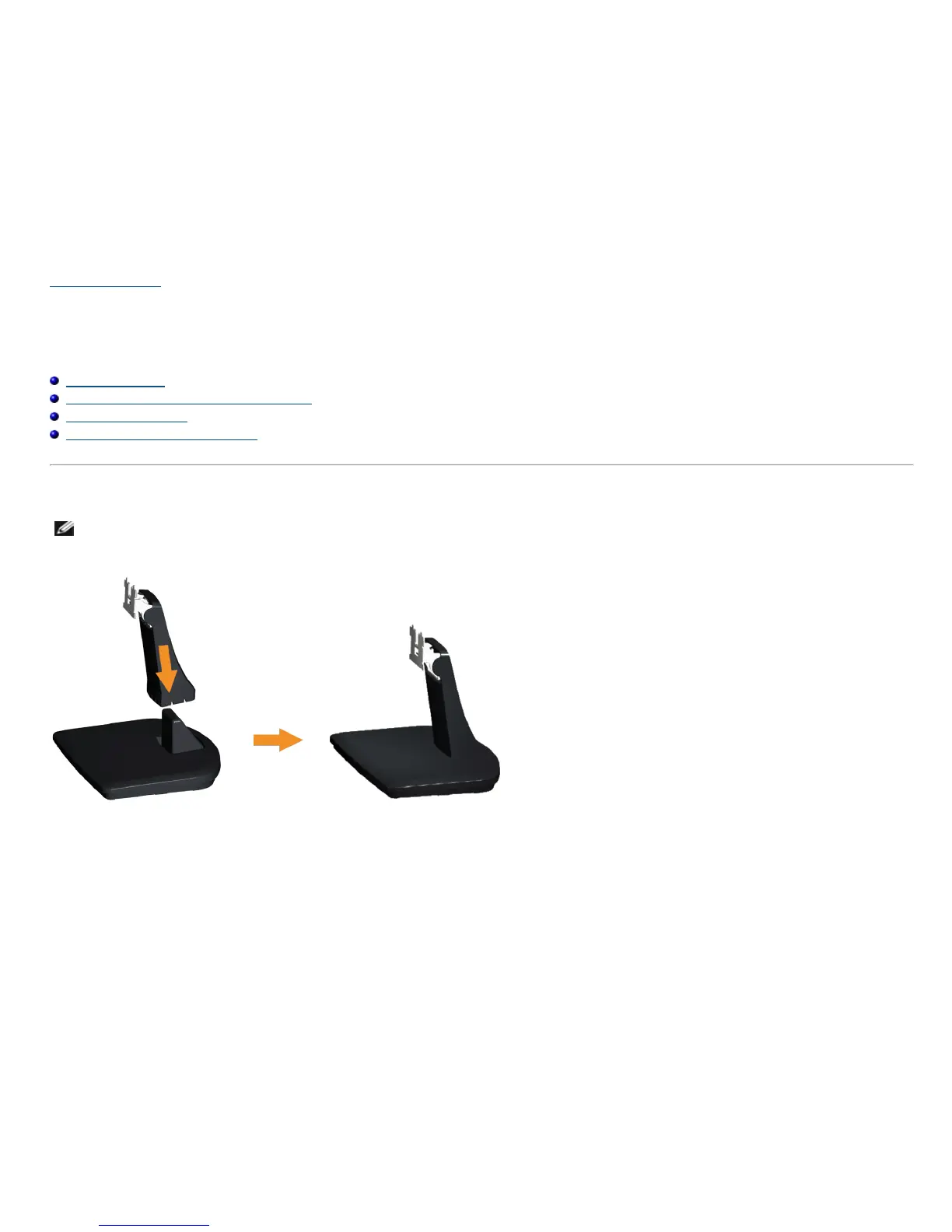
Attaching the Stand
NOTE: The stand base is detached when the monitor is shipped from the factory.
1. Assemble the stand riser to stand base.
a. Place the monitor stand base on a stable table top.
b. Slide the monitor stand body in the correct direction down onto the stand base until it clicks into place.
2. Attach the stand assembly to the monitor:



 To Next Page