30 Operating the Monitor Operating the Monitor 31
Image
Enhance
Which can automatically sharpen images, enhance
hues and boost color contrast.
To enhance image clarity.
NOTE: Image Enhance is only available for Standard,
Multimedia, Movie and Game mode.
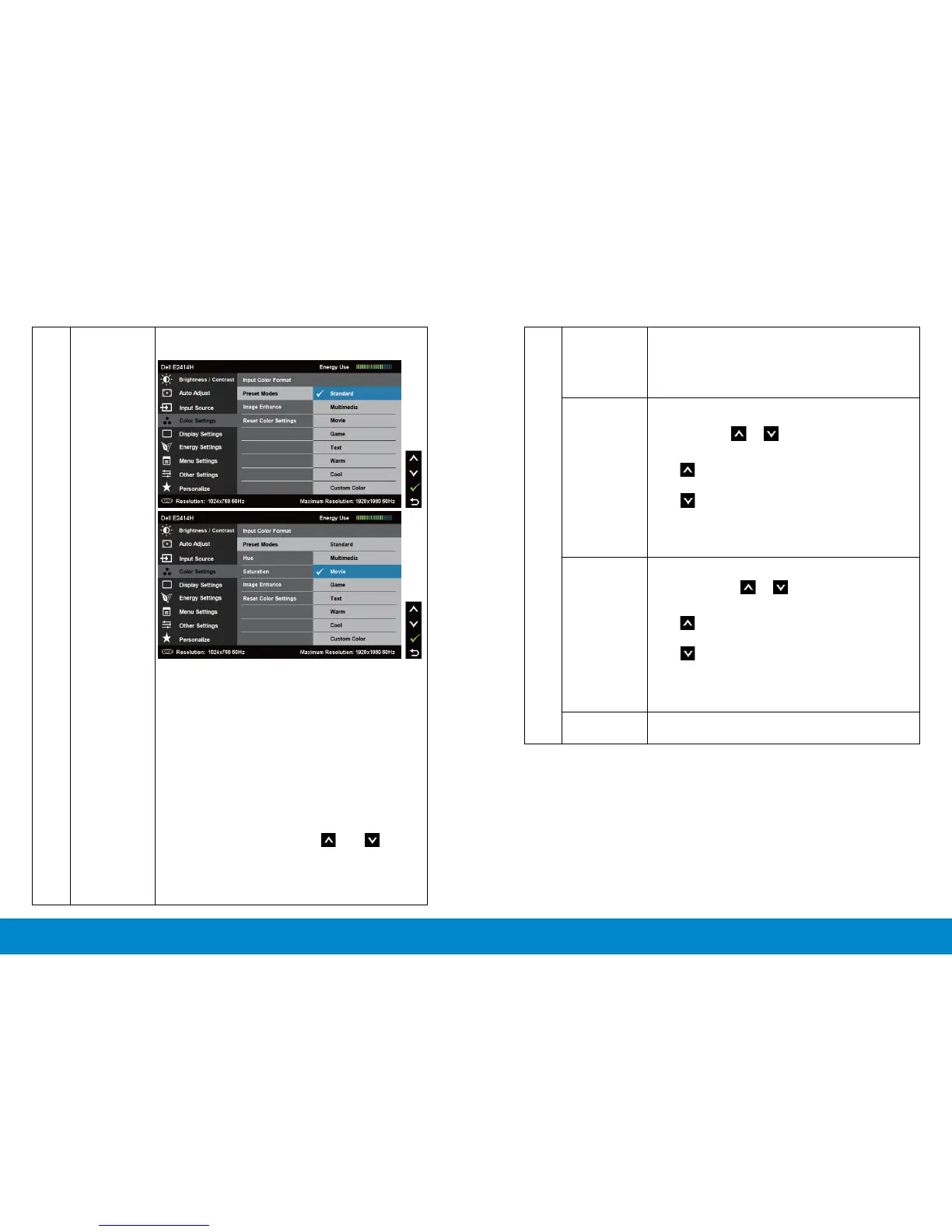
Hue This feature can shift color of video image to green
or purple. This is used to adjust the desired flesh
tone color. Use or to adjust the hue from ‘0’
to ‘100’ .
Press to increase the green shade of the video
image.
Press to increase the purple shade of the video
image.
NOTE: Hue adjustment is available only for Movie
and Game mode.
Saturation
This feature can adjust the color saturation of the
video image. Use or to adjust the saturation
from ‘0’ to ‘100’.
Press to increase the monochrome appearance
of the video image.
Press to increase the colorful appearance of the
video image.
NOTE: Saturation adjustment is available only for
video input.
Reset Color
Settings
Resets your monitor’s color settings to the factory
defaults.
Preset Mode Allows you to choose from a list of preset color
modes.
• Standard: Loads the monitor’s default color
settings. This is the default preset mode.
• Multimedia: Loads color settings ideal for
multimedia applications.
• Movie: Loads color settings ideal for movies.
• Game: Loads color settings ideal for most
gaming applications.
• Text: Loads color settings ideal for oce
• Warm: Increases the color temperature. The
screen appears warmer with a red/yellow tint.
• Cool: Decreases the color temperature. The
screen appears cooler with a blue tint.
• Custom Color: Allows you to manually adjust
the color settings. Press the and buttons
to adjust the Red, Green, and Blue values and
create your own preset color mode.



 To Next Page