14 About Your Monitor About Your Monitor 15
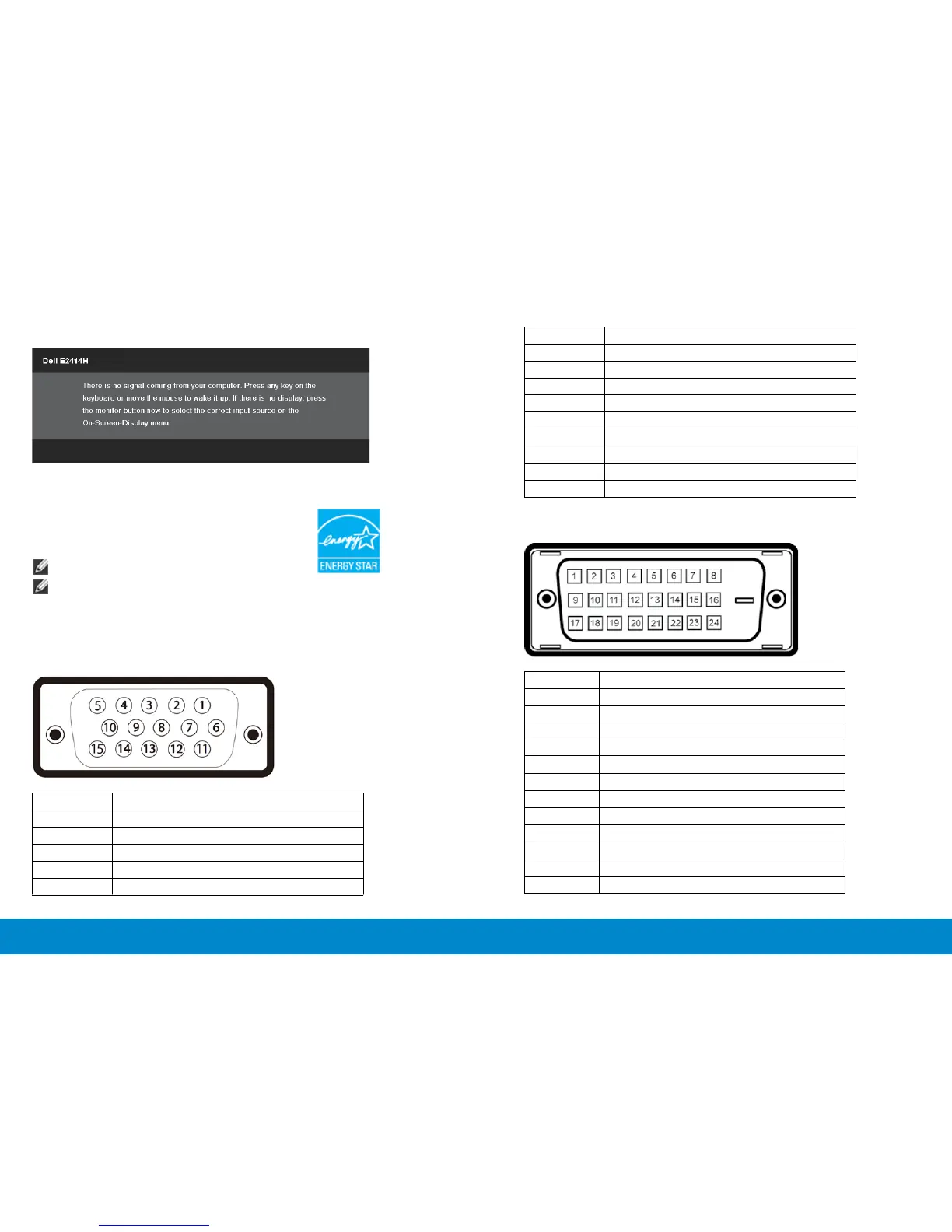
is pressed in Active-o mode, the following message will be displayed:
Activate the computer and the monitor to gain access to the OSD.
6 GND-R
7 GND-G
8 GND-B
9 Computer 5V/3.3V
10 GND-sync
11 GND
12 DDC data
13 H-sync
14 V-sync
15 DDC clock
DVI Connector
NOTE: This monitor is ENERGY STAR
®
-compliant.
NOTE: Zero power consumption in OFF mode can only be achieved by
disconnecting the main cable from the monitor.
Pin Assignments
VGA Connector
Pin Number 15-pin Side of the Connected Signal Cable
1 Video-Red
2 Video-Green
3 Video-Blue
4 GND
5 Self-test
Pin Number 24-pin Side of the Connected Signal Cable
1 TMDS RX2-
2 TMDS RX2+
3 TMDS Ground
4 Floating
5 Floating
6 DDC Clock
7 DDC Data
8 Floating
9 TMDS RX1-
10 TMDS RX1+
11 TMDS Ground
12 Floating



 To Next Page